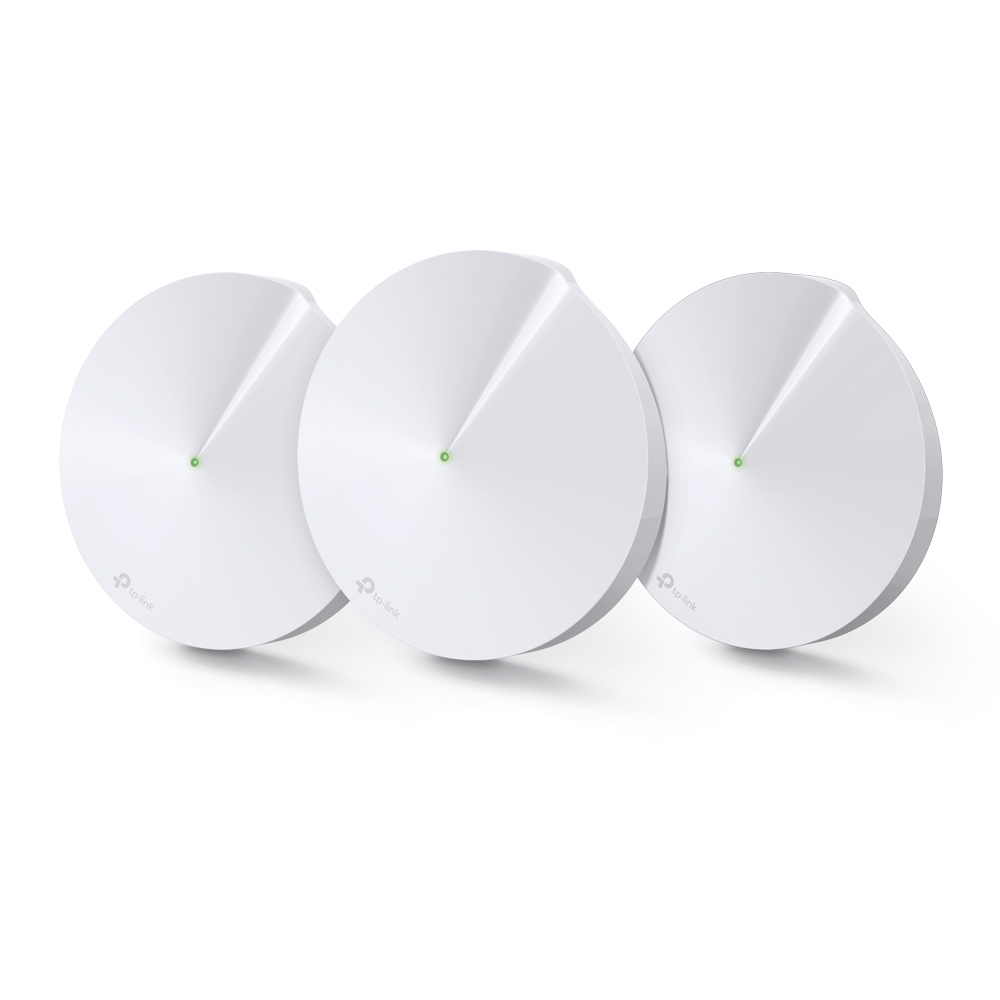
Ever walk around your house and find your connection drops? In a larger home, a single router may struggle to reach the places you use. A mesh Wi-Fi system consists of multiple units that work together to create a unified network. The Deco M9 Plus brings that approach together with a third Wi-Fi radio and a built-in smart-home hub, which makes it an appealing option for a connected home.
The appeal needs a practical qualification: thick walls, interference and placement still matter. A satellite must maintain a useful connection to the rest of the network, not merely broadcast a strong signal to nearby devices. Mesh can improve coverage, but it cannot guarantee that every room or activity will be interruption-free.
Tri-Band: Extra Capacity for the Mesh
The M9 Plus has two 5 GHz radios and one 2.4 GHz radio. The additional radio gives the system more flexibility for communication between units than a simple two-radio arrangement. Think of this as additional road capacity, rather than three lanes that you manually assign to gaming, browsing and backhaul. The mesh manages its wireless paths; tri-band does not make one phone three times faster.
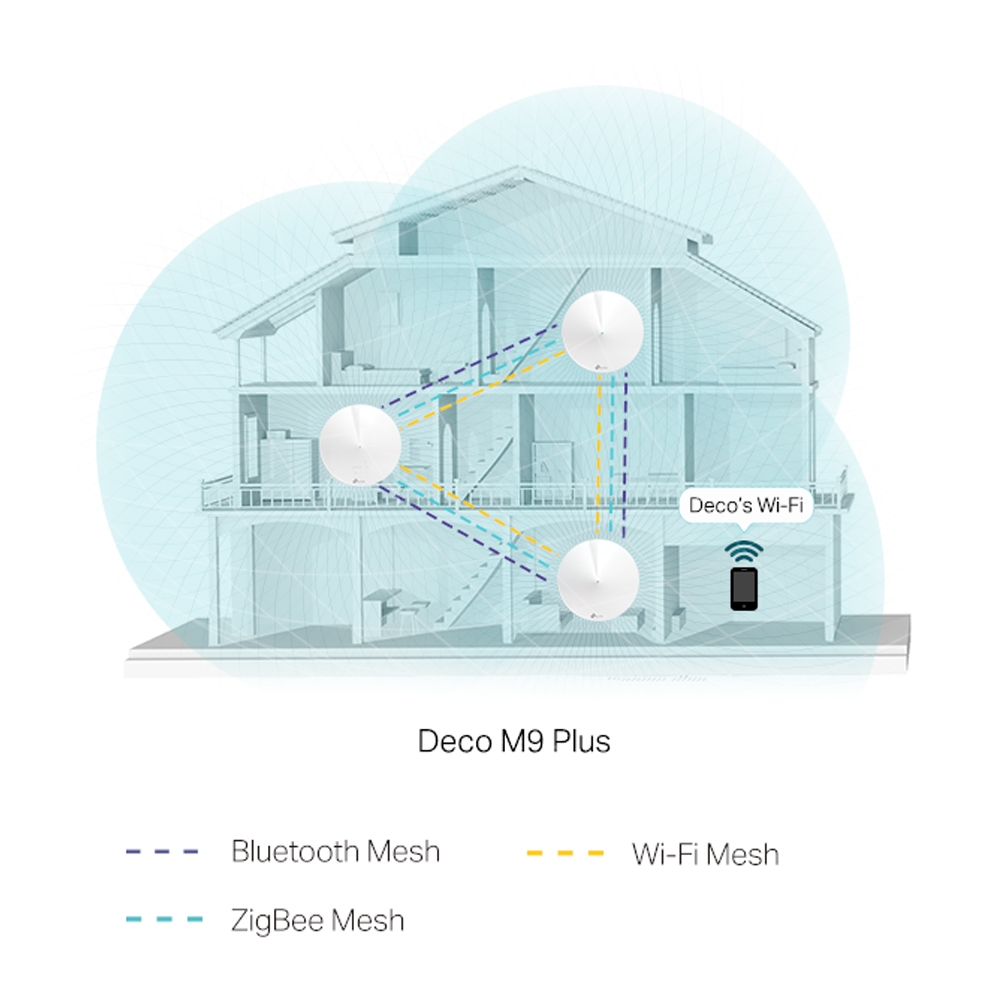
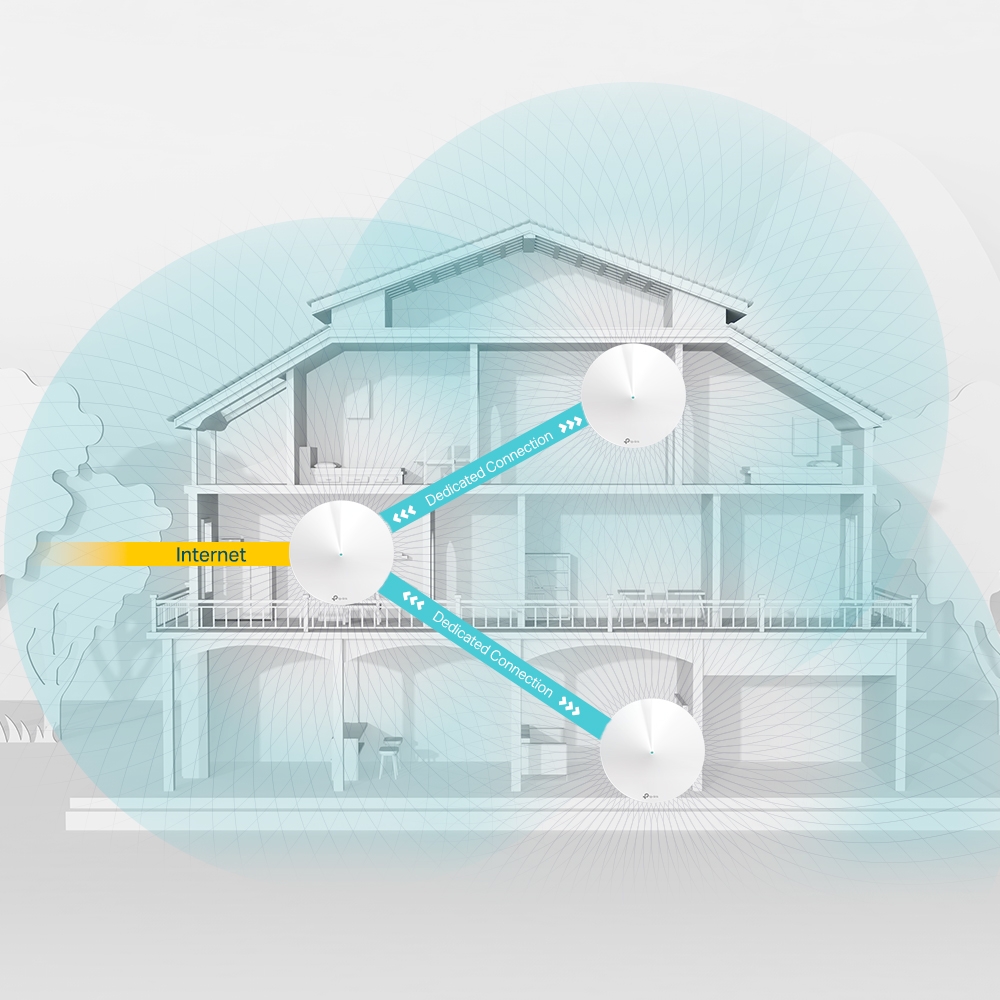
The original illustrations show the combined Wi-Fi and smart-home idea and the intended inter-node connection. They describe the architecture, rather than documenting measured throughput in a particular house. The strength of that backhaul, and the wireless connection to each client, both affect what you receive.
TP-Link Deco M9 Plus: Specs at a Glance
| Feature | Published specification |
|---|---|
| Wi-Fi class | AC2200: 867 Mbps on each 5 GHz radio, plus 400 Mbps on 2.4 GHz. |
| Standards | 802.11ac on 5 GHz; 802.11n on 2.4 GHz. No 6 GHz radio. |
| Ethernet | Two Gigabit ports per unit, supporting automatic WAN/LAN selection. |
| Coverage example | US three-pack advertised up to 6,500 square feet, subject to conditions. |
| Antennas | Eight internal antennas; not eight simultaneous Wi-Fi streams. |
| Smart-home radios | Zigbee HA 1.2 and Bluetooth 4.2, with supported-device restrictions. |
| Wireless security | WPA/WPA2 listed for this model. |
| Management | Deco app; Router and Access Point operating modes. |
These figures describe the referenced product, not a benchmark. Adding the radio rates produces the AC2200 class; one device cannot combine them into a 2,200 Mbps download. Coverage and client-count advertising describe particular test conditions. A house full of mostly idle smart plugs is a different workload from many simultaneous video streams.
On the main unit, using one port for the internet connection leaves one for local equipment or a switch. Any traffic crossing its Gigabit uplink is limited by that link and overhead. This does not necessarily cap transfers between two devices attached to a separate faster switch that can communicate locally without crossing the Deco.
Check the Smart-Home Hub Against Your Devices
The built-in hub remains one of the M9 Plus's distinctive attractions. Compatible bulbs, plugs and sensors can appear in the Deco app, and its Automation and Shortcut functions can connect supported actions. Compatibility belongs to an exact device model, however: having Zigbee, Bluetooth or Wi-Fi does not automatically make every device manageable through Deco.
Read TP-Link's M9 Plus compatibility list before buying accessories. It gives model identifiers, not an unrestricted promise for every product from those brands. It also explicitly notes that Philips Hue bulbs need their own bridge. This is an important exception to the general attraction of eliminating an additional hub.
Start with one supported accessory rather than moving an entire household at once. Confirm pairing, on/off control, the exact sensor event and the automation you need. Then restart the accessory and the network and check that they reconnect. If an automation is important, test it during an internet outage instead of assuming every cross-brand action is fully local. Keep a manual way to operate essential equipment.
The radios do not establish universal Matter, Thread or modern Bluetooth-device compatibility. Nor does a smart-home compatibility list establish every feature exposed by an accessory's own application. Record any functionality you would lose before replacing its existing hub.
Who Needs the Deco M9 Plus?
- Larger homes: Multiple well-placed units can improve coverage where one router struggles. Dense walls may make wired backhaul or a different placement necessary.
- Smart-home enthusiasts: The combined network and hub can simplify a setup when the actual accessories are supported. A separate bridge may still be required.
- Gamers and streamers: Better coverage and backhaul can help reliability, but server distance, internet congestion and client capabilities still affect calls, games and broadcasts. Wired connections are worth considering for stationary equipment.
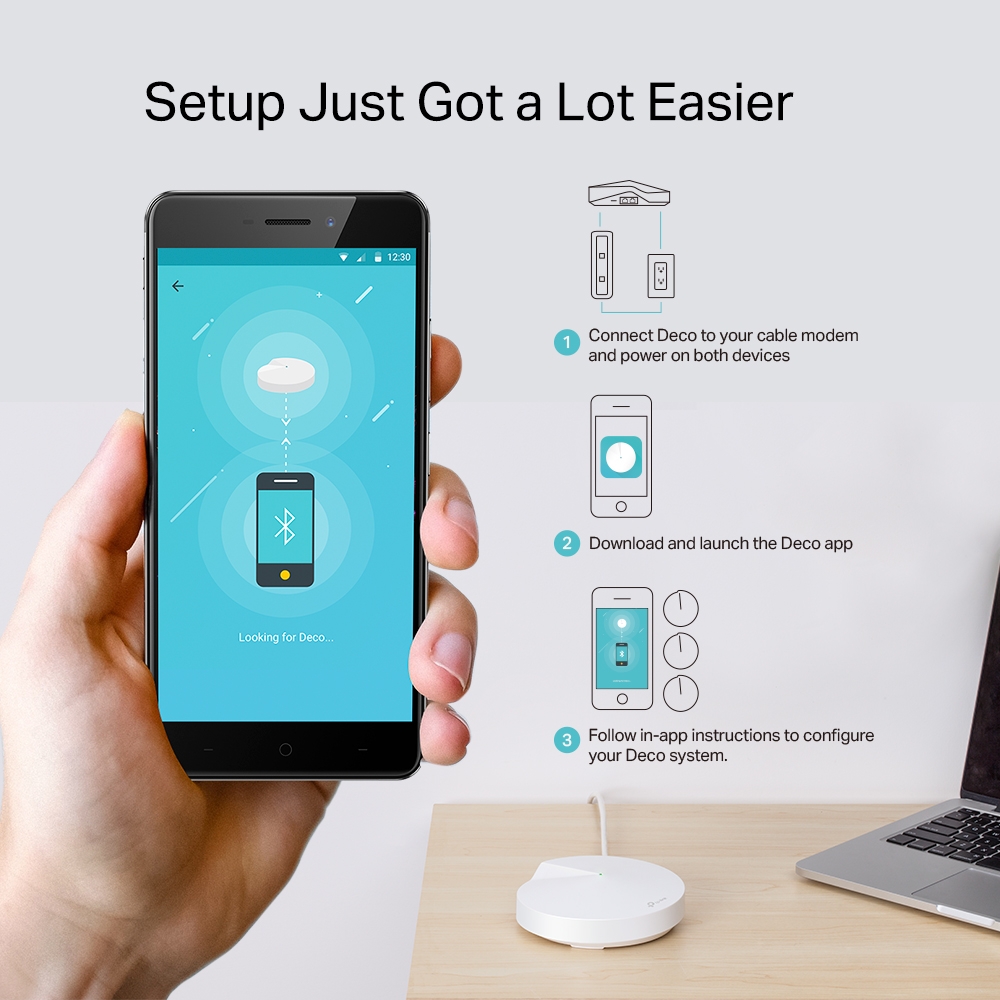
Setup is very simple. Follow our complete guide here:
Backhaul, Placement and Operating Mode
Place a wireless satellite between the main unit and the poorly covered area, where it can still obtain a good upstream connection. Avoid treating the dead zone itself as the automatic ideal location. Use the app to inspect its link, then test the same client in the problem room before and after moving the node.
The M9 Plus also supports Ethernet backhaul. TP-Link's instructions say to set up units first, then wire them using the topology appropriate to the operating mode. In Router mode, satellites belong downstream of the main Deco's LAN side; Access Point mode allows different arrangements behind the existing router. Mixed wired and wireless satellites are supported. Check switch compatibility if the app continues to report a wireless link.
If you keep an ISP gateway as your router, Access Point mode can avoid an unnecessary second routed network. Router features change in that mode. TP-Link's comparison documents HomeCare parental controls, antivirus and gateway QoS as unavailable in Access Point mode, so decide which device should provide those functions before switching.
HomeCare and the Support Lifecycle
The referenced US product page advertises a free lifetime HomeCare subscription. Its footnote defines lifetime as the life of the purchased device, makes it non-transferable and reserves the right to modify services and features. Keep that useful benefit in context: it is not an unconditional promise of unchanged cloud services forever. Router filtering also does not replace device updates, safe account practices or backups.
The US product page marks M9 Plus End of Life. That label alone is not an exact final security-update date for every regional hardware revision. Check the download page for the version printed on your device and read its current firmware notes. Do not install a file intended for another region or revision merely because the model name is the same.
M9 Plus Versus a Newer Kit
If comparing the Deco M4, Deco M5 or Deco X20, consider the complete backhaul and client path. See our Deco X55 versus X60 comparison for those models; do not assume both offer identical channel widths or features in every revision.
Compare current local pricing, firmware support, the smart-home devices you actually own and performance in your rooms. If you already have an M9 Plus that meets those needs, a newer radio generation alone is not a reason to replace it. For a new purchase, weigh its distinctive hub and third-radio appeal against the documented lifecycle and newer equipment's capabilities.
A Connected-Home Option
The original verdict remains positive: mesh coverage, tri-band Wi-Fi and smart-home integration make the Deco M9 Plus a powerful connected-home option. Choose it for features you can use and verify, then test placement and compatibility in your own home. That turns the product's promise into a practical decision.