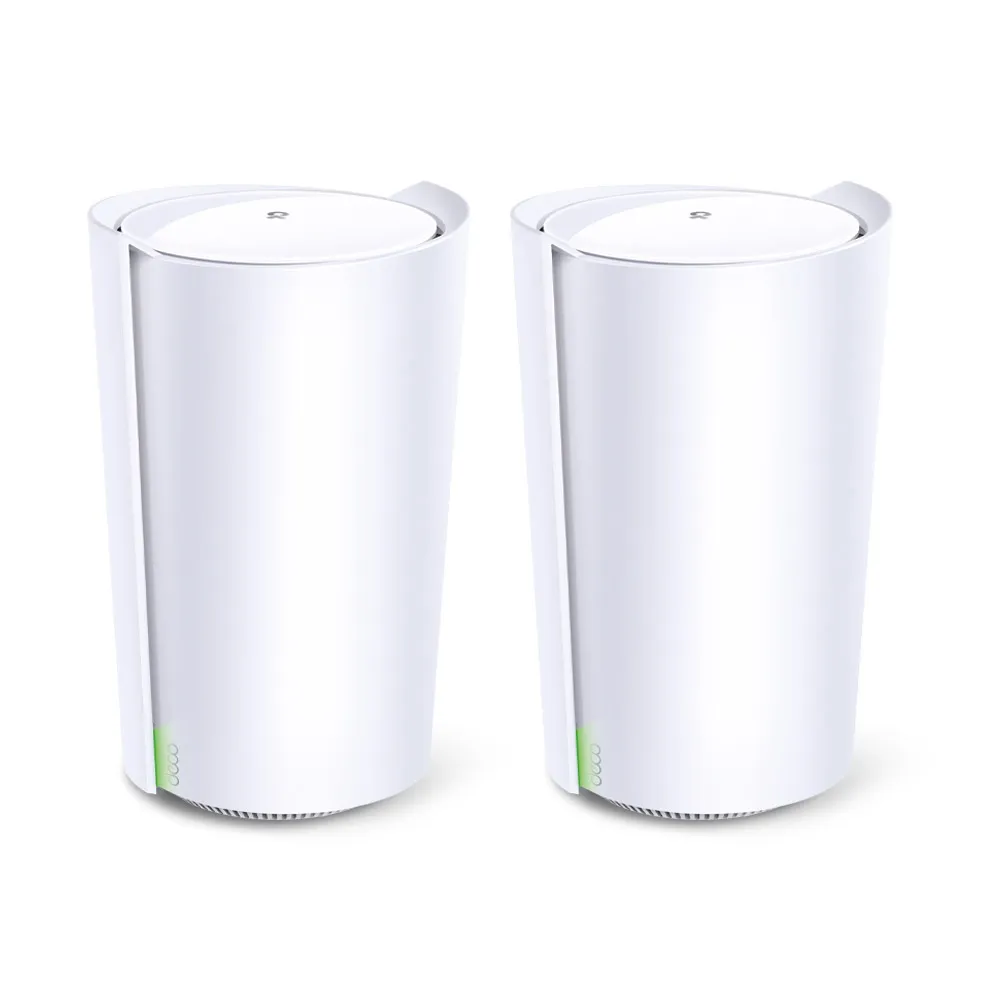
The TP-Link Deco X90 is a tri-band Wi-Fi 6 mesh system aimed at homes where a single router struggles to cover the required rooms. It combines two 5 GHz radios, a 2.4 GHz radio and a 2.5 Gbps Ethernet port on each unit. I still see its wireless capacity and flexible placement as useful strengths, particularly for a large household, but buying an older mesh system now requires checking its port layout and support status as carefully as its speed rating.
Mesh Coverage and Wi-Fi 6
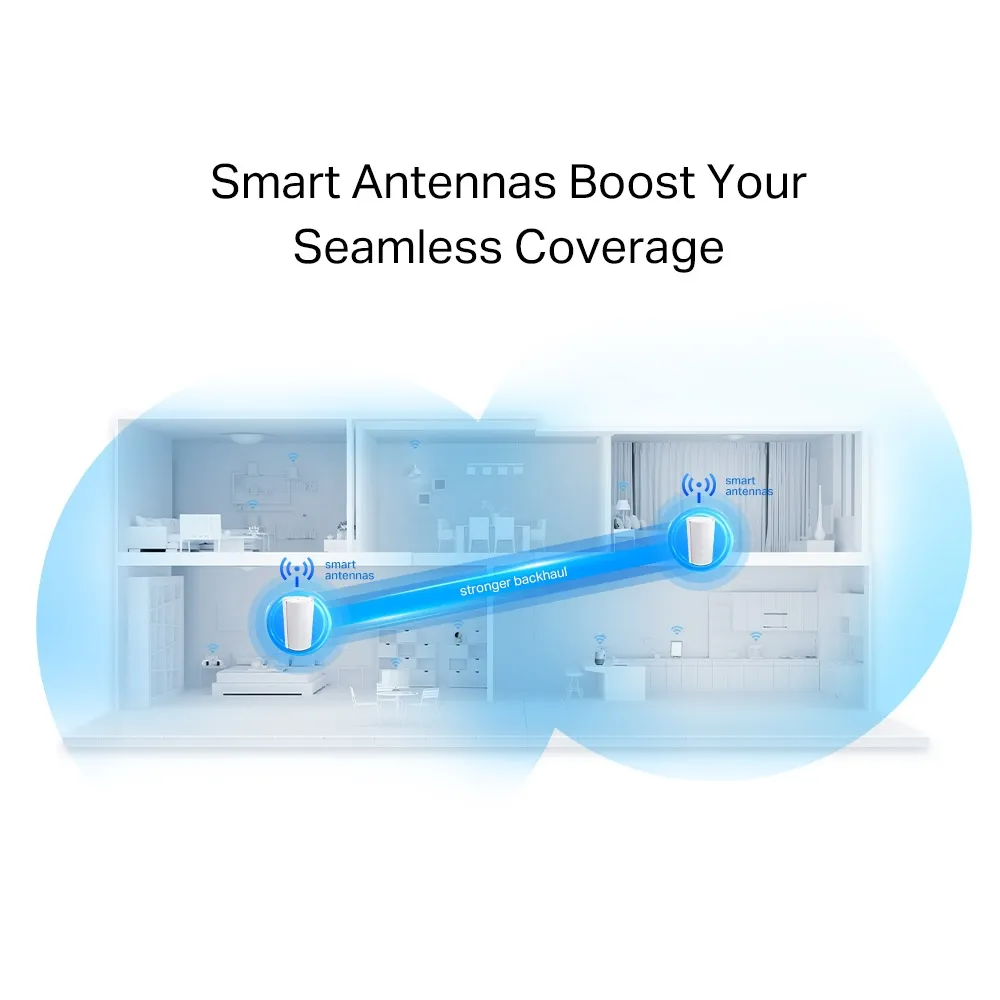
Mesh places several coordinated access points around the home. Instead of forcing a distant phone to reach the main router, a nearby satellite can provide the wireless connection. The satellite then needs its own reliable route back to the main unit, called the backhaul. If that route is weak, a strong signal icon on the phone does not guarantee a fast internet connection.
Wi-Fi 6 can improve how compatible devices share a busy network, with features including OFDMA and MU-MIMO. It is no longer the newest Wi-Fi generation, and it does not guarantee that an old client becomes faster. The X90 is a Wi-Fi 6 model using 2.4 GHz and 5 GHz; there is no 6 GHz radio. Those distinctions matter if you are considering newer devices specifically for 6 GHz access.
Deco X90 Specifications
| Feature | Published X90 specification |
|---|---|
| Wireless class | Tri-band AX6600 Wi-Fi 6 |
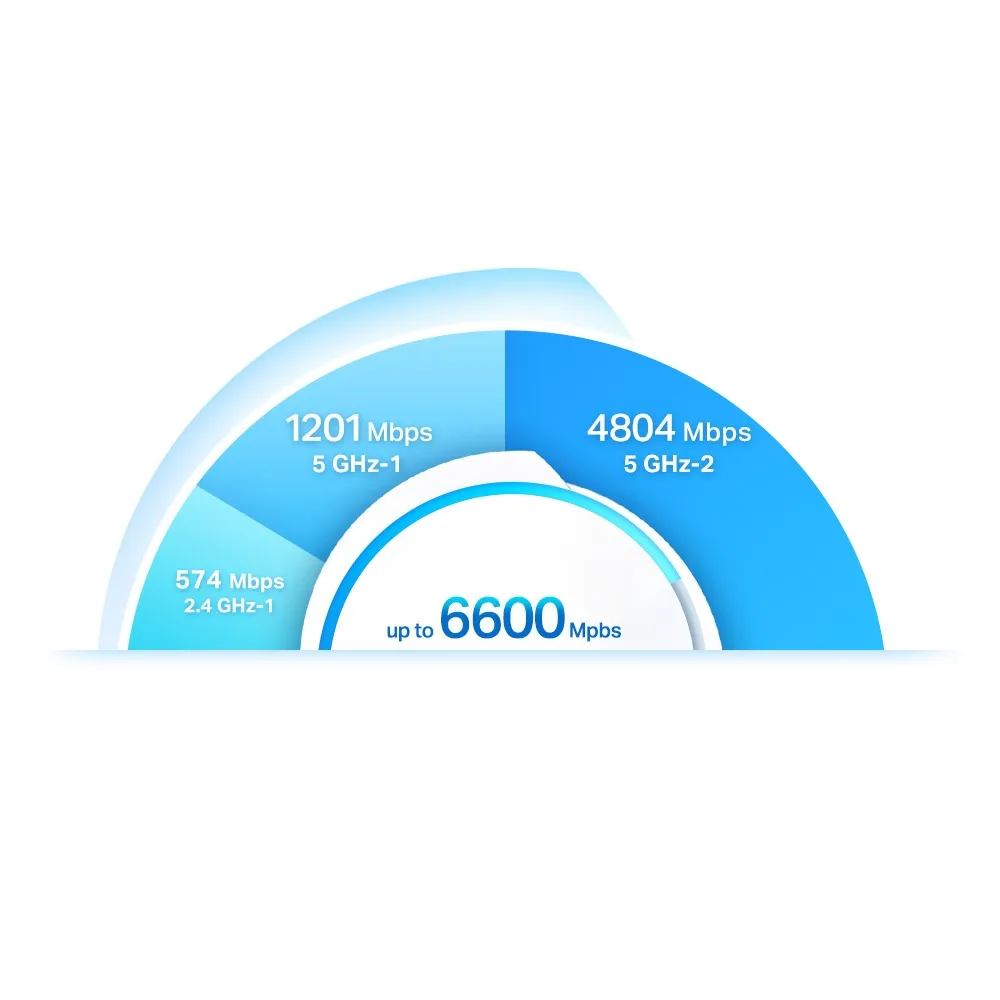
| Band rates | 5 GHz: 4,804 Mbps; second 5 GHz: 1,201 Mbps; 2.4 GHz: 574 Mbps |
| Capacity features | Eight streams, 4×4 MU-MIMO and OFDMA |
| Internal antennas | Four high-gain antennas and two smart antennas |
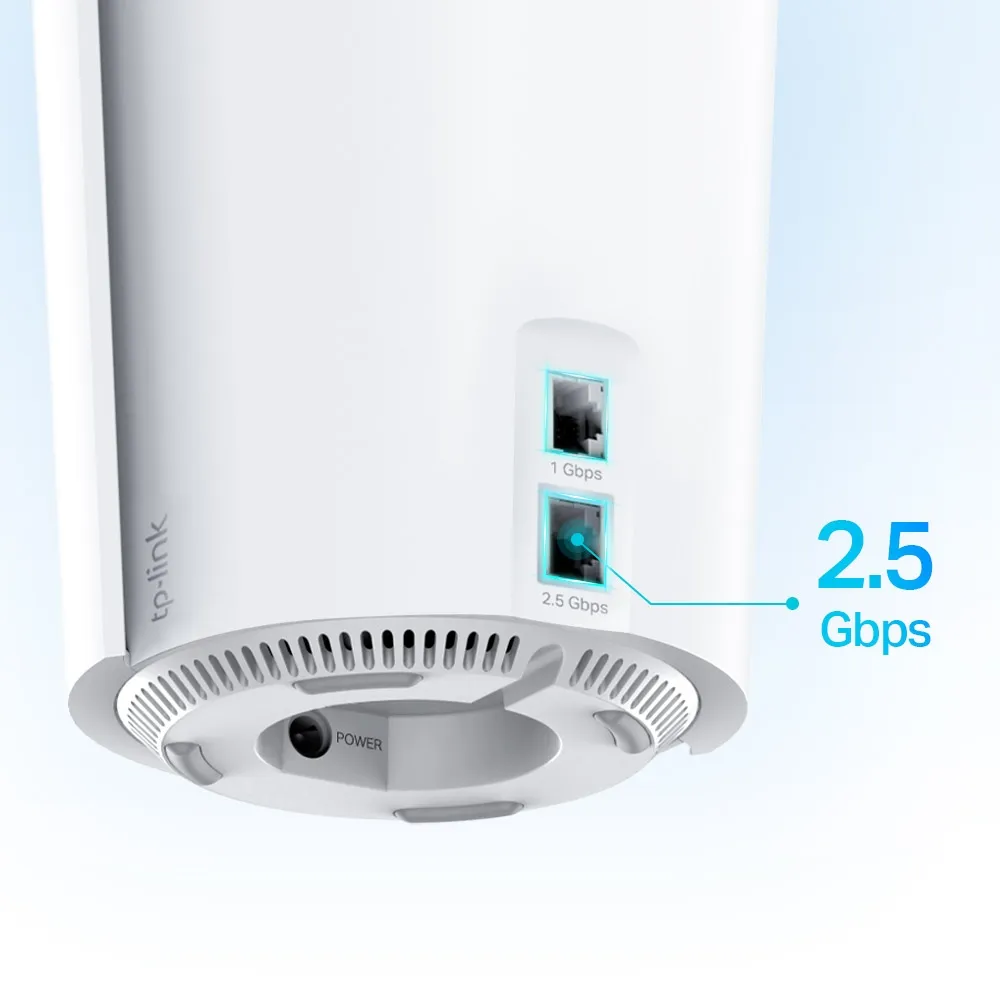
| Ethernet per unit | One 2.5 Gbps WAN/LAN port and one Gigabit WAN/LAN port |
| Operating modes | Router or access point |
| Management | Deco app |
| Security service | HomeShield, with basic and paid functions |
The band rates describe theoretical physical links. AX6600 adds the radios together; it is not a 6.6 Gbps internet connection available to one device. A typical two-stream client cannot use all eight streams across the system. Its own radio, channel width and signal conditions constrain its link, while internet performance also depends on the upstream service.
Smart Antennas and Wireless Backhaul
TP-Link describes the two smart antennas as detecting other Deco units and helping establish a stronger backhaul. That is a useful manufacturer feature description, but it does not establish an impenetrable connection through concrete floors or guarantee a particular antenna gain. The product illustration shows a proposed connection between nodes, rather than a measurement of your building.
Likewise, “AI-Driven Mesh” describes TP-Link's network optimisation, not a promise that it always anticipates your movements or hands off a call before any disruption. Client support and behaviour also affect roaming. Check practical operation with the phones and laptops used in your home, especially if uninterrupted calls are an important requirement.
Do not assume the faster 5 GHz radio is permanently reserved for backhaul while the slower one serves all clients. Band availability and controls depend on firmware. For example, the US V1 firmware page documents a 2025 update adding the ability to enable 5GHz_2, alongside Ethernet-backhaul link-speed detection. Check the exact revision's release notes and the app's current connection information rather than relying on a fixed radio-role diagram.
The Single 2.5 Gbps Port Is a Planning Constraint
The X90's faster port can accept a suitable multi-gigabit internet handoff, but there is only one such port per unit. If the main Deco uses it for WAN, the remaining wired LAN connection is Gigabit. Connecting a 2.5 Gbps switch to that Gigabit socket does not create a 2.5 Gbps path through the main unit.
Alternatively, using the Gigabit port for WAN leaves the faster socket available for a local connection or backhaul, but internet traffic entering over that WAN is still limited by its Gigabit link. Draw the planned connections before buying. If you need both multi-gigabit WAN and multi-gigabit wired LAN, a router with at least two suitable faster ports is a more appropriate foundation.
Account for the satellite's ports too. A wired backhaul consumes a socket, leaving fewer places for a television, desktop or console. A switch can expand the number of connections, but the uplink still limits their shared path. This matters more than the headline radio sum when several wired devices transfer large files.
Placement and Ethernet Backhaul
Start with the main unit in a practical open location and place satellites where their upstream connection is still usable. Do not bury them in cupboards or put a wireless satellite at the farthest dead spot simply because that room needs coverage. Dense walls and floors can affect the backhaul as well as the connection from node to client.
If Ethernet is available, add the Decos to the same network wirelessly first, then connect the cables. In router mode, satellites must connect on the main Deco's LAN side, directly or through a suitable switch. In access point mode, the documented options also include the existing router. Confirm the backhaul type in the app and check the negotiated link speed where the firmware provides it.
When diagnosing a slow room, compare a wired client at the main unit with the satellite's clients. Try a local file transfer as well as an internet test, keeping the devices and path consistent. These are suggested checks, not measured X90 results. They help separate a service-provider bottleneck, a poor backhaul and a weak client radio connection.
Controls, Firmware and Support Status
The current product lists HomeShield rather than HomeCare. Its free basic functions and paid options should be checked against the current local service plan. Router mode provides gateway controls; access point mode delegates routing to the upstream router and removes features such as HomeShield, QoS and parental controls from the Deco app. Choose the mode before relying on a particular control.
WPA3 is useful when clients support it, but does not replace firmware maintenance or sensible network settings. For background, see Learn why WPA3 is important. Integrations and firmware features can change, so verify any essential third-party automation before purchasing.
Lifecycle deserves particular attention. The UK X90 product page labels it EOL and points buyers towards another model. TP-Link's September 2026 US list records end of sales for the X90 two-pack US V1.0 on 1 January 2026 and V1.6 on 19 May 2025. Those are specific regional versions, not proof that every worldwide X90 shares one deadline.
End of sales also differs from end of maintenance. TP-Link's policy normally places maintenance end three years after end of sales, subject to legal requirements and possible extensions. Confirm the applicable local status rather than treating an existing firmware download as a promise of indefinite updates or an EOS date as an immediate shutdown.
Buying Verdict
The X90 remains an appealing Wi-Fi 6 coverage option when its price, supported firmware and available wiring suit the household. I would evaluate a discounted kit against current alternatives, especially before depending on it as the internet gateway for several more years. Its smart antennas and tri-band capacity are reasons to consider it, not guarantees of zero buffering, competitive gaming latency or coverage in every room.
For an existing owner, check current firmware and improve placement or backhaul before replacing working equipment solely because a newer wireless generation exists. For a new buyer, include port needs, unit count, local warranty and lifecycle support in the decision. A system that matches those requirements is a better investment than a large speed number alone.