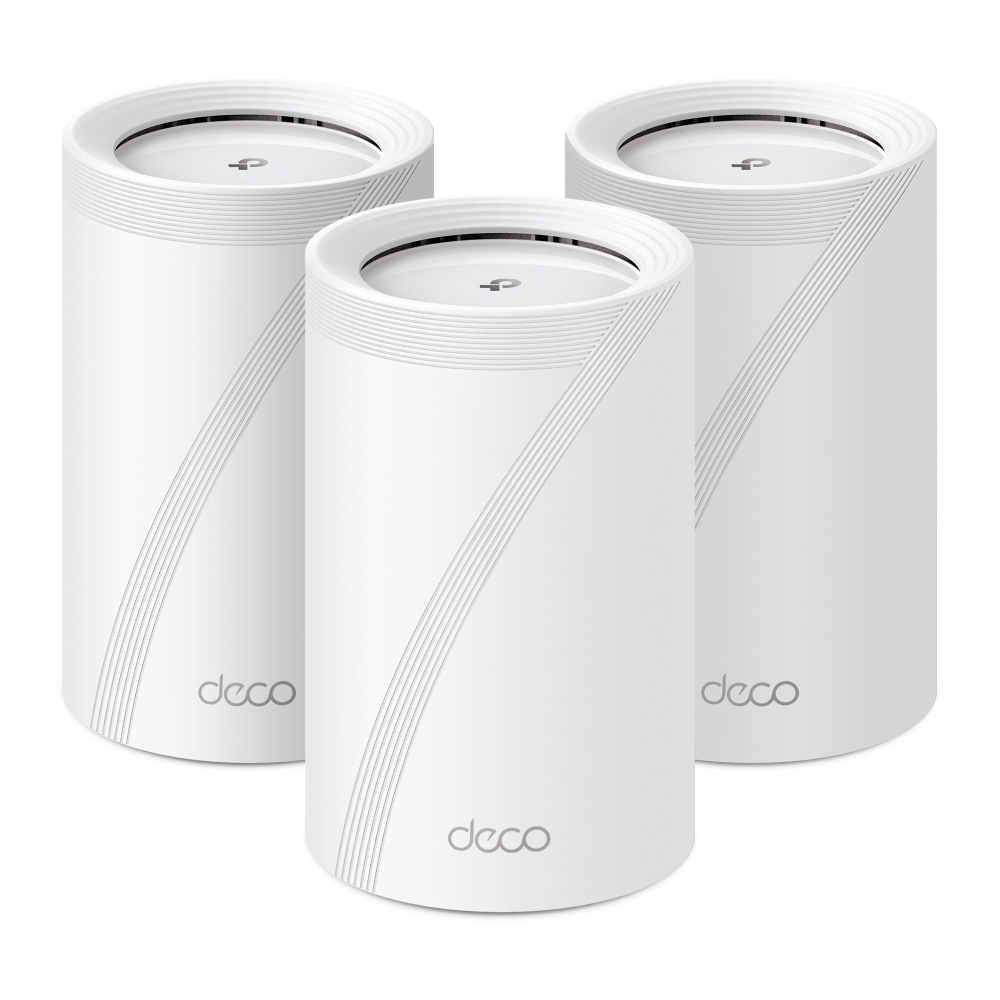
The TP-Link Deco BE65 brings Wi-Fi 7 and multiple 2.5 Gigabit ports to a whole-home mesh system. If your existing network struggles with coverage or busy household traffic, it is an appealing upgrade to consider. The original assessment is favourable: the BE65 offers an attractive balance of features and ease of setup. Whether it is affordable for your home depends on current local pricing, the pack size and the equipment you already own.
What Wi-Fi 7 Adds
Wi-Fi 7 is based on IEEE 802.11be. It adds capabilities including Multi-Link Operation, wider channels where permitted and 4K-QAM modulation. A compatible connection can benefit from those features, but a newer router does not make every device faster by the same factor or eliminate all latency and buffering.
Wi-Fi 6E already introduced 6 GHz access to the Wi-Fi 6 generation; Wi-Fi 7 did not introduce that band. Its availability and channel widths depend on regional regulations as well as the router and client. Older devices normally use supported 2.4 or 5 GHz connections with compatible security settings. They do not acquire a 6 GHz radio or MLO simply by joining a new network.
What the BE65 Does
The BE65 combines three frequency bands with mesh networking. A main unit connects to the internet gateway, while additional units extend coverage. It is available in different packs, so check the number of units in the actual box rather than assuming every purchase includes three.
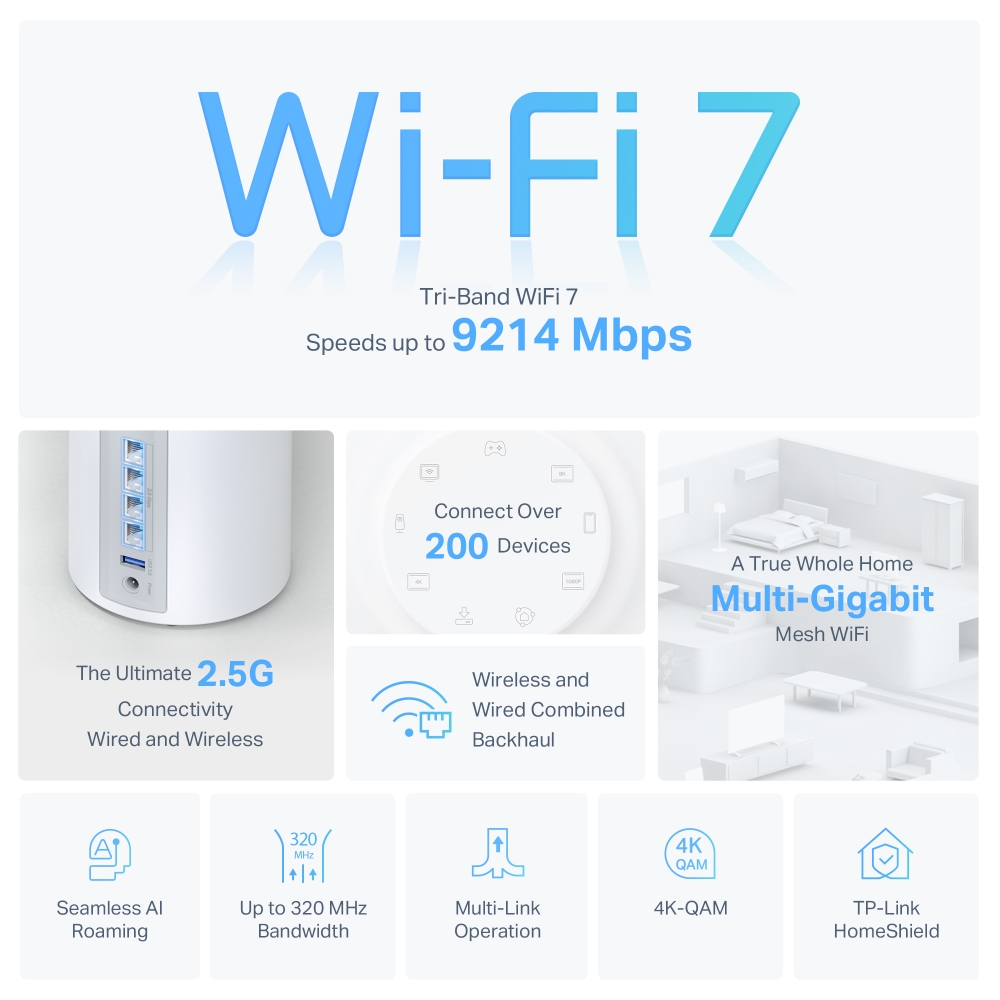
Each standard BE65 unit in the referenced V1 specification has four 2.5 Gbps WAN/LAN ports and one USB 3.0 port. MLO can use multiple wireless links with compatible equipment. TP-Link also advertises combined wired and wireless backhaul for this model. Backhaul is the connection between mesh units; client MLO and inter-node backhaul are related capabilities but are not the same connection.
Read the Exact Regional Specification
The BE65 name has appeared with different radio-rate specifications. The original images below show 5,760 Mbps on 6 GHz, 2,880 Mbps on 5 GHz and 574 Mbps on 2.4 GHz: a combined 9,214 Mbps. The linked worldwide V1 product page instead lists 5,760, 4,320 and 574 Mbps and calls that combination BE11000. These are different published examples, not interchangeable figures.
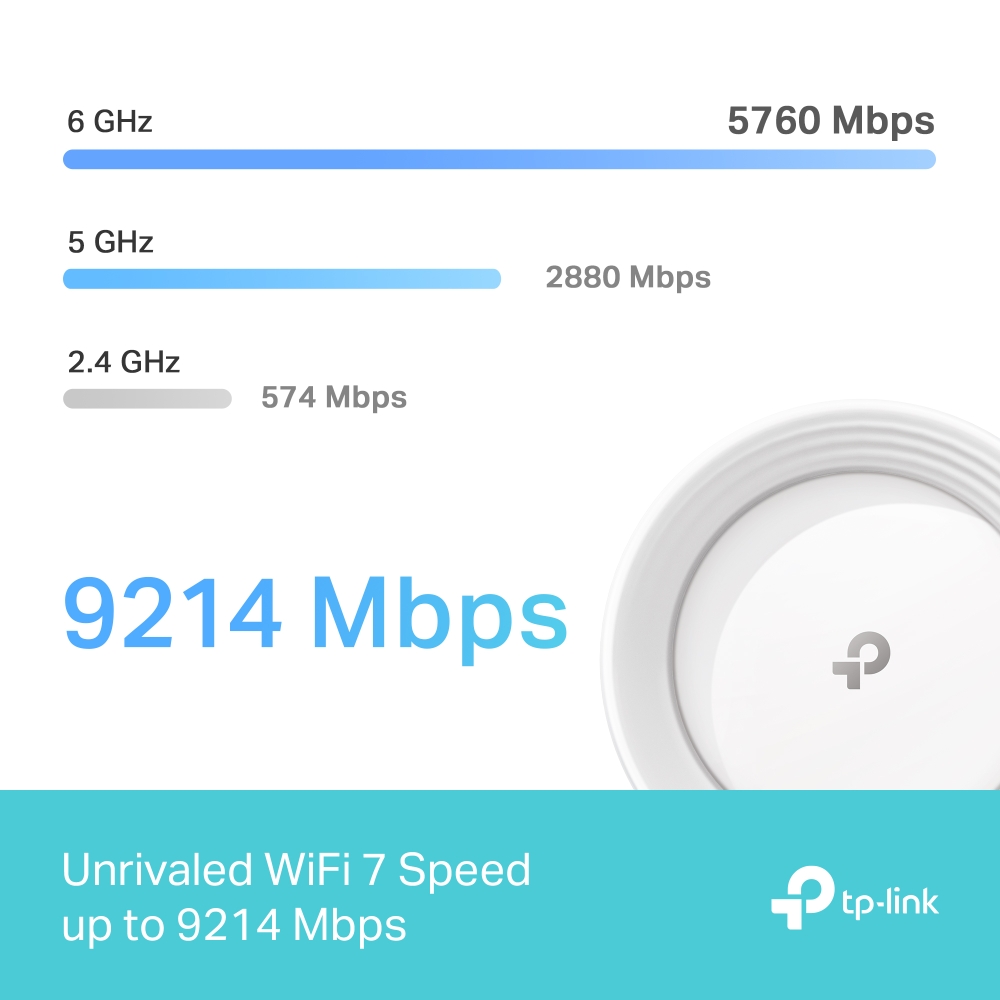
| Item | Original images | Referenced worldwide V1 page |
|---|---|---|
| 6 GHz rate | 5,760 Mbps | 5,760 Mbps |
| 5 GHz rate | 2,880 Mbps | 4,320 Mbps |
| 2.4 GHz rate | 574 Mbps | 574 Mbps |
| Combined radio-rate class | 9,214 Mbps, commonly BE9300 | BE11000; the listed rates total 10,654 Mbps. |
The aggregate describes several radios, not a single client's internet throughput. Do not infer a universal V1-versus-V2 rule from these labels: country, hardware revision, firmware and regulatory restrictions can all matter. Before ordering, ask for the exact model and revision, then compare its local specification and download page. The separately named BE65-PoE and other related products require their own specifications.
What Four 2.5GbE Ports Make Possible
On a satellite using one Ethernet port for backhaul, three ports remain for devices at that location. That can be convenient for a workstation, server and NAS without immediately adding a separate switch. On the main unit, account for the internet connection and any wired satellites when counting the remaining ports.
Useful throughput depends on the whole path: both devices' adapters, cables, switches, storage and any routed links. A 2.5GbE port connected to a Gigabit modem negotiates the common supported speed; it does not upgrade the modem. A wireless satellite can also limit a fast wired client through its backhaul. The step-up Deco BE75 is another comparison to investigate, rather than assuming a higher model number suits every setup.
The referenced page lists USB storage sharing through FTP, media-server and Samba functions. That makes a shared drive an option to explore, but it does not establish NAS-grade performance, redundancy or backups. Test with non-essential files first, review access permissions and avoid exposing storage services directly to the internet.
Setting Up Your Deco BE65
- Install the Deco app and prepare your TP-Link account. Record any ISP-specific connection settings before changing the gateway.
- Connect the first Deco using the supplied power adapter and Ethernet instructions. The BE65 guide says pulsing blue means ready for setup; solid blue means setup is in progress.
- Follow the app to select the connection type and create the network. Decide whether Deco will be the router or an access point behind your existing router.
- Add the other units supplied with your pack, initially where setup communication is reliable. Move them to locations with a useful upstream connection, rather than the deepest dead zone.
- For Ethernet backhaul, follow TP-Link's wiring requirements for the selected operating mode. Check in the app that the intended link is active.
- Test internet access, local devices and roaming before enabling optional features or replacing the previous arrangement.
In Router mode, wired satellites must be downstream of the main Deco's LAN side. Access Point mode has different wiring options and leaves routing to the existing gateway. HomeShield gateway functions and QoS change in that mode; select it deliberately rather than treating it as an identical feature set.
Why the BE65 Is Appealing
The original strengths remain worth considering: modern radios, convenient app management, coordinated coverage and several fast wired ports on each unit. Those features are particularly useful when they solve a real limitation in the current network. A small home with satisfactory coverage may benefit less than a home office that needs both coverage and faster local file transfers.
HomeShield includes free and paid features, with availability dependent on model, firmware and service terms. Check which parental-control or security function you need before subscribing. Router filtering is an additional layer, not a guarantee against every threat and not a replacement for endpoint updates or account security.
Verify the Benefit in Your Own Home
Use one client and record a baseline near the current router and in the problem room. After setup, repeat the same tests and check the satellite's backhaul status. For local transfers, use the same file and endpoints. Internet tests include ISP conditions, while local tests help identify the network path without assuming broadband is responsible.
Walk through the house during a call, reconnect older smart devices and try a busy period with several normal household activities. Roaming depends on client support and decisions; no mesh label guarantees an uninterrupted handover for every device. Keep notes on placement and change one setting at a time. This provides evidence for your own purchase without treating manufacturer coverage or device-count advertising as a household benchmark.
Conclusion
The BE65 remains a great choice to consider for experiencing Wi-Fi 7 at home, especially when its ports and mesh features match your needs. Check the regional version, support, real purchase cost and client compatibility, then test the benefit in the rooms you use. More information is available at the original TP-Link Deco BE65 V1 product page.