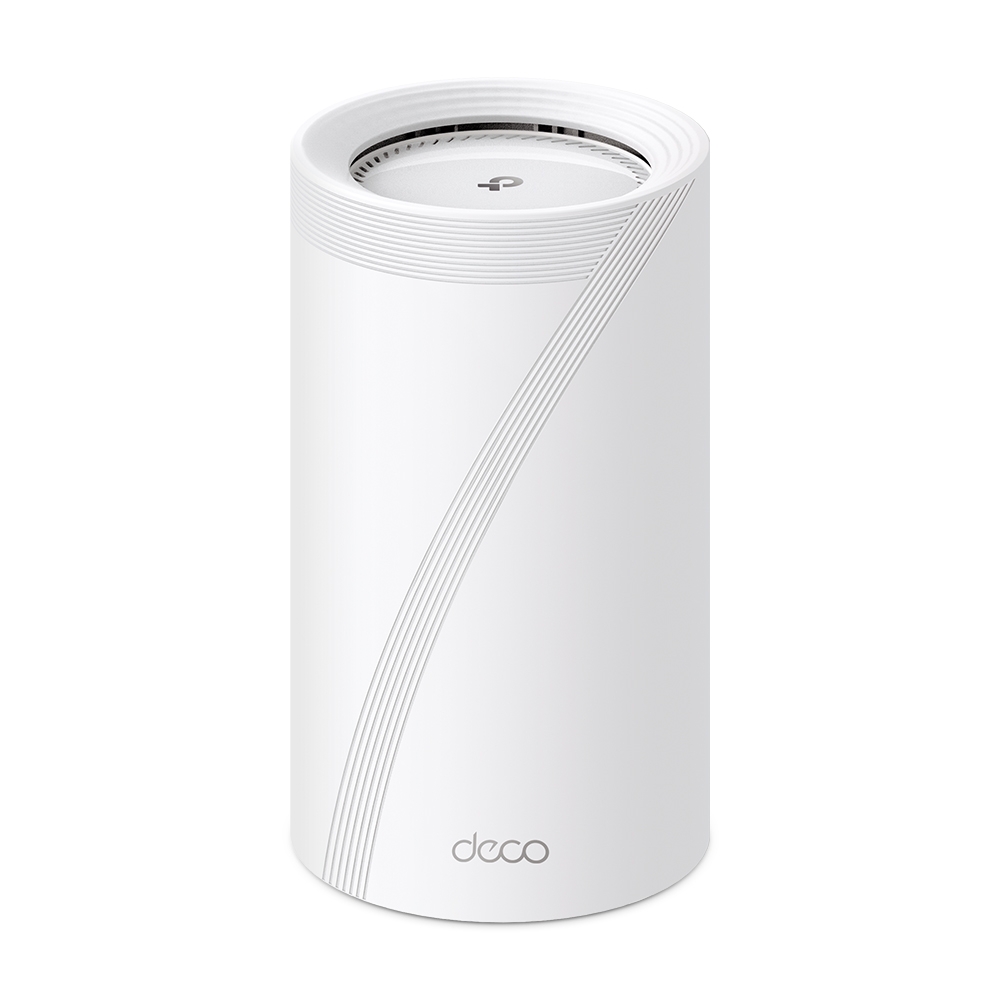
Wi-Fi is an essential part of daily life, but a slow or unreliable connection can be frustrating. The TP-Link Deco BE75 is an impressive mesh option for households looking for Wi-Fi 7 features and fast wired connections. Its appeal lies in combining capable radios, a 10Gbps connection option and straightforward Deco app management.
The BE75 is marketed as a BE17000, eight-stream tri-band system. That description makes it sound powerful, but choosing well means understanding how the numbers relate to your devices, internet service and layout. Here is what the features offer and what to check before building around them.
Wi-Fi 7: What the Features Mean
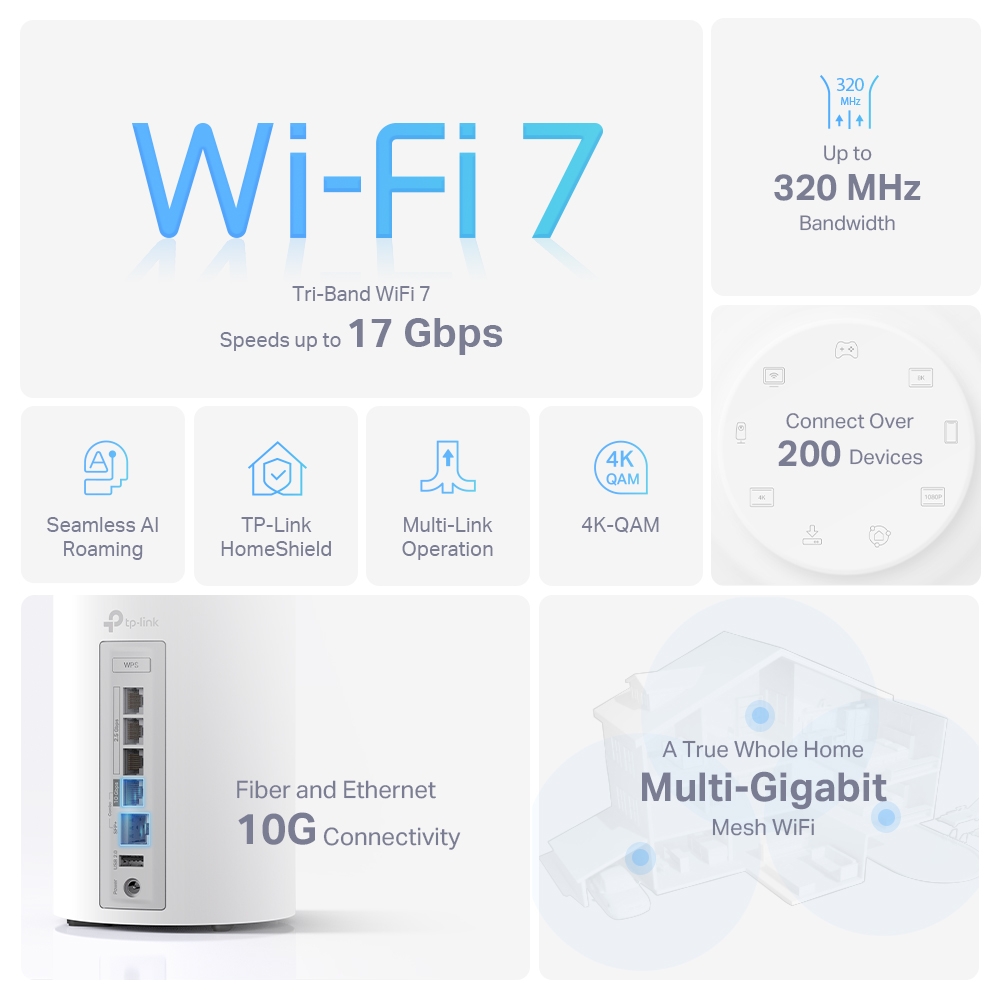
The BE75 supports 2.4GHz, 5GHz and 6GHz. Its published feature set includes Multi-Link Operation (MLO), 320MHz channels, 4K-QAM and multi-resource-unit operation. Compatible clients and regional support are needed to use those capabilities; an older laptop does not become a Wi-Fi 7 device by joining the network.
320MHz operation is a 6GHz feature, not a channel width available on every band. The allowed spectrum and channel choices differ by region. Likewise, 6GHz avoids older 2.4/5GHz-only Wi-Fi traffic on that band, but does not eliminate all interference or the effects of walls. More advanced modulation is useful only when radio conditions and client support allow it.
These features make the BE75 attractive for demanding local traffic and newer devices. They do not promise that any game, video stream or application will become faster. Check the application's needs and the client connection rather than treating the generation label as an automatic performance guarantee.
Published Radio and Port Specifications
The global product page linked by this article lists the following maximum radio signal rates. They are theoretical physical-layer figures, rather than download measurements.
| Item | Published specification | Planning implication |
|---|---|---|
| 6GHz | 11,520Mbps | Requires a compatible client and available regional channels |
| 5GHz | 4,320Mbps | Client capability and supported channel width affect its usable rate |
| 2.4GHz | 688Mbps | Older and IoT clients may connect with different capabilities |
| Fast wired connection | One 10Gbps RJ45/SFP+ WAN/LAN combo port per unit | Its copper and optical sides are alternatives for one connection |
| Additional wired connections | Three 2.5Gbps WAN/LAN ports per unit | Plan internet, backhaul and wired-device connections |
The BE17000 class combines radio capacity across bands. It does not mean one device receives 17Gbps of useful traffic. Product pages may use slightly different rounding, and local hardware versions can have different supported features. Check the regional datasheet and label of the unit being sold.
Coverage and the Published Speed Example
TP-Link publishes a BE75 heatmap for a 4,600sq.ft. two-storey, five-bedroom villa with drywall interiors and 4x4 MLO-compatible clients. In its 10Gbps wired-backhaul example, the manufacturer reports roughly 7–8Gbps near the nodes, 6–7Gbps through much of the villa and 5–6Gbps near the edges. Those are TP-Link's example results, not TechDecode's hands-on measurements or guaranteed coverage.
The setup details matter. A common phone or laptop may have fewer spatial streams, and a home with brick, concrete or a different floor plan can behave differently. The villa's area should not be read as a universal pack-size coverage promise. Use the example to understand the test conditions, then assess your own rooms and devices.
Start with the areas you need to serve reliably. For a wireless satellite, verify the upstream signal as well as the client coverage. If cabling is available, Ethernet backhaul can remove a difficult wireless hop. In either case, a speed test beside one node does not describe every room or a busy evening's workload.
Planning Around the 10Gbps Combo Port
The combo port provides flexibility, but its RJ45 and SFP+ connectors cannot be used simultaneously. There is one 10Gbps connection to allocate on each unit, not two independent 10Gbps ports.
For example, a supported internet connection using a 2.5Gbps port can leave the main unit's 10Gbps connection available for a fast LAN switch. If the internet service instead occupies the 10Gbps port, the remaining individual copper ports are 2.5Gbps. Plan this allocation before assuming you can have a separate 10Gbps WAN and 10Gbps wired satellite uplink from the main unit.
TP-Link's current Wi-Fi 7 FAQ recommends a compatible optical transceiver and fiber for the SFP+ connection and does not recommend DAC copper cables. Match the transceiver, fiber and equipment at both ends. An SFP+ cage alone is not confirmation that you can remove an ISP's ONT or connect directly to any fiber service; obtain the ISP's supported connection requirements.
For local NAS transfers, check the server adapter, switch ports, storage and client link as well as the Deco. A faster backhaul cannot overcome a slower link elsewhere. Keep internet test results separate from local-network measurements.
MLO and Combined Backhaul
MLO allows compatible devices to use supported wireless links more flexibly. Client capabilities, operating-system support and firmware determine the usable combination and benefit. Follow the current app and support guidance rather than assuming a single fixed 5GHz-plus-6GHz arrangement applies to every device.
TP-Link also describes the BE75 as supporting combined wired and wireless backhaul. That node-to-node feature is distinct from a client's MLO connection. Do not assume enabling an MLO network on your phone is the same as configuring the backhaul, or that plugging in Ethernet disables all wireless backhaul on every Deco model.
Add nodes using the supported Deco setup workflow, then check each satellite's connection. In Router mode, wired satellites belong downstream of the main Deco's LAN side. AP mode has a different supported layout. Use the manufacturer's topology and switch guidance rather than improvising duplicate cable paths.
One Network Name and Everyday Roaming
Deco's unified management and common network name are convenient when moving around a home. Its roaming assistance can help compatible clients, but the phone or laptop still participates in deciding when to change access points. “AI-driven” does not guarantee that every client always selects the fastest node or that every call remains uninterrupted.
Test with the devices that matter to you. Walk between the main areas during a call and check whether an unwired node has a good upstream connection. If one client behaves poorly, investigate its adapter, software and roaming support before replacing the whole kit.
HomeShield and Management
HomeShield adds network protection and parental-control options, making the BE75 more than a collection of fast radios. It includes basic and advanced services; advanced features require a paid subscription. Check the current plan, regional availability and firmware before relying on a particular control.
Location tracking is associated with the separate KidShield app and its supported setup, rather than the router automatically locating every family member. Network filtering and device security are also different layers. Keep devices updated and review the tools you enable; no subscription guarantees complete protection from every threat.
If an existing router or firewall remains in charge, check the AP-mode feature differences. TP-Link documents gateway features that are unavailable in AP mode, so do not assume the mesh continues providing all router-mode HomeShield, parental and QoS functions.
An IoT network can make device organisation easier, but a different Wi-Fi name is not proof of network isolation. Confirm the actual isolation options and operating mode, then test access between the networks if separation matters to your setup.
Conclusion
The BE75 remains a powerful and appealing Wi-Fi 7 mesh choice, particularly for households that can use its newer wireless features and multi-gigabit ports. Its combination of performance options and friendly management is impressive. Match those strengths to your clients, cabling and complete budget, including optional services.
Before buying, confirm the local model's specifications, the intended use of its single 10Gbps connection, the satellite layout and the controls available in your preferred mode. Afterwards, verify ordinary use in the rooms that matter. That gives the BE75's capabilities a practical purpose and sets realistic expectations for your home.
To learn more, visit Deco BE75 | BE17000 Tri-Band Whole Home Mesh WiFi 7 System | TP-Link and the Wi-Fi 7 feature and SFP+ FAQ.