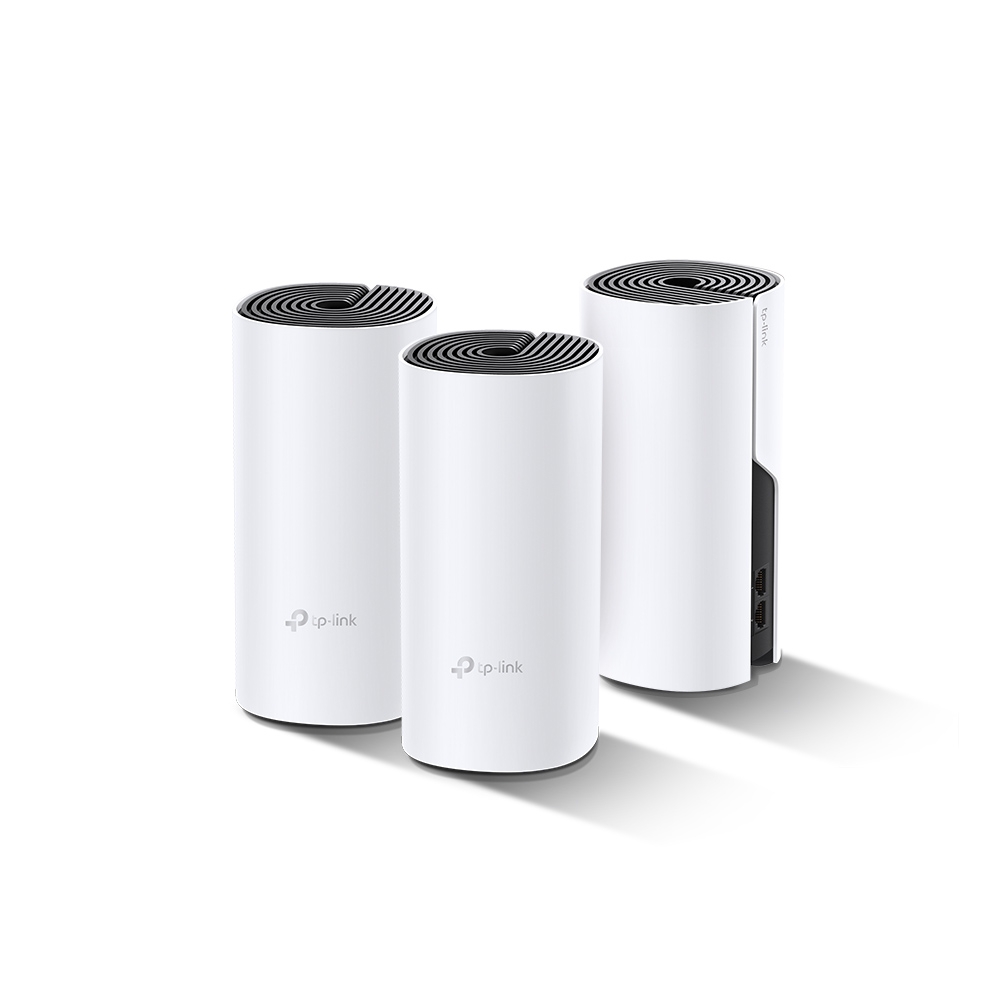
Struggling with spotty Wi-Fi through thick walls or between floors? The TP-Link Deco P9 offers a distinctive approach: it combines a managed Wi-Fi mesh with powerline communication over existing electrical wiring. The original verdict remains positive. It is a solid, approachable option to consider when ordinary wireless backhaul struggles, provided the wiring supports a useful connection.
Deco P9 Specifications at a Glance
| Feature | Published capability |
|---|---|
| Wi-Fi | AC1200: up to 867 Mbps on 5 GHz and 300 Mbps on 2.4 GHz. |
| Powerline | HomePlug AV2, advertised AV1000 physical rate. |
| Ethernet | Two Gigabit WAN/LAN auto-sensing ports per unit. |
| Backhaul | Wireless plus compatible powerline; Ethernet where supported and correctly wired. |
| Coverage example | Up to 6,000 square feet in the referenced marketing; actual coverage depends on the pack and property. |
| Management | Deco app, supported parental controls and device QoS. |
| Wireless security | WPA/WPA2 listed; use the strongest supported compatible configuration. |
The Wi-Fi and powerline numbers describe different physical links. They are not application throughput, and adding the advertised figures does not establish one client's internet speed. The Gigabit ports, wireless client, wiring and internet plan are also parts of the path. A connected-device count is a test-based capacity claim, not a guarantee that every device receives a high-speed stream simultaneously.
How Mesh and Powerline Fit Together
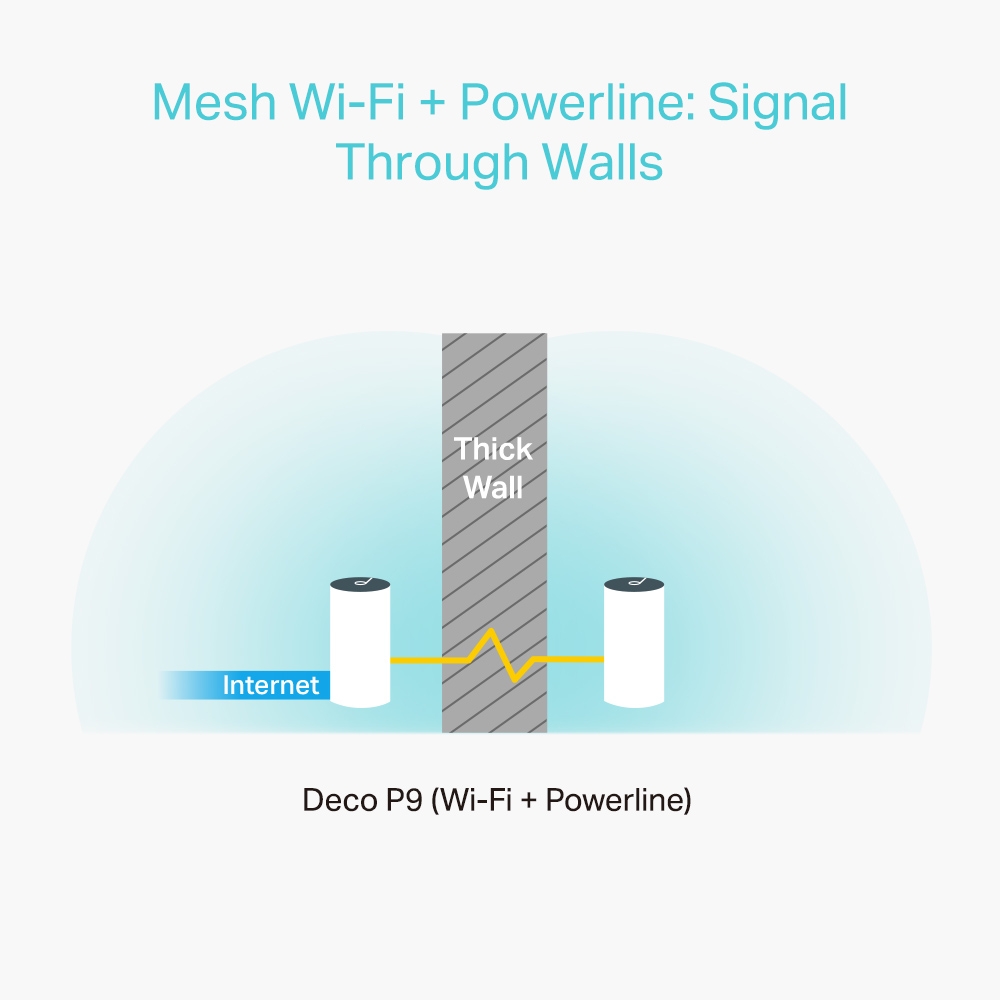
Each node provides nearby Wi-Fi access. It also needs a route back to the main unit, called backhaul. With P9, electrical wiring can carry that inter-node traffic around an obstacle that weakens the wireless route. This does not remove the walls' effect on the Wi-Fi link between a node and your phone.
The original illustration conveys that architectural benefit. It is not a guarantee that every socket or distant building forms a good link. A node can have a strong signal to the client beside it while the upstream powerline or wireless connection remains the bottleneck.
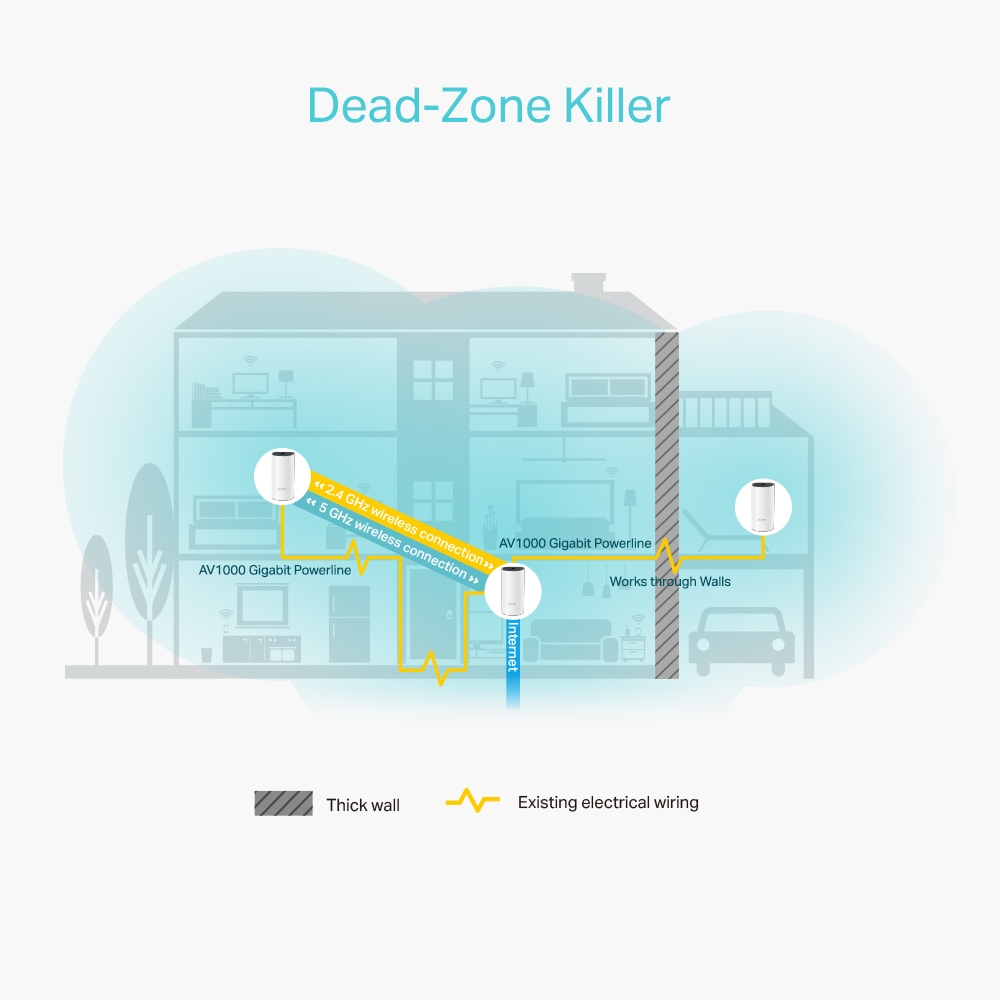
This second diagram shows Wi-Fi and electrical-wiring routes around a home; it is not an internal antenna or circuit-board schematic. The routes are conceptual. Verify the actual connection in the Deco app rather than assuming the illustration represents your wiring.
Requirements for Powerline Backhaul
TP-Link's current powerline FAQ specifies an important condition: a powerline-capable Deco must be the main Deco, with compatible powerline units on the same electrical system. Powerline establishes automatically when its conditions are met; it is not enabled by a universal physical switch.
With no Ethernet cable between compatible units, Wi-Fi and powerline backhaul can operate together. When an Ethernet link is present, the FAQ says only Ethernet backhaul is used for that connection. This distinction is useful when diagnosing why the app changes its displayed uplink after you add a cable.
The main unit is also important in a mixed kit. Merely adding P9 satellites behind a main Deco that does not meet the documented powerline requirements does not guarantee PLC backhaul. Check the current FAQ and firmware for the actual combination before buying additional nodes.
Powerline Compatibility Before Expanding
| Combination | What TP-Link documents |
|---|---|
| P9 with P7 or PX10 | These HomePlug AV Deco models can form compatible PLC links, subject to the setup requirements. |
| P9 with PX50 | PX50 uses G.hn; it cannot establish PLC backhaul with P9. |
| P9 with a standalone powerline adapter | It does not form a unified Deco PLC backhaul, even if the adapter uses the same underlying protocol. |
A product can belong to the wider Deco mesh ecosystem without sharing the same powerline technology. The newer PX50 is therefore not a drop-in powerline partner for a P9 network. Plan the complete combination rather than buying a unit solely because it has a newer Wi-Fi generation.
Likewise, a separate HomePlug or G.hn adapter pair can create its own network, but the P9's built-in PLC function does not automatically join it. TP-Link also warns that different powerline systems in the same environment can interfere. Keep their roles clear when troubleshooting.
Four Useful Placement and Connection Checks
- Use a direct wall socket. TP-Link recommends it instead of a power strip or converter. Some strips filter signals and can degrade the connection; do not assume every extension behaves identically.
- Check the electrical layout. Different service panels and complex wiring may prevent communication. Do not alter breakers or mains wiring to chase a network improvement; use another network route or seek appropriate professional advice.
- Test around appliance activity. Large appliances can introduce electrical interference. Compare normal busy periods and try another suitable socket, keeping changes limited and documented.
- Use Ethernet where practical. Follow the Router/AP-mode wiring requirements, and confirm that the intended link is active in the app. Keep a suitable network path for any rooms that remain unwired.
There is no universal doubling or tripling of speed from these checks. Powerline depends on the actual wiring path, electrical noise and equipment. A small improvement that makes a call reliable may be more useful than a brief peak speed. Keep the unit ventilated and follow its indoor operating instructions.
Check the App and the Rooms You Use
For P9, TP-Link says the app's network map and satellite details show the upstream Deco and whether PLC backhaul is present. There is no P7-style PLC indicator on the P9 power adapter. Check those details after moving a unit or adding Ethernet, instead of diagnosing powerline solely from the main status light.
Record a baseline with the same client and activity in the problem room. Add the P9 node, inspect its backhaul and repeat the test. For local file transfers, keep the source and destination fixed. Internet tests also include ISP conditions and remote-server performance, so they do not isolate the electrical link.
Try a walking call and reconnect older smart devices after changes. The client decides when to roam between nodes; coordinated network settings help but do not guarantee the strongest node is selected immediately. Keep the placement that improves ordinary use, rather than buying more nodes from a coverage number alone.
Strengths, Limits and Alternatives
The P9's appeal is combining approachable Deco management with another backhaul route in a difficult building. Its main limits are older AC1200 radios, Gigabit ports and wiring-dependent performance. Its advantages can suit a household needing reliable ordinary use, without making it a multi-gigabit performance product.
If Ethernet is available, compare a supported wired-backhaul kit. Connected coaxial wiring may offer another option using compatible MoCA adapters, but adapter ports and service compatibility need checking. MoCA's headline rate is not a guaranteed measured transfer speed or a reason to skip testing the actual coax network.
Conclusion
The original conclusion still fits: Deco P9 is a solid option for a reliable, easy-to-use whole-home network where its hybrid approach helps. Confirm powerline compatibility, main-unit requirements and results in your rooms, and check the current support page for your regional hardware version. Its value is solving the coverage problem you have, rather than promising that walls or electrical limitations no longer exist.