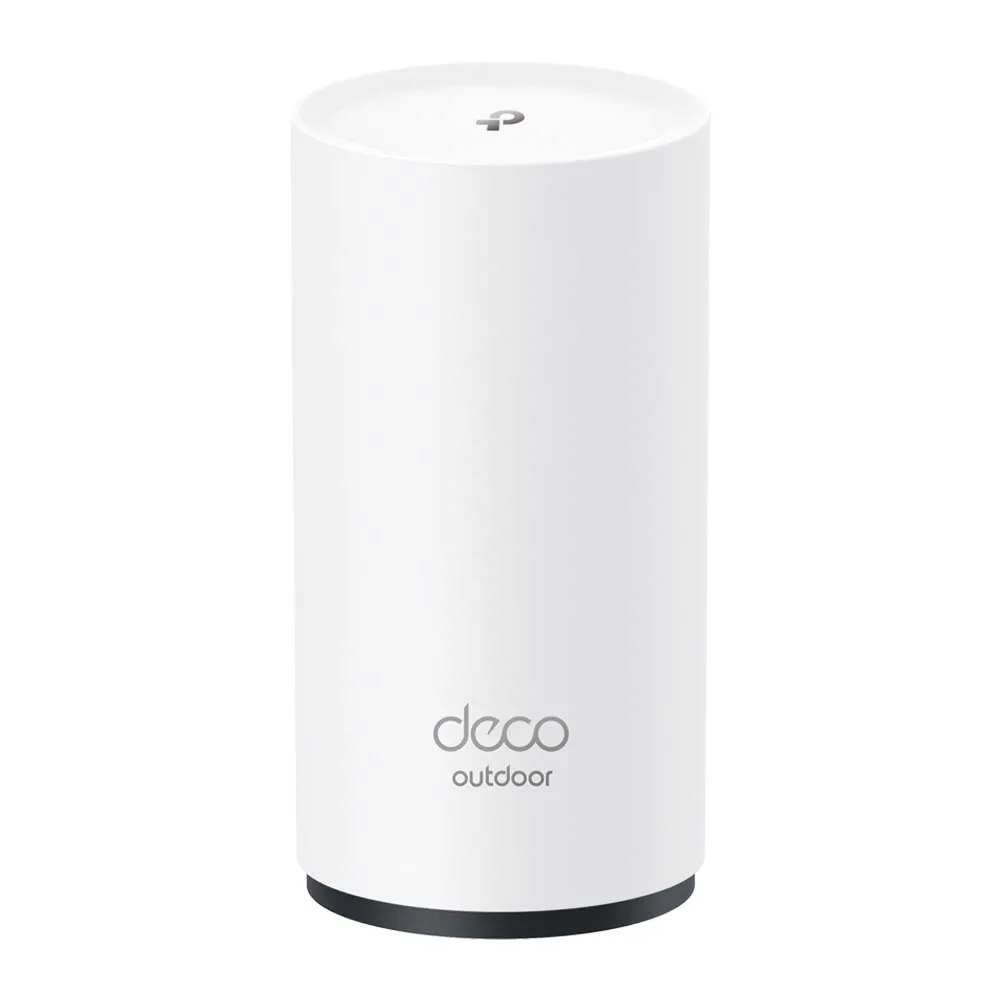
Ever felt like your Wi-Fi signal mysteriously weakens the moment you step outside? Wi-Fi 6 mesh networking can help extend coverage, and the TP-Link Deco X50-Outdoor provides a purpose-built outdoor option for an existing Deco network.
Understanding Wi-Fi 6 Outdoors
Wi-Fi 6, also known as 802.11ax, is the generation used by this dual-band model; newer Wi-Fi generations are also available. It brings several improvements over its predecessor, WiFi 5 (802.11ac), including:
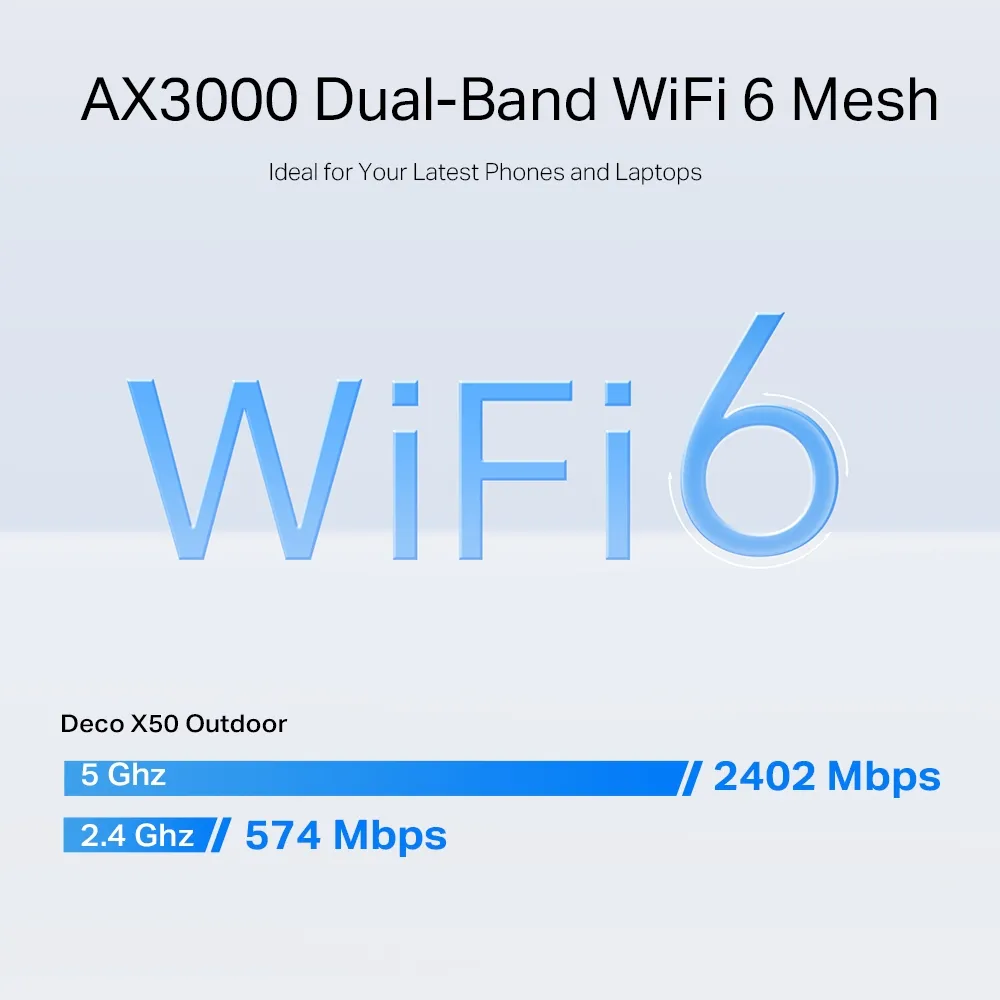
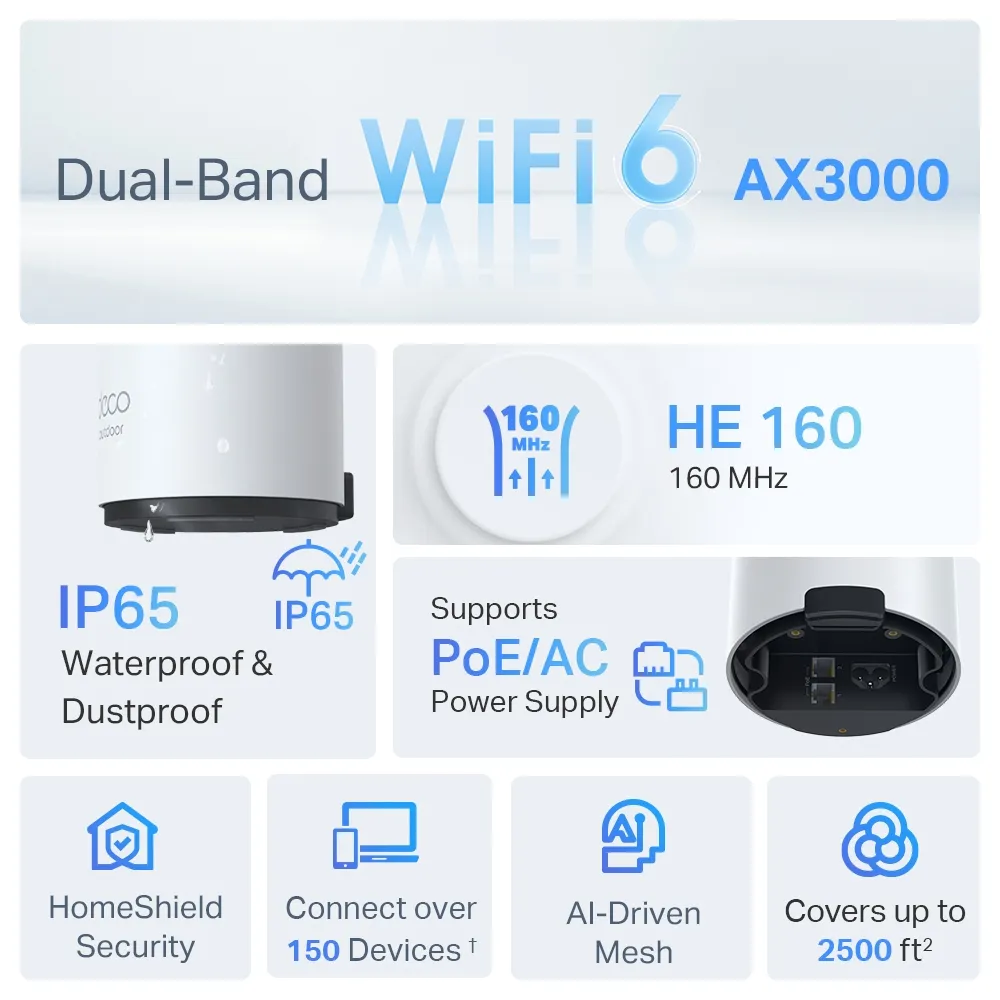
- Higher Speeds: The X50-Outdoor’s advertised rates are 2,402 Mbps on 5 GHz and 574 Mbps on 2.4 GHz. They are physical radio rates, not guaranteed download speeds, and AX3000 adds the two bands rather than describing one client’s connection.
- Increased Capacity: With features like MU-MIMO (Multi-User, Multiple-Input, Multiple-Output) and OFDMA (Orthogonal Frequency Division Multiple Access), compatible radios can share airtime more efficiently. Busy clients, interference and backhaul capacity can still reduce performance.
- Better Efficiency: Target Wake Time (TWT) helps devices manage battery life more efficiently by scheduling wake and sleep times.
- Enhanced Security: This model supports WPA3 as well as WPA/WPA2 modes. Choose a suitable secure mode for your clients; using Wi-Fi 6 does not automatically mean every connection uses WPA3.
What Is a Mesh Network and Why Is It Perfect for Outdoors?
Traditional routers struggle to deliver consistent Wi-Fi coverage, especially in large or multi-story homes and, of course, outdoors. Here's where mesh Wi-Fi comes in.
A mesh network consists of multiple units that work together to create a blanket of Wi-Fi throughout your entire space. Unlike a single router, which weakens as you move further away, mesh units communicate with each other, extending coverage when nodes have suitable placement and backhaul. Roaming behavior also depends on the client, so a mesh name alone does not guarantee an uninterrupted or equally fast connection everywhere.
TP-Link Deco X50-Outdoor: Built to Withstand the Elements
The Deco X50 Outdoor is specifically designed for outdoor use. Here's what makes it weatherproof:
- IP65 Rating: This means the unit is dustproof and can withstand water jets from any direction. The rating is not permission to immerse the unit or ignore its cable seals and mounting instructions. Protect the connection area and any power outlet as the guide specifies.
- Solid Operating Temperatures: The Deco X50 Outdoor functions reliably in extreme temperatures, within the published -30°C to 60°C (-22°F to 140°F) operating range. That is an environmental specification rather than a promise of year-round radio performance in every location.
TP-Link Deco X50-Outdoor: Technical Specifications and Features
The TP-Link Deco X50 Outdoor is designed to extend your Wi-Fi network beyond indoor confines, providing robust outdoor coverage. Here are the key specifications and features that make it stand out:
- WiFi 6 Technology: Delivers faster speeds, greater capacity, and reduced latency.
- Dual-Band Wi-Fi: Supports both 2.4 GHz and 5 GHz bands, ensuring a balanced combination of range and performance.
- Weather-Resistant Design: With an IP65 rating, the Deco X50 Outdoor is protected against dust and water, making it suitable for various weather conditions.
- Two Gigabit Ethernet Ports: Provide wired connection options, including Ethernet backhaul. A 1Gbps link can be a bottleneck below the peak 5 GHz radio rate.
- Seamless Integration: Works with other Deco units to create a unified mesh network, while coverage and throughput still depend on placement, clients and backhaul.
- Easy Setup and Management: The Deco app guides you through the setup process and allows you to manage your network effortlessly.
| Wi-Fi Speed | AX3000 5 GHz: 2402 Mbps (802.11ax) 2.4 GHz: 574Mbps (802.11ax) |
| Connection | 4x Streams 2× Antennas (Internal) |
| Wi-Fi Security | WPA/WPA2/WPA3 (Learn why WPA3 is important) |
| Ports | 2 × Gigabit ports per Deco unit (PoE and WAN/LAN auto-sensing) |
| Dimensions | 4.3 × 4.8 × 8.5 in 110 × 121.3 × 215.5 mm |
When a Dedicated Outdoor Mesh Node Helps
An outdoor-rated unit can be useful when indoor placement does not meet your needs:
- Extended Coverage: Provides strong Wi-Fi signals to outdoor areas such as gardens, patios, and garages, ensuring you stay connected even when outside.
- Durable Build Quality: An outdoor unit must withstand harsh environmental conditions, from rain to dust to extreme temperatures. Follow the unit’s rated environment and installation requirements, rather than treating IP65 as protection against every outdoor condition.
- Improved Connectivity for Outdoor Activities: Whether you're hosting a barbecue, working in an outdoor office, or managing smart garden devices, a reliable outdoor Wi-Fi connection is crucial.
Best Use Cases for the Deco X50-Outdoor
- Residential Use: Extend Wi-Fi to cover your entire property, for outdoor entertainment, cameras and smart devices, after checking actual coverage and device compatibility.
- Commercial Use: Provide reliable Wi-Fi in outdoor areas of cafes, restaurants, or parks, enhancing customer experience.
- Agricultural Use: Support IoT devices and sensors in smart farming applications, where coverage, environmental conditions and the supported devices suit the application.
Considerations Before Purchasing
While the Deco X50 Outdoor offers many advantages, consider the following before making a purchase:
- Coverage Needs: Assess the size of the area you need to cover and whether additional units are required for complete coverage.
- Compatibility: Ensure compatibility with your existing Deco units or other network equipment.
- Installation: Consider the best placement for optimal performance, keeping in mind power sources and potential obstructions.
- Budget: While the Deco X50 Outdoor provides excellent value, ensure it fits within your budget when considering the number of units required.
Conclusion
The TP-Link Deco X50 Outdoor is an excellent solution for anyone looking to extend their Wi-Fi network to outdoor areas. With the benefits of WiFi 6 and mesh network technology, it can improve connectivity beyond your home when its uplink and placement are suitable. Its robust, weather-resistant design and easy integration with existing Deco units make it a versatile choice for both residential and commercial applications. By assessing your specific needs and considering the factors outlined above, you can make an informed decision on whether the Deco X50 Outdoor is the right fit for you. Its outdoor design and Deco integration make it a strong option to consider. This is a specification-based overview, not a measured outdoor performance or durability test.
Power, Backhaul and Mounting
Exterior walls and some coated glazing can weaken a wireless link, but the loss depends on the material, frequency and geometry. Moving a node outdoors can remove an obstruction on the client side while leaving another obstruction between it and the indoor Deco. Check both links rather than assuming an outside mount solves every problem.
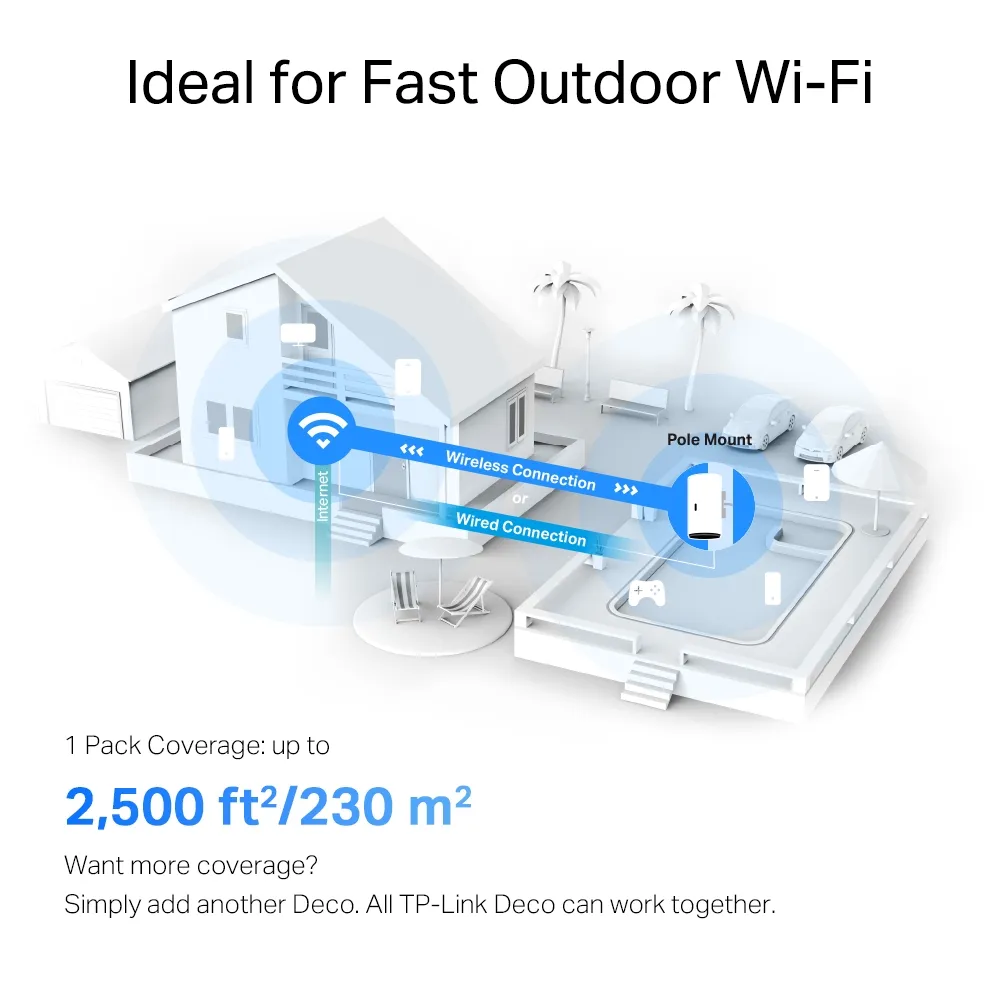
The TP-Link mounting guide recommends configuring the unit near an existing Deco indoors first, then checking the intended outdoor location before mounting. Position it upright, follow the sealing instructions, and choose wall or pole mounting appropriate to the location. The promotional images above illustrate features and topology, not measured coverage at your property.
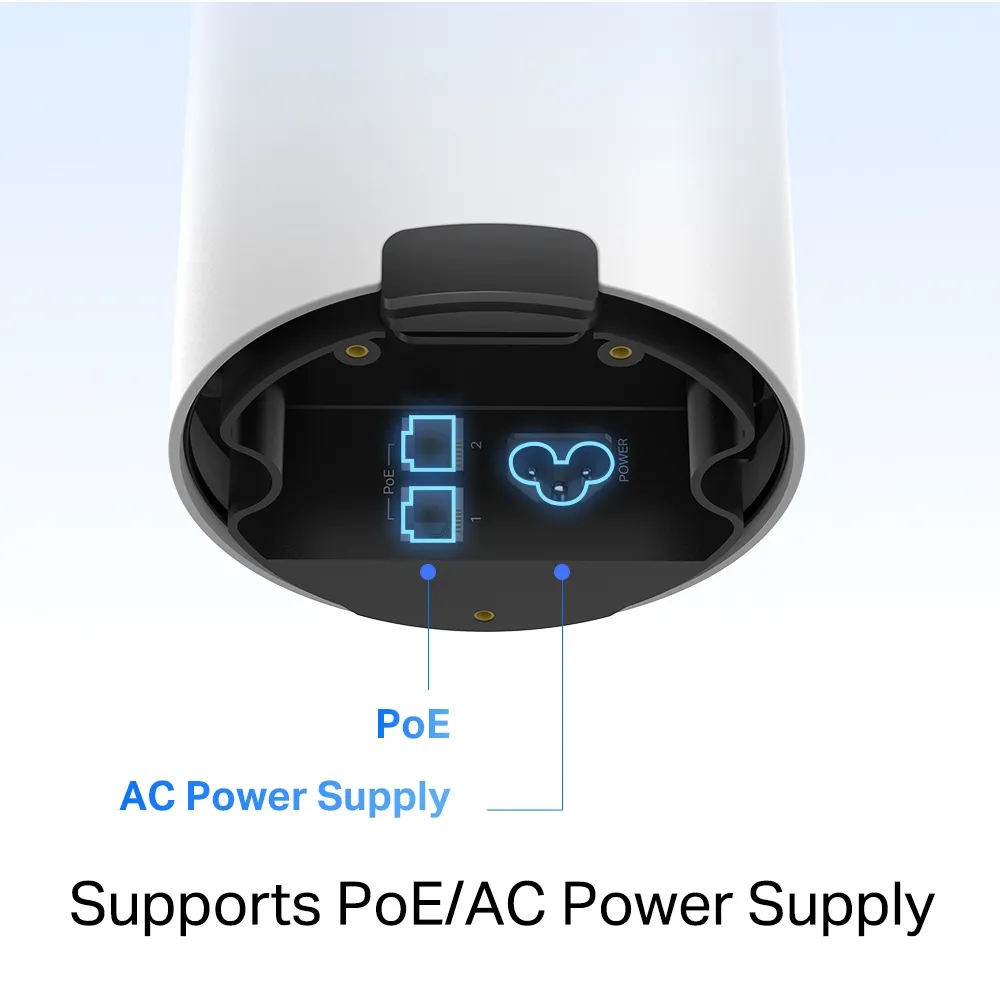
- PoE plus wired backhaul: The published input requirement is IEEE 802.3at, not a blanket promise that any 802.3af or passive injector will work. Check per-port power and total switch budget. Ethernet can carry power and data together, but cable quality, installation and connectors still determine a reliable link.
- AC plus wired or wireless backhaul: AC power does not force the node to use a wireless uplink. It can still use Ethernet where available. For outdoor AC use, follow the applicable regional mounting-guide requirements for a suitable weather-protected socket and cable arrangement; the enclosure rating does not protect an ordinary exposed outlet.
- Another wired device: The second port can provide a data connection where the topology allows it. Do not assume it powers a PoE camera: PoE input to the Deco is different from PoE output to another device. Check the other device’s power source and protect its cabling.
For wireless backhaul, TP-Link suggests locating the outdoor satellite close to the upstream Deco with few obstructions. Treat any suggested distance as placement guidance rather than guaranteed range. A signal indicator is useful, but test a transfer or the intended camera/meeting connection before fixing the mount permanently.
A wired backhaul avoids sharing the same radio path for that uplink, although a 1Gbps Ethernet connection is still the maximum link rate of these ports. Check that it negotiates at the expected rate and that an upstream switch or cable is not slower. Avoid combining guessed maximum power, advertised radio totals and Ethernet rates into a promised end-to-end throughput.
Comparing X50-Outdoor With BE25-Outdoor
The table uses TP-Link’s US product references, including the BE25-Outdoor V1 page. Check your local hardware version and specifications before buying; channel availability, features and package contents can vary.
| Published feature | Deco X50-Outdoor | Deco BE25-Outdoor V1 (US) |
|---|---|---|
| Wi-Fi generation / class | Wi-Fi 6 / AX3000, dual band | Wi-Fi 7 / BE5000, dual band |
| Advertised 5 GHz radio rate | 2,402 Mbps | 4,324 Mbps |
| Advertised 2.4 GHz radio rate | 574 Mbps | 688 Mbps |
| Ethernet ports | 2 × 1Gbps | 2 × 2.5Gbps |
| Published power input | 802.3at PoE or AC | 802.3at PoE or AC |
| Enclosure / operating range | IP65 / -30°C to 60°C | IP65 / -30°C to 60°C |
BE25-Outdoor is a current Wi-Fi 7 alternative rather than a future product to wait for. Its multi-gigabit ports may matter for faster wired paths, while Wi-Fi 7 features require compatible clients and applicable settings. Neither model in this table has a 6 GHz radio. Compare actual local price, ports, coverage needs and client support instead of buying by generation alone.
Check the Complete Installation
Deco compatibility does not mean every feature is identical across a mixed system. Confirm the operating mode, main Deco capabilities, firmware and supported functions that matter to you. For a simple garden extension, the X50-Outdoor can be a good fit; for a busy public hotspot or larger agricultural site, also evaluate management, capacity and environmental requirements rather than assuming a home mesh node covers every commercial scenario.
Include the PoE source or suitable outlet, installed cable, mounting accessories and time in the budget. Decide how you will update firmware and inspect seals or cable damage after installation. Finally, check your own required areas at different times and with the intended devices. These observations are more useful than assuming the “up to” area on a product graphic applies equally to every building and garden.