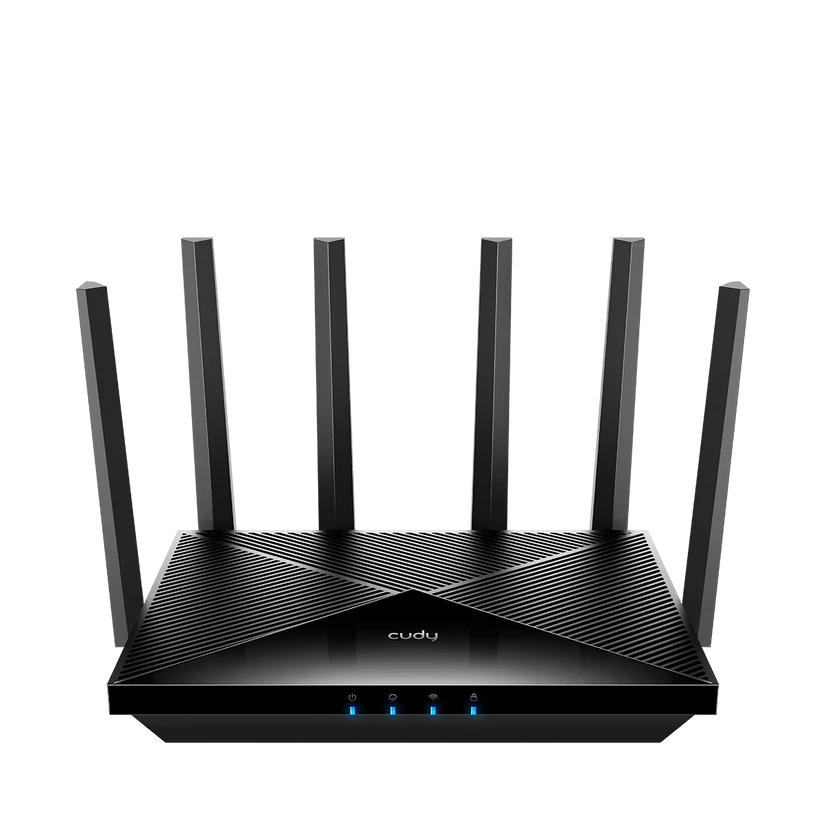
The Cudy WR11000 brings tri-band Wi-Fi 7 and four 2.5 Gbps Ethernet ports to a conventional router layout. It is an appealing option for a household that needs faster local links as well as wireless coverage. Whether it improves your own network depends on the clients, placement, internet handoff and features you actually use.
A Router's Role in Your Network
Imagine a large collection of books with a librarian directing the right material to the right reader. A home router has a similar organising role between your local network and the internet. This model also provides Wi-Fi access and wired LAN connections, but those roles do not guarantee that every transfer will be smooth or every room will have good coverage.
The WR11000 takes an Ethernet internet handoff. A DSL or cable service may still need its provider's modem, while a fibre service typically needs the relevant optical terminal. Check what your provider supplies and requires before replacing the existing router. A faster Ethernet socket alone does not make this device a modem for every access technology.
WR11000 1.0 Hardware
The following comes from Cudy's current detailed WR11000 1.0 specifications. Wireless figures are maximum advertised physical rates, not our measurements.
| Feature | WR11000 1.0 specification |
|---|---|
| Wireless class | Tri-band BE11000, Wi-Fi 7 |
| 6 GHz | Up to 5,765 Mbps; two spatial streams |
| 5 GHz | Up to 4,324 Mbps with the listed 240 MHz mode; 2,882 Mbps at 160 MHz; two streams |
| 2.4 GHz | Up to 688 Mbps; two streams |
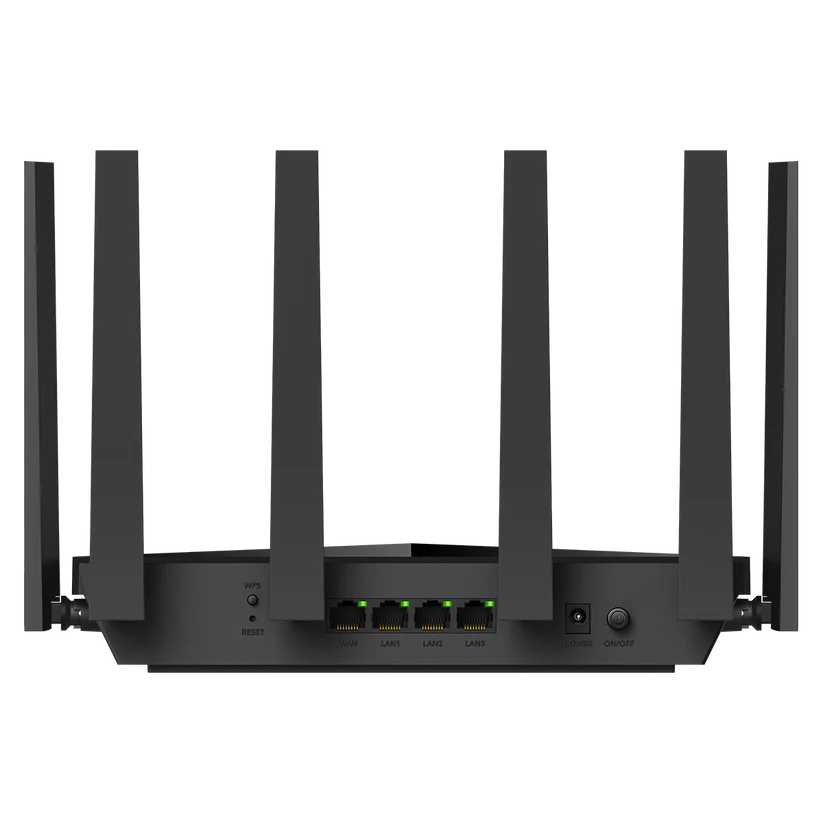
| Ethernet | Four 2.5 Gbps ports: one WAN, three LAN |
| CPU | Qualcomm 1.5 GHz quad-core; Cortex-A53 |
| Memory | 512 MB DDR4 RAM; 128 MB NAND flash |
| Antennas | Six attached antennas |
| Selected software capabilities | Cudy Mesh, WPA3, WireGuard/OpenVPN server and client |
The aggregate rating adds radio rates; one ordinary download does not use that total. The listed 5 GHz maximum also depends on its special channel mode. Check the client's channel support, local model and firmware before expecting that figure. A Wi-Fi 7 label on a laptop does not establish support for every router capability.
What Wi-Fi 7 Can Offer
WR11000 lists MLO, OFDMA, MU-MIMO, multi-resource-unit support and puncturing. These provide ways to use radio resources more flexibly with suitable devices. They are not promises that every stream survives interference without a lost frame or that older clients gain the same capabilities.
MLO behaviour depends on the links and modes supported by both ends. Check which links the device actually uses and how it behaves in your rooms. A wider channel and higher modulation require appropriate conditions; a large nominal rate beside the router does not establish the rate through a wall or on a remote satellite.
Start by identifying the problem you want to solve. If calls fail only in one room, placement may be more relevant than an internet-plan upgrade. If a local NAS transfer is slow, look at the wired endpoints and storage as well as Wi-Fi. If everyone is downloading at once, total traffic and the upstream service still matter.
Make Use of Four Multi-gigabit Ports
The three 2.5 Gbps LAN ports are useful for compatible desktops, storage or a wired mesh link while WAN is occupied. Unlike a router with one fast port shared between internet and LAN roles, this layout can connect several faster wired endpoints without immediately needing a separate switch.
Every part of a path matters. A Gigabit NAS remains Gigabit, and a satellite with a Gigabit interface does not become 2.5 Gbps because the main router's port is faster. Check the cable and negotiated rate as well. Add a switch when you need more connections, and consider its uplink rather than only the individual port ratings.
The port speed is not a routed, encrypted or storage-transfer benchmark. Cudy lists separate VPN performance figures on its page, illustrating that different paths are distinct workloads. Evaluate your required VPN mode and remote upload rate before assuming encryption will run at the wired port's full signalling speed.
Cudy Mesh and Placement
The model lists both wired and wireless Cudy Mesh backhaul. Use compatible products and the supported firmware; a common brand name is not enough to infer every mesh feature. Check the exact satellite's radio and Ethernet capabilities when expanding a network.
A wireless satellite needs an adequate link to the main unit. Try a location between the router and the poorly covered room, with open space around the equipment. Wired backhaul may help across difficult walls or floors, but it does not improve the radio hardware inside an older client.
The WR11000 guide identifies mesh, WAN, LAN, radio and VPN status pages. Use those to confirm the arrangement rather than assuming that a connected cable or shared network name proves the intended backhaul. Compare the same client and transfer at different locations before buying extra nodes.
Software Modes and Security
Cudy documents browser and app management for WR11000. Router mode is appropriate when it will manage the gateway; AP mode may suit an existing router that retains that role. The model guide says parental controls operate in Router mode, and the network guide describes a smaller feature set in AP mode. Check the actual management page and revision for the controls you need.
The IPTV/VLAN settings described in those documents concern provider service tags and port allocation. They do not establish unrestricted custom guest VLANs, arbitrary trunks or every advanced firewall rule. If you need a specific isolation plan, verify it before purchase and test access between the relevant devices after configuration.
WPA3 is useful with compatible clients. Choose supported security settings, strong passwords and appropriate guest access, then keep the correct firmware current. For wireless security background, see WPA2 vs WPA3 comparison. A firewall or VPN feature does not replace updates and careful account management on the connected devices.
VPN and Maintenance Planning
WireGuard and OpenVPN are listed for both client and server use. A client tunnel to a provider and an inbound tunnel to your home have different requirements. Confirm addressing, reachable service and permitted traffic for the arrangement you want. Avoid treating a VPN as an automatic solution to every connection or privacy problem.
Use the documented firmware and configuration tools for this model. Do not assume a stock interface exposes every feature of a general-purpose OpenWrt installation. Keep a recoverable configuration record before substantial changes, and check the support process and firmware revision offered by the seller.
Is the WR11000 Worth Considering?
My recommendation remains to consider WR11000 for demanding household use when its tri-band radios and several multi-gigabit ports match the need. Gaming, streaming, smart devices and small-office work are possible uses, but none automatically guarantees a latency or coverage improvement. Match the features to your actual workload.
Compare local price, warranty, return terms, satellite costs and compatible clients. A slower internet plan can still coexist with useful fast local transfers, so separate those goals. With a sensible layout and expectations, WR11000 is a promising upgrade; its largest advertised number should be the start of the comparison rather than the entire decision.