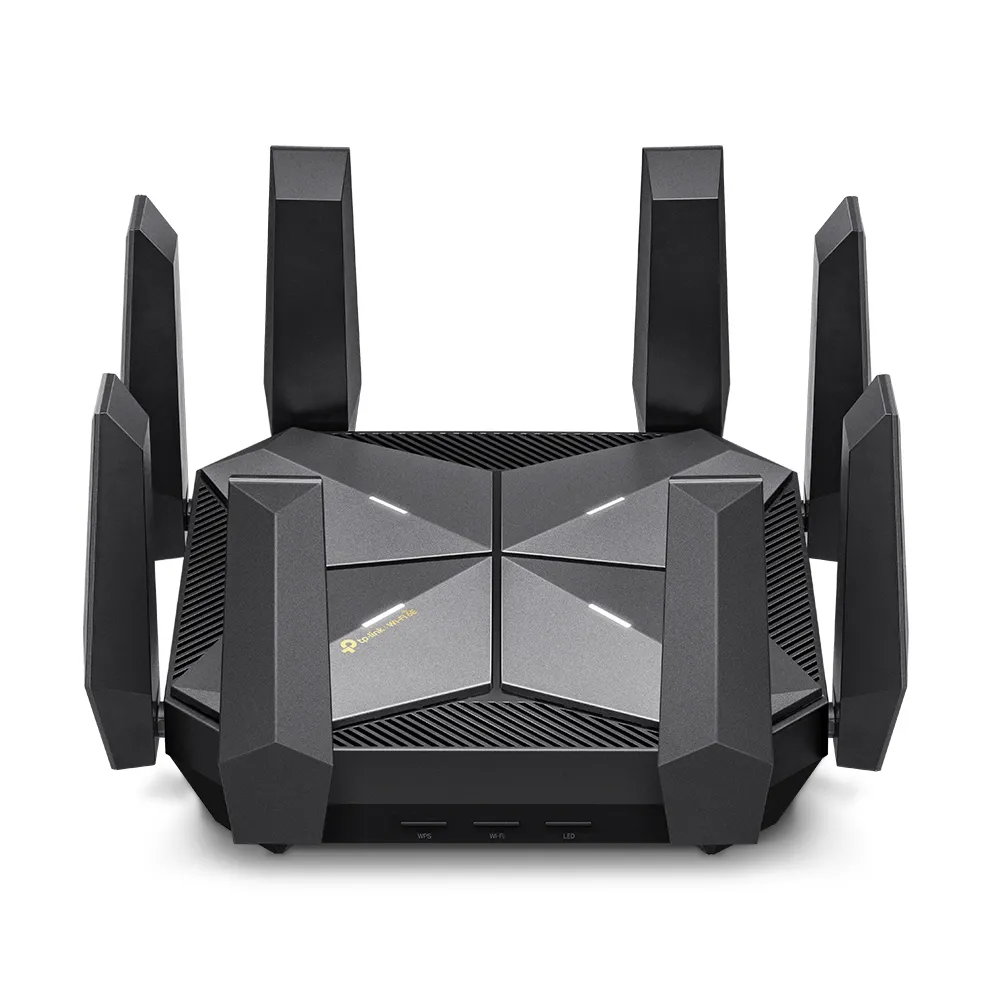
The TP-Link Archer AXE300 is an ambitious Wi-Fi 6E router with four radios and unusually flexible wired connections. Its appeal is strongest in a busy household with capable clients or a homelab moving beyond Gigabit Ethernet. To decide whether that premium hardware is useful, separate the combined wireless rating from the connection your devices can actually make.
Understanding Wi-Fi 6E and the 6 GHz Spectrum
Wi-Fi 6E extends Wi-Fi 6 operation into 6 GHz. A Wi-Fi 6 device supporting only 2.4 and 5 GHz does not gain 6 GHz access merely because this router is installed. The client radio, operating system and regional availability must support that band. Older devices can continue to use the compatible 2.4 or 5 GHz networks.
Additional spectrum can make it easier to find less congested wide channels, but it does not eliminate competition, walls or distance. Channel availability varies by country. The often quoted 1,200 MHz is not a worldwide allowance: ICASA's May 2023 South African announcement opened the lower 5925–6425 MHz range for Wi-Fi. Check the locally supported hardware and channels rather than buying an imported model for a larger overseas channel list.
Wider channels and a strong nearby signal can increase link rates. A distant room or several walls may favor 5 GHz, and 2.4 GHz remains useful for many low-bandwidth smart devices. Lower latency depends on the complete route, including your internet connection and application server; a 6 GHz radio cannot remove all gaming lag.
The Archer AXE300 Under the Hood
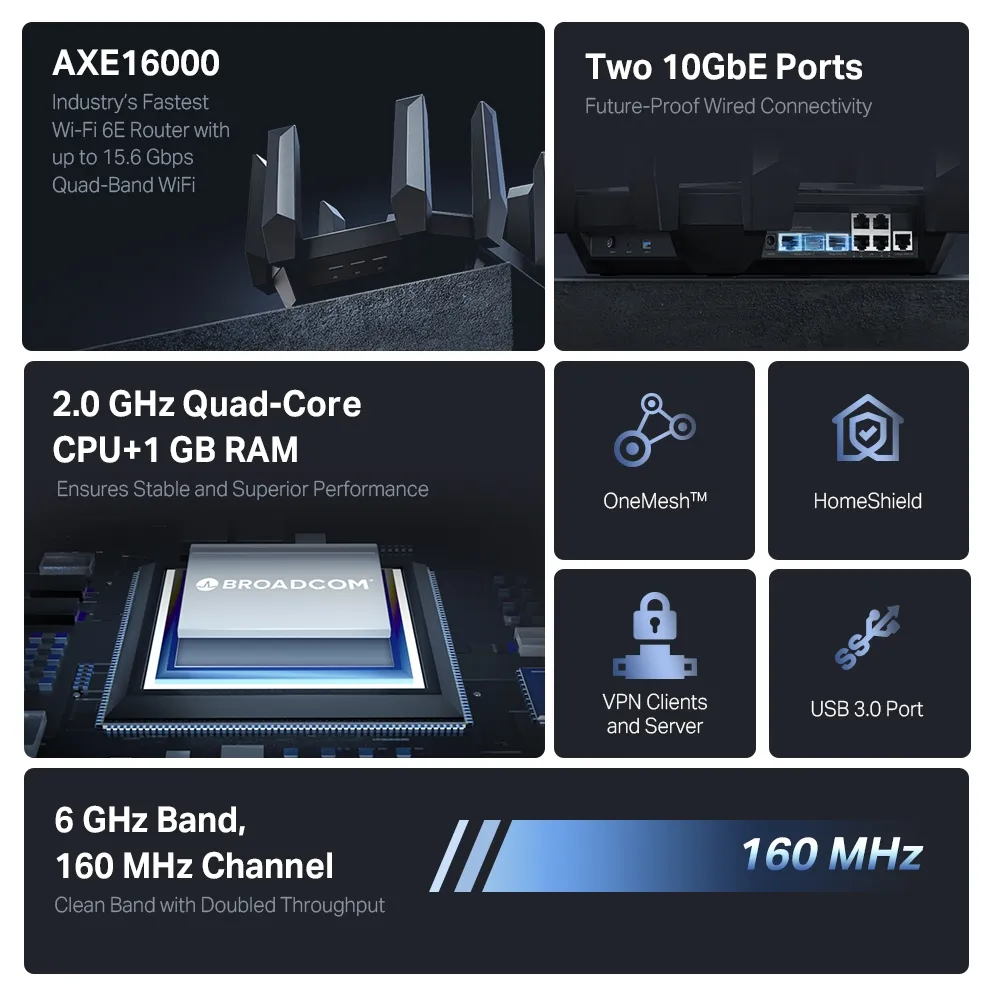
TP-Link specifies a 2.0 GHz quad-core processor and 1 GB of RAM. These provide a substantial platform for routing and managing clients, but they are not a guarantee of a particular VPN speed or flawless performance under every load. The eight fixed external antennas support the router's four-radio design.
| Feature | Published specification |
|---|---|
| Wireless standard | Wi-Fi 6E, with Wi-Fi 6 on compatible bands |
| Radios | One 2.4 GHz, two 5 GHz and one 6 GHz radio |
| Maximum physical rates | 1148 Mbps at 2.4 GHz; 4804 Mbps on each 5 GHz radio; 4804 Mbps at 6 GHz |
| Processor and memory | 2.0 GHz quad-core CPU, 1 GB RAM |
| Wired connections | One 10 Gbps RJ45/SFP+ combo WAN/LAN, one 10 Gbps RJ45 WAN/LAN, one 2.5 Gbps WAN/LAN and four Gigabit LAN ports |
| Other connectivity | One USB 3.0 port |
| Wireless features | 4×4 MU-MIMO, OFDMA and beamforming with compatible clients |
| Modes | Router and access point |
| Security service | HomeShield; basic and paid features differ |
| Dimensions, US specification | 232 × 232 × 68 mm |
The AXE16000 class adds the maximum rates of the four radios, approximately 15.6 Gbps in total. It is not the download speed of one laptop. Protocol overhead, signal quality, client streams and channel width all reduce usable throughput. A typical two-stream device cannot use a radio's four-stream maximum, and the two separate 5 GHz radios do not become an eight-stream link to one device.
How the Quad-Band Architecture Helps
Two 5 GHz radios give the router another way to distribute clients. That can be valuable when several laptops, televisions and consoles support 5 GHz but cannot use 6 GHz. It differs from simply adding a 6 GHz radio to a conventional dual-band router. A household with many compatible devices can spread traffic across the available radios.
Separate radios do not guarantee zero contention. Devices sharing a radio still compete for airtime, neighboring networks can use the same channels, and all internet traffic eventually passes through the WAN connection. Assigning suitable devices to separate networks can help organize traffic, but it does not reserve an interference-free gaming connection. Test the intended rooms during the household's busy hours.
MU-MIMO and OFDMA improve how compatible clients share resources. They do not mean every connected device receives its advertised maximum simultaneously. Beamforming also cannot overcome every obstacle. Place the router in an open, useful location with room for its antennas, rather than hiding it in a cabinet beside the incoming fiber equipment.
Planning the Multi-Gigabit Connections
The two 10 Gbps connections can be particularly useful when one serves a compatible WAN connection and the other serves a fast downstream switch or NAS. The combo connector represents one logical port: its RJ45 and SFP+ interfaces are alternatives, not two additional simultaneous network ports. Choose a compatible optical or copper connection and check the supported module requirements.
An SFP+ Ethernet connector is not a promise that an ISP's raw fiber connection will work without its ONT or approved equipment. Confirm the provider's handoff, authentication and supported hardware first. TP-Link also states that the two 10 Gbps ports and 2.5 Gbps port cannot all be configured as WAN ports concurrently; port flexibility should not be read as automatic multi-WAN failover.
Keep the entire path in mind. A workstation on a Gigabit LAN port is still limited by that link even if the NAS has a 10 Gbps connection. A fast router also cannot make storage read faster than the disks can supply data. Check the NAS network adapter, switch ports, cabling and negotiated speed before expecting a large file-transfer improvement.
Use the published 10 Gbps or 2.5 Gbps options where they match the equipment. Do not assume the Gigabit ports provide an LACP NAS bond merely because other Archer models support aggregation. TP-Link's aggregation instructions are model-specific and distinguish static aggregation from LACP. Verify the actual AXE300 hardware revision and interface before designing around that feature.
Where the AXE300 Shines
- Busy 5 GHz households: The extra radio can spread capable clients rather than forcing all modern devices onto one 5 GHz radio.
- Nearby Wi-Fi 6E devices: Compatible laptops or VR equipment can use 6 GHz where the room layout and regional channels permit.
- Local file transfers: Multi-gigabit ports offer a useful path for capable NAS and workstation equipment.
- Growing home networks: The combination of wired and wireless options leaves room to connect additional equipment without immediately replacing the router.
These are reasons the router remains an appealing premium choice, rather than promises that it will solve every coverage or latency problem. For a small home with ordinary internet use and mostly Gigabit clients, a less expensive router may still meet the need.
Firmware, Services and Mesh Compatibility
HomeShield is the listed service, rather than the older HomeCare branding. The manufacturer's basic plan and paid features differ, so check which parental controls or protection features are included before making them part of the purchase decision. WPA3 also needs compatible clients and an appropriate network configuration.
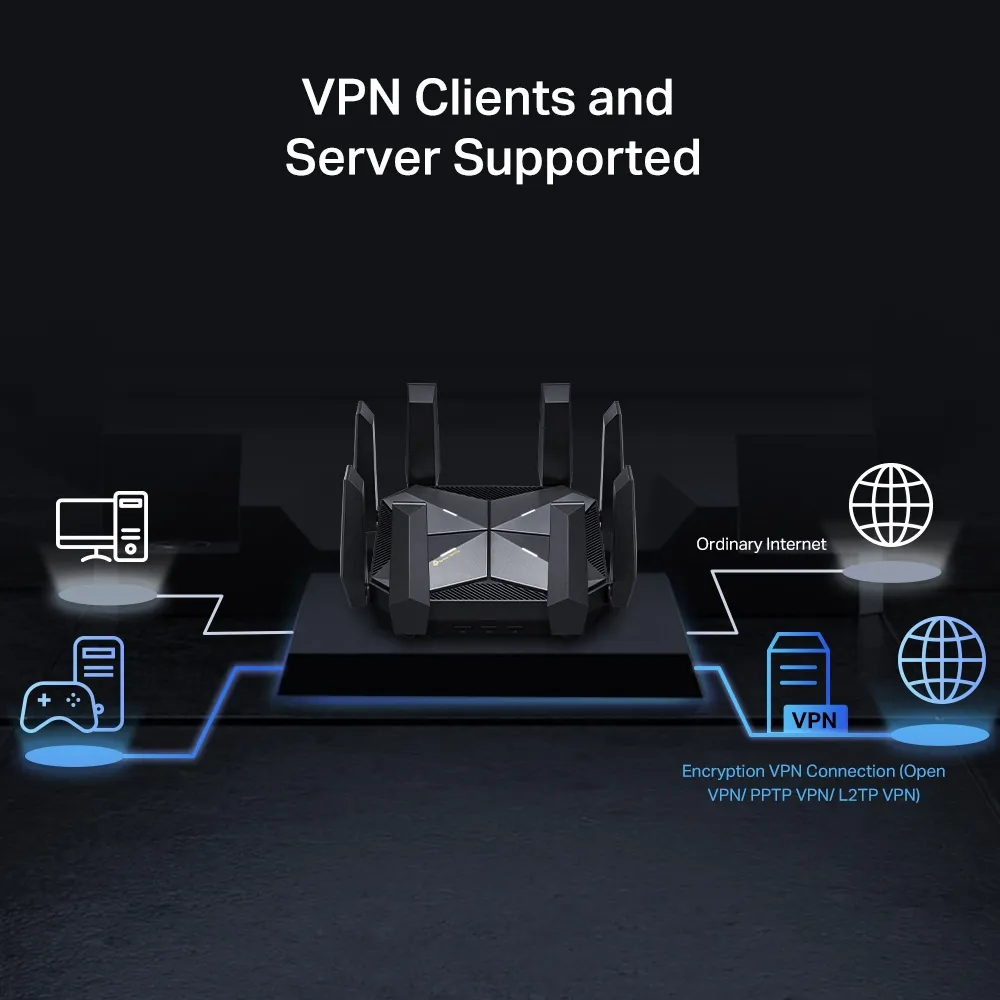
The preserved VPN illustration shows the advertised server/client roles. Feature support does not establish encrypted throughput. Consult the regional firmware and manual for your exact hardware version, and test the intended VPN configuration with your connection rather than assuming a 10 Gbps socket makes VPN traffic run at 10 Gbps.
The US AXE300 product specification lists OneMesh. Do not assume it has EasyMesh or can join a Deco mesh because those names also appear elsewhere on TP-Link's site. Check firmware release notes for the model and hardware revision, along with the capabilities of the other mesh devices. Use the support site for the purchase region when updating firmware.
AXE300 Versus Archer BE800
The BE800 is a different proposition: Wi-Fi 7 with one radio on each of 2.4, 5 and 6 GHz, two 10 Gbps connections and four 2.5 Gbps LAN ports. Its published 6 GHz maximum is 11,520 Mbps with supported Wi-Fi 7 features; the AXE300 has two 5 GHz radios but older Wi-Fi 6E capabilities. Neither model's combined rating is a per-device benchmark.
Choose the AXE300 for the value you see in its extra 5 GHz radio and wired layout. Consider the BE800 when compatible Wi-Fi 7 clients and additional 2.5 Gbps ports matter more. Wider channels and newer modulation only help when the client, signal conditions and regional rules support them. Compare local prices, warranty and firmware support as well as the headline wireless class.
Should You Buy the AXE300?
The recommendation remains favorable for demanding households and bandwidth-intensive applications. The useful purchase question is which part of the specification you will use now: a second 5 GHz radio, 6 GHz client access, or the multi-gigabit ports. Match those strengths to your rooms and equipment. If they do not address a current bottleneck, an affordable Wi-Fi 6 option may remain sufficient.
Check the manufacturer's AXE300 specification and regional support page before choosing a hardware revision.