Choosing Raspberry Pi RAM is about how much working data your project needs, how many jobs run together and how much room you want for growth. More RAM can help a busy desktop or server avoid memory pressure, but it does not automatically make the processor, storage or network faster. The useful goal is enough capacity for the workload, without paying for memory that will remain unused.
When this guide was first written in October 2024, we discussed a possible 16 GB Raspberry Pi 5 as a hypothetical option and had not tested it. Raspberry Pi subsequently released that model on 9 January 2025. The recommendations here are workload guidance, rather than firsthand benchmark results for each RAM variant.
Which RAM Options Are Available?
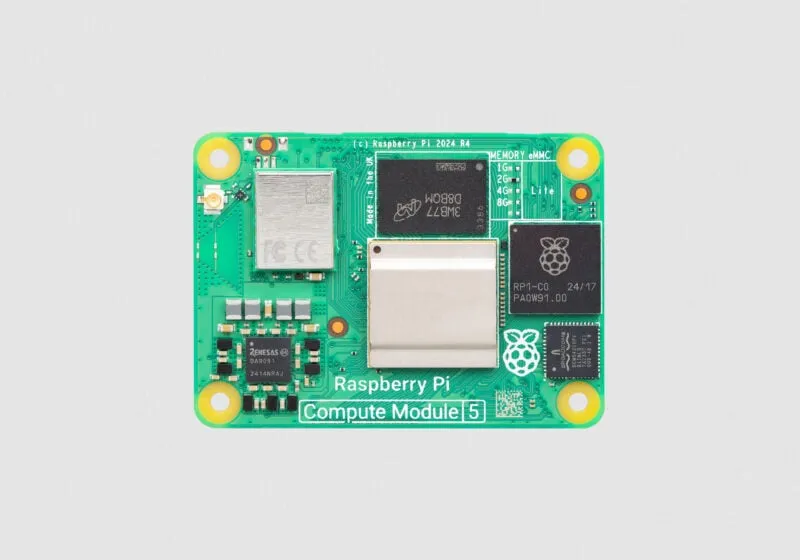
Current Raspberry Pi 5 specifications list 1, 2, 4, 8 and 16 GB variants. Raspberry Pi 4 is offered with 1, 2, 3, 4 and 8 GB: the 3 GB version was announced in April 2026, although some older product-page text still lists only the original capacities. Check the exact board and local seller rather than assuming every capacity exists on every generation.
RAM on these boards is soldered, with no normal desktop-style memory slot. Buy the capacity you expect to need; an SSD or larger microSD card increases storage, not physical RAM. Storage holds the operating system and files, while RAM holds active applications and their working data. Linux can use swap on storage, but that is a different and usually slower resource.
A Practical Starting Point for Each Tier
| Capacity | Reasonable starting point | What to check before choosing |
|---|---|---|
| 1–2 GB | A focused headless utility, small sensor service or lightweight learning project | Actual service requirements, background tasks and whether a desktop is needed |
| 3–4 GB | General hobby projects, moderate desktop use or a small group of services | Browser tabs, database use and peak activity; 3 GB is a Pi 4 option |
| 8 GB | More multitasking, development or a service with a larger documented memory requirement | Application peaks, CPU and storage limits, and arm64 software support |
| 16 GB | A Pi 5 project with a demonstrated larger working set, build workload or suitable local model | Whether it fits, whether it runs fast enough and whether another platform fits the total budget better |
These are planning categories, not container limits. A small web service and a photo-processing service can have very different requirements, even if each is packaged in one container. Databases, imports, backups and background processing may be more demanding than the idle dashboard. Count the work performed rather than promising a number of containers per gigabyte.
Lightweight Projects and Desktop Use
For a dedicated headless project, Raspberry Pi OS Lite avoids the desktop and its applications. A low-capacity board can be a sensible choice when the service's requirements fit. Leave room for updates, logs and occasional maintenance jobs instead of treating the idle memory reading as the project's maximum.
I still regard 4 GB as a useful middle ground for general experimentation. It can give more room for an editor, documents, a browser and a moderate project than a smaller model. The number and complexity of browser pages matter, however; RAM alone cannot guarantee smooth multitasking or make demanding web pages inexpensive to run.
For a smart mirror, budget for the actual dashboard and browser rather than the display size alone. For a camera project, resolution, processing, buffering and recording all affect the workload. A small electronics controller may not need a full Linux computer at all, but the software stack you want to learn is also a reasonable part of the decision.
Servers and Development Need Application Requirements
For a NAS or home server, start with the intended software, clients and storage arrangement. A file server is not automatically an 8 GB workload, while a server doing photo analysis or media transcoding may need more resources than basic file sharing. More RAM does not repair a slow disk, unsupported codec or limited CPU.
Immich provides a useful concrete example: its current requirements specify at least 6 GB RAM and recommend 8 GB, with an option to run on 4 GB when machine learning is disabled. Its documentation also supports arm64 and recommends suitable local database storage. Those published requirements are more useful than assigning every photo server to a generic tier.
For containers, check that the image supports the Pi's architecture and account for the database and other supporting services. Containers share the host kernel; they are not the same as separate virtual machines. Virtualisation needs its own supported hardware, firmware and guest plan. Extra RAM does not make a hypervisor supported on a particular Pi.
AI Hardware and RAM Are Different Decisions
Our Raspberry Pi AI Kit article introduces an accelerator option. The original kit pairs a Pi 5 M.2 HAT+ with a Hailo-8L inference module. Raspberry Pi now describes that kit as no longer in production and directs new buyers to AI HAT options. Keep the accelerator, supported models and software requirements separate from the host's RAM capacity.
An inference accelerator runs supported trained models; buying more Pi RAM does not turn it into an unrestricted training system. For an AI project, check the chosen model, runtime, image buffers and preprocessing as well as the accelerator's compatibility. There is no universal rule that every AI accessory requires an 8 or 16 GB Pi.
For a local language model running on the CPU, estimate weights and runtime memory, including the chosen context length. Fitting the model into 16 GB does not establish a useful response rate. My preference for more headroom on demanding AI or development projects remains, but it should follow the actual task and a realistic performance expectation.
Measure Memory Pressure Before Changing Settings
On an existing system, free -h shows usable memory, swap and cache. Pay attention to the available figure, which estimates room for new applications without swapping. Linux uses otherwise idle memory for caches; a small completely free figure is not sufficient evidence that you need a larger board.
Run your normal workload and the occasional heavy job you expect, such as a photo import or software build. vmstat 1 provides interval statistics after its initial since-boot report; si and so show swap activity. Sustained activity alongside poor responsiveness is a reason to investigate, while one non-zero value alone does not prove thrashing. Check the largest processes and logs for out-of-memory terminations too.
Tools and themes display memory categories differently, so use the labels rather than assuming particular colours in htop. Also avoid treating every graphics allocation as a fixed gpu_mem reservation: Raspberry Pi's documentation says that legacy setting has no effect on Pi 5, and Pi 4's 3D graphics allocate memory dynamically through Linux.
Make the Existing RAM Go Further
Reduce unnecessary concurrent jobs, browser tabs and unused background services first. Current Raspberry Pi Desktop uses Wayland and labwc, rather than the older Wayfire default. Its September 2026 update offers an optional lighter background through disabling Active Desktop, which the developers recommend for platforms with less than 2 GB. Check the controls available in your installed release instead of copying old desktop-switching advice.
Zram stores compressed pages in RAM and can help some workloads use memory more efficiently. Its benefit depends on how well the data compresses, CPU work and the configured limits; it does not guarantee that physical capacity doubles. Check swapon --show and the operating system's existing swap management before adding a second swap service.
An SSD can improve a storage-backed swap path compared with an unsuitable storage device, but swap still has overhead. A Pi 5's external PCIe connection is not a promise of seamless multi-gigabyte-per-second memory replacement. If the normal workload continuously exceeds physical RAM, reduce the working set or choose more capacity instead of relying on swap to conceal the mismatch.
Purchasing Recommendation
My recommendation remains to start around 4 GB when you want a flexible hobby platform and do not yet have a defined heavy workload. Choose a smaller model for a measured focused task, and consider 8 or 16 GB when requirements justify the extra room. Include storage, cooling, power and accessories in the comparison. The official Raspberry Pi website is the place to verify the exact model and current product options before buying.