Power over Ethernet and NVMe storage solve two useful Raspberry Pi problems: running a cable to a nearby power socket and relying on a microSD card for a busy system. The Pineboards HatDrive! PoE+ combines both functions on one board for Raspberry Pi 5. For a wired home automation controller, a small storage experiment or an IoT gateway, that combination remains an appealing way to tidy the installation.
It is worth checking compatibility and the whole power path before buying, though. An Ethernet connection alone does not power a bare Pi, an empty SSD does not contain an operating system, and a fast desktop SSD cannot bypass the Pi's single PCIe lane. Here is how the board fits into a practical setup, with the documented limitations kept alongside its advantages.
What is the Pineboards HatDrive! PoE+?
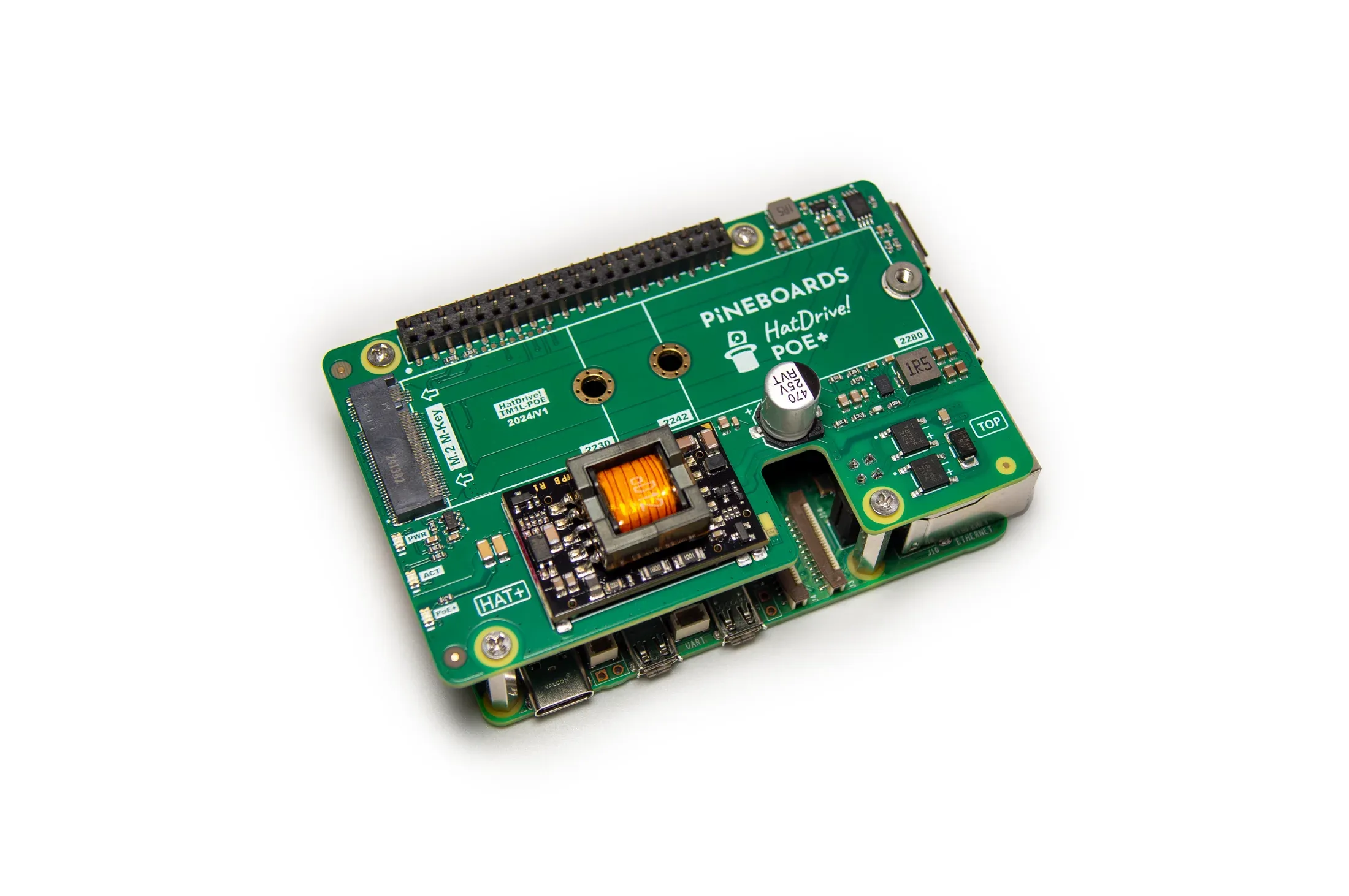
The board is a Raspberry Pi 5 accessory combining a single M-key NVMe connection with a PoE+ power module. The preserved manufacturer manual specifies 2230, 2242 and 2280 drives and a power output rating of up to 25 W, or 5 V at 5 A. Those are product specifications, rather than measurements from a TechDecode test.
The numbers 2230, 2242 and 2280 describe drive dimensions: 22 mm wide and 30, 42 or 80 mm long. Buy an NVMe drive of a supported size; a similarly shaped M.2 SATA drive uses a different interface. Capacity, sustained write behaviour, endurance and warranty are separate choices. Paying for a desktop SSD's headline transfer rate is less useful here than choosing a suitable drive and keeping a recoverable backup.
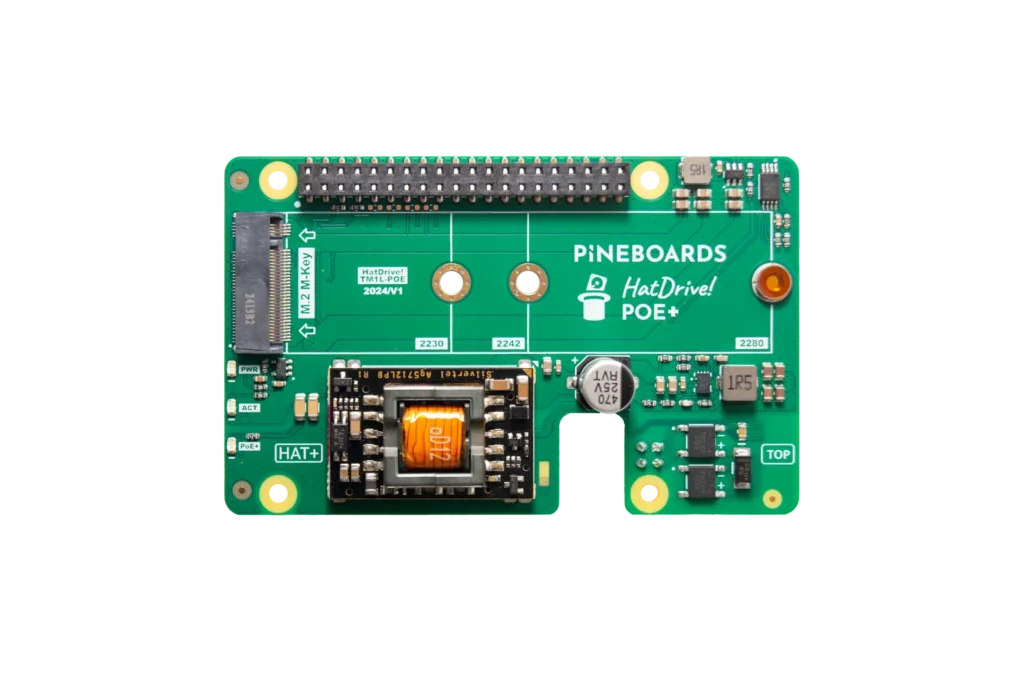
The Pineboards product link remains available here as a reference. The Pi Hut published a backup of the HatDrive! PoE+ manual in April 2025, saying that Pineboards had closed and its documentation was unavailable. Check present stock, return arrangements and support with the seller; an archived specification is not a promise of ongoing manufacturer support.
Power delivery: check the switch as well as the HAT
Use a suitable standards-based PoE+ switch or injector, with enough budget for the connected installation. A switch may have several PoE ports but a smaller shared power budget than their combined individual ratings. Other powered devices, cable losses and the selected port's capabilities all matter. A passive injector that merely places voltage on wires should not be treated as an interchangeable substitute.
The quoted 25 W belongs to the board's output specification, not an allowance of 25 W for the SSD alone. The Pi, drive, cooler and attached peripherals share the available supply. Leave margin for startup and changing workloads rather than planning exactly at a headline limit. Unexpected restarts deserve a power-path check before blaming the filesystem or buying another SSD.
PoE moves the power source; it does not add a battery. A switch outage still turns off the Pi unless the switch or injector has suitable backup power. Similarly, powering the local router does not guarantee that the upstream internet connection survives an outage. These distinctions help decide where a UPS will actually protect the services you need.
Choosing between a combined board and separate accessories
| Approach | Useful advantage | Check before choosing |
|---|---|---|
| HatDrive! PoE+ | NVMe and Ethernet power in one Pi 5 installation | PoE+ budget, SSD fit, cooling clearance and seller support |
| USB-C supply and an NVMe adapter | Separate power and storage components can be selected individually | Correct Pi 5 supply, adapter compatibility and access to a socket |
| PoE accessory with microSD storage | Ethernet power without an NVMe requirement | Explicit Pi 5 compatibility and the card's workload suitability |
A combined board is attractive where Ethernet is already installed and cable clutter matters. Separate accessories may be easier to replace or reuse. Neither arrangement automatically makes the system faster at a network task: Raspberry Pi 5's built-in Ethernet connection is Gigabit Ethernet, and application, client and storage behaviour can impose additional limits.
The setup is movable, but it still needs a powered Ethernet connection at its destination. For a genuinely untethered project, a different battery and networking arrangement may be more appropriate. You can find related projects in our Raspberry Pi articles.
Assembly and cooling deserve space
Disconnect power before installing the board or SSD. Follow the exact HatDrive assembly manual, including its PoE and GPIO extensions and the ribbon cable's HOST/HAT markings. Small drives need securing at the appropriate point in the assembly. Align headers squarely; forcing the board at an angle can bend pins, and an incompletely seated extension can prevent startup.
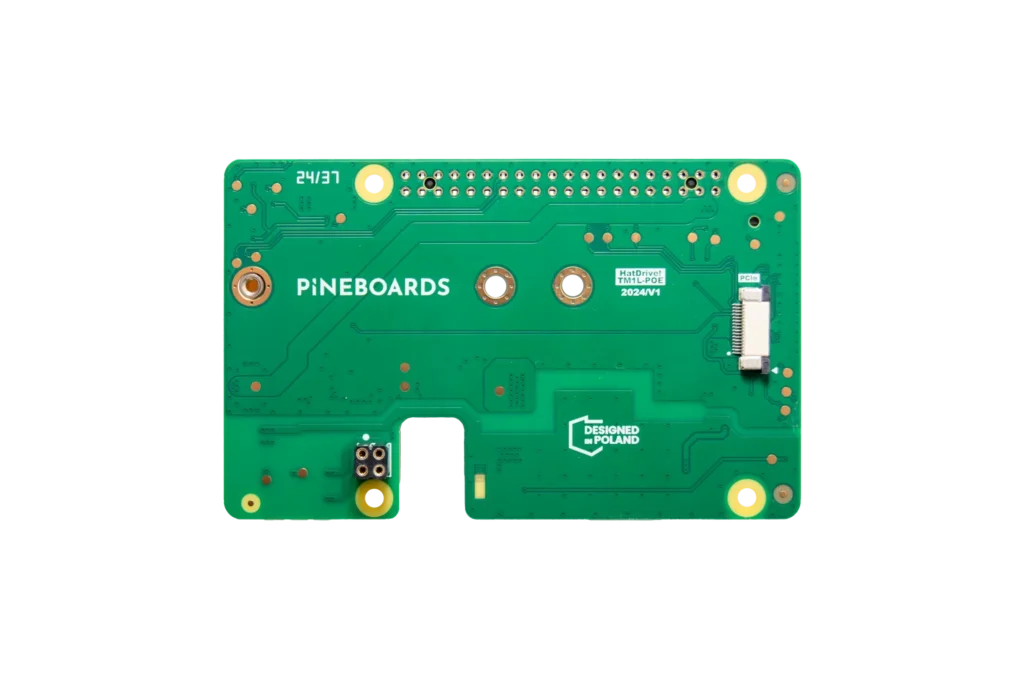
Check the finished stack against your case and cooler before closing it. A cooler that fits the bare Pi may conflict with an expansion board, a thick SSD heatsink or a cable bend. Keep airflow available to both the Pi and the drive, and use the drive manufacturer's thermal guidance. There is no universal temperature figure for this combination: enclosure, room temperature and workload change the result.
For an always-on installation, try the real workload in its final enclosure rather than assuming that a successful idle boot proves adequate cooling. A long file transfer, database maintenance and CPU work can expose different limits. Keep observations labelled with the drive, case, software and conditions used so that they remain useful when something changes.
PCIe defaults and preparing an NVMe boot drive
Raspberry Pi 5 exposes a PCIe Gen 2 x1 connection. Raspberry Pi's official M.2 HAT documentation describes a 500 MB/s peak interface rate for that generation; it is not a guaranteed file-transfer speed or a benchmark for HatDrive. Drive capabilities, software and the actual workload affect achieved performance.
Raspberry Pi explicitly warns that Pi 5 is not certified for Gen 3 and that Gen 3 connections can be unstable. Keep the default while establishing a working system. An experimental speed change is a separate decision, especially when the drive holds data or boots the machine. A startup failure or storage error is not an acceptable trade for an unverified performance claim.
Use a supported Raspberry Pi OS installation and the relevant official PCIe documentation if detection or boot configuration needs attention. HAT+ detection and manual configuration are distinct paths; do not copy unrelated EEPROM settings simply because another adapter needed them.
To boot from NVMe, first write an appropriate operating-system image to the chosen drive using Raspberry Pi Imager. This erases the selected target, so identify it carefully and back up its contents. With supported bootloader firmware, the official NVMe boot guide explains boot order and the raspi-config Boot Order menu. Keep a working recovery SD card and check the corresponding HatDrive instructions. Our Pi 5 NVMe article provides related background.
Read-only checks before changing configuration
On Raspberry Pi OS, these commands inspect detected PCI devices and block devices. They do not format a drive, write benchmark data or prove that a particular speed has been achieved. The lspci command requires the pciutils package to be available; access permissions can limit the details shown.
lspci -vv
lsblk -o NAME,SIZE,TYPE,FSTYPE,MOUNTPOINTS
Look for the NVMe controller and the drive's partitions, then confirm which device contains the mounted root filesystem. Seeing an SSD while the root filesystem is on the SD card means detection succeeded, but does not mean the Pi booted from NVMe. If detection fails, power down and check the correct cable ends, seating and headers before changing several software settings at once.
For recurring errors, record kernel messages, power symptoms and the circumstances of the failure. Return experimental settings to their supported defaults and change one variable at a time. Avoid using destructive write tests against a valuable disk to diagnose an unexplained boot issue.
Useful home projects and their limits
An automation controller can benefit from tidier wiring and suitable SSD storage for its history database. A small file server can use the board to explore Linux storage and network sharing. An IoT gateway may fit neatly near an Ethernet run. In each case, choose supported application software and plan updates, backups and recovery alongside the physical installation.
A group of PoE-powered Pis is also a useful learning environment, but shared switch power and networking remain common failure points. One SSD on one Pi is not redundant storage. A cluster label does not establish application failover or protect files from deletion; test those properties separately if your project requires them.
Managed PoE switching can help recover a stuck device, but cutting power to a live filesystem is different from a clean shutdown. Shut down normally when possible and treat forced power cycling as recovery, not routine maintenance. Make sure you can identify the correct switch port before interrupting a service.
Conclusion
HatDrive! PoE+ remains an appealing combination for a wired Pi 5 project needing NVMe storage and simpler cabling. Its value is convenience and integration, with the right switch, drive and physical fit. Budget for those supporting parts, check seller support, start with the supported PCIe default and keep a backup. That makes the original idea useful without promising performance or reliability that this article has not measured.