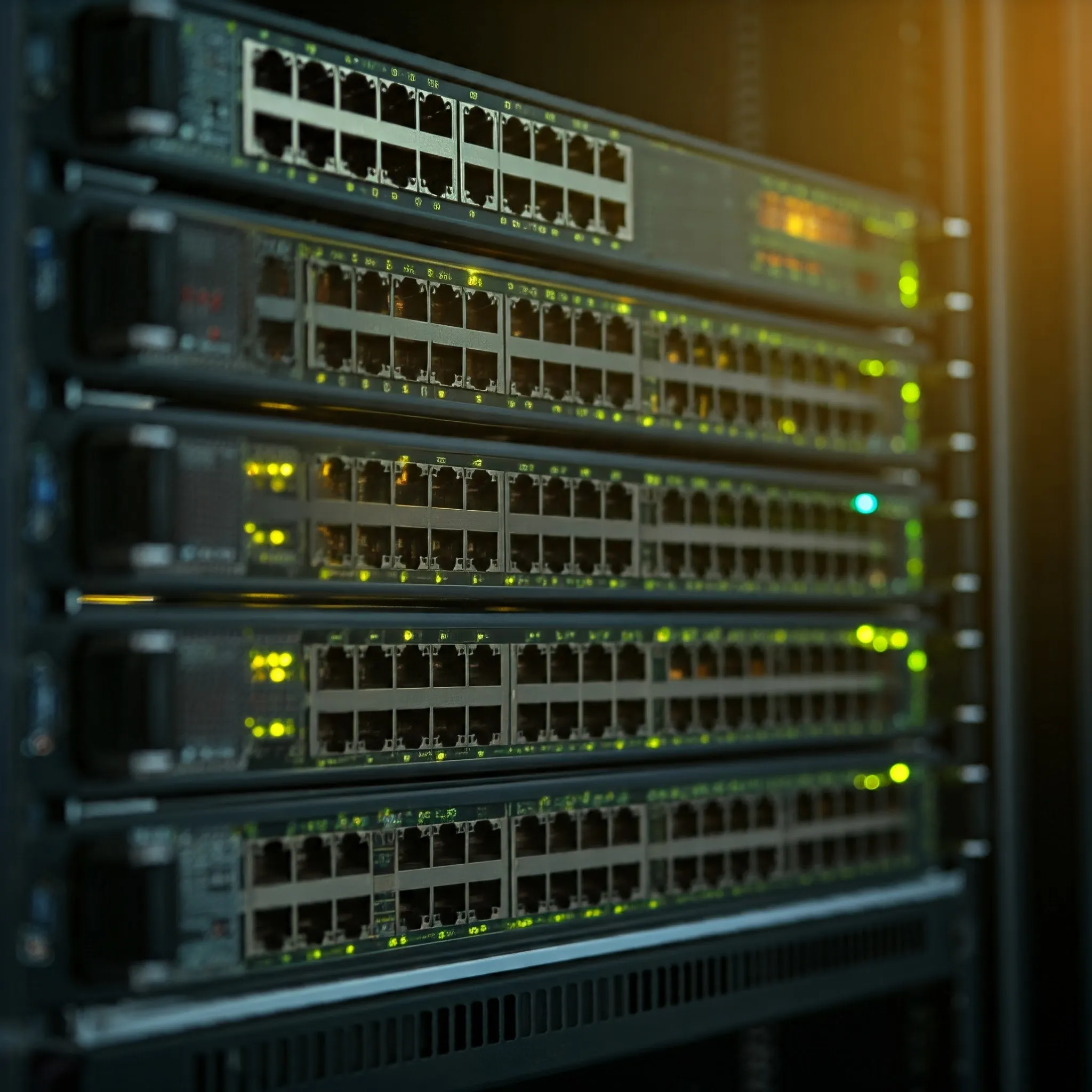
Imagine your home as a network. Your computer, smartphone, and gaming console are like devices connected to a central hub. This hub is essentially a network switch. In simple terms, network switches are devices that connect multiple devices, such as computers, printers, and other wired network devices, to each other in a local area network (LAN). Think of it as a traffic controller for your home or office network—it makes sure data gets to the right place efficiently.
If you have more than one device connected to your network and want them to communicate directly with each other, a switch is the usual way to connect multiple wired devices on a LAN. A Wi-Fi access point can also connect wireless clients, and two wired devices can sometimes communicate through a direct link. For example, in a small business, you might have several desktop computers, printers, and security cameras, all requiring network access. A network switch ensures these devices can "talk" to each other and to the internet through your router.
If you have more than one device connected to your router or modem, a switch can be beneficial. For instance, if you have multiple computers, gaming consoles, smart TVs, or other devices connected to your home network, a switch can help manage the traffic and improve performance. Nowadays most routers have an integrated switch with a small number of LAN ports (you will see ports labelled WAN for your internet, and the rest is for wired devices), but if yours does not, or you have more wired devices than available LAN ports, you will need a network switch.
How Do Network Switches Work?
Network switches use data packets to manage traffic between your devices. When a device, like your computer, wants to send information to another device, like a printer, it sends the data in packets. The switch receives these packets and intelligently directs them to the correct destination.
Unlike a basic network hub, which sends the same data to every connected device, a switch forwards known unicast frames toward the learned destination port. Broadcasts and unknown destinations can be flooded within the VLAN, so it does not send every frame to only one device. This reduces unnecessary network traffic and improves overall performance. The switch learns the network addresses (MAC addresses) of devices and stores them in a table, so it knows exactly where to send each packet of data.
Managed vs. Unmanaged Switches: What’s the Difference?
Unmanaged Network Switches: These are the simplest types of switches. You plug them in, and they start working without any configuration. They're ideal for home networks or small businesses that don't need advanced features. Unmanaged switches are affordable and easy to set up, but they don’t offer much control or monitoring of network traffic.
Managed Network Switches: Managed switches are more advanced and give you greater control over your network. You can configure, manage, and monitor them, usually through a web interface or a dedicated app. Managed switches allow you to:
- Prioritize certain types of traffic (e.g., voice or video calls) to help manage contention according to the configured queues (Quality of Service or QoS).
- Monitor the performance of your network in real-time.
- Set up VLANs (Virtual Local Area Networks) to segment your network into smaller, isolated sections for better security or traffic management.
For example, if you run a small business and want to make sure your video conferencing system gets priority over less critical data, a managed switch can help. However, managed switches require a bit more networking knowledge to configure properly, making them better suited for businesses or tech-savvy home users.
What is PoE and How Does it Work in Network Switches?
Power over Ethernet (PoE) is a feature that allows a network switch to send both data and electrical power over the same Ethernet cable. This is particularly useful for devices like IP cameras, wireless access points, and VoIP phones because it eliminates the need for a separate power supply.
Here’s how it works:
- With a PoE-enabled switch, you plug the Ethernet cable into a device, and it provides both network connectivity and power.
- This reduces cable clutter and makes installation easier, especially for devices located far from power outlets, like security cameras mounted on ceilings or in remote areas.
Common PoE standards include:
- PoE (IEEE 802.3af): Can supply up to 15.4 watts at the power-sourcing port; the device receives less after cable losses. Check its actual required class and power.
- PoE+ (IEEE 802.3at): Can supply up to 30 watts at the power-sourcing port. IEEE 802.3bt defines higher-power types for suitable equipment; neither “PoE” nor the connector alone establishes compatibility.
Different Speeds of Switches: Port Speed vs. Total Switching Speed
When buying a switch, you’ll often see terms like port speed and total switching speed. Understanding the difference is crucial to ensure your network runs efficiently.
- Port Speed refers to the maximum speed of an individual port. Common port speeds are:
- Fast Ethernet (100 Mbps)
- Gigabit Ethernet (1 Gbps)
- 10 Gigabit Ethernet (10 Gbps)
For example, if a switch has 8 ports, each supporting 1 Gbps, that’s the speed at which data can be transferred between the switch and a connected device.
- Total Switching Speed (or switching capacity) refers to the total amount of data that the switch can handle across all ports at once. It’s important to check that the total switching speed is enough to handle all the traffic your network may produce. For example, if you have a switch with 8 Gigabit Ethernet ports, the theoretical total switching capacity should be at least 16 Gbps (8 ports x 2 Gbps—1 Gbps each way).
Will I still need a switch if all my devices are Wi-Fi?
While your Wi-Fi router can connect multiple devices, there are several reasons why a switch might be beneficial:
- Wired Backhaul and Clients: A switch can connect access points or move suitable clients to Ethernet, reducing wireless airtime use. A switch connected only to the router does not increase its radio capacity or balance Wi-Fi clients automatically.
- Wired Connections: If you prefer wired connections for certain devices (like gaming consoles or computers) due to their stability or speed, a switch allows you to connect them directly to your network.
- Future Expansion: If you plan to add more devices to your network in the future, a switch can provide the necessary ports and infrastructure to accommodate them.
- Network Segmentation: For more complex networks, switches can be used to create separate network segments, improving security and performance.
In summary, while a Wi-Fi router is essential for wireless connectivity, a switch can provide additional benefits and flexibility, especially for larger networks or those with specific requirements.
What is SFP and Why Do You Need It?
SFP (Small Form-factor Pluggable) ports are becoming more common in network switches. These ports allow you to add fiber optic connections or other types of network connections using small, replaceable modules. SFP ports are used for long-distance networking or connecting switches in different buildings.
Why would you want an SFP port?
- Flexibility: You can use SFP ports to connect to different types of networks (fiber optic or copper) depending on your needs.
- Long-Distance Connectivity: If you need to connect switches across a large area, like in a campus or warehouse, SFP with fiber optic cables can span greater distances than regular Ethernet cables.
Examples of Network Switches
- TP-Link TL-SG108 (Unmanaged, Gigabit Ethernet):
- An affordable and easy-to-use 8-port unmanaged switch for home users or small offices.
- Suitable for users who want basic plug-and-play functionality.
- NETGEAR GS308P (Unmanaged, PoE):
- An 8-port unmanaged switch with 4 PoE ports, ideal for home or small business use with IP cameras or wireless access points.
- Affordable and offers PoE for powering devices without extra power cables.
- Ubiquiti UniFi Switch US-24-250W (Managed, PoE+):
- A 24-port managed switch with PoE+ and advanced features for businesses needing more control over network traffic.
- Ideal for those who need to prioritize network traffic or segment their network with VLANs.
- Cisco Business CBS350-24T-4G (Managed, SFP):
- A 24-port managed switch with 4 SFP ports for those requiring long-distance connections.
- Suitable for larger networks where fiber optic connections are necessary.
Conclusion: What to Look for in a Network Switch
When choosing a network switch, consider the following factors:
- Managed vs. Unmanaged: If you need control over network traffic, VLANs, and QoS, opt for a managed switch. For simple setups, an unmanaged switch is sufficient.
- PoE: If you’re using devices like IP cameras or access points, PoE can simplify installation by reducing the need for separate power cables.
- Port and Switching Speed: Ensure the switch supports the speeds your devices need and that the total switching capacity can handle your traffic.
- SFP Ports: If you plan on long-distance connections or need flexibility with fiber, SFP ports are a good investment.
By understanding these key features, you’ll be able to choose the right network switch for your home or business, ensuring your network runs efficiently and reliably.
MAC Learning, Flooding and Capacity
A Layer 2 switch normally learns a source MAC address from an arriving frame and records the port and VLAN. If the destination is known, it forwards toward that port. If it is unknown, it can flood to eligible forwarding ports in the VLAN, excluding the ingress port. This is not restricted to the first packet: entries can age out or be cleared by topology changes.
Switching is frame forwarding rather than a temporary electrical circuit between two computers. Multiple flows can proceed simultaneously, but contention still exists when several senders target one slower output port. Buffers absorb bursts only up to their capacity; they cannot make an overloaded uplink unlimited.
For eight full-duplex 1 Gbps ports, manufacturers often advertise 16 Gbps aggregate switching capacity by counting both directions; eight 2.5 Gbps ports give a corresponding 40 Gbps figure. Check the vendor's accounting and packet-forwarding rate as well as that total. A non-blocking fabric specification does not remove congestion at one destination or guarantee a particular application transfer rate.
Choose Features by Model, Not Marketing Tier
“Smart,” “easy managed” and “enterprise” are product categories, not universal standards for feature sets. Some unmanaged switches have fixed QoS or multicast behavior, while a small managed switch may omit LACP, advanced spanning tree or routing. Check the exact model's VLAN, link-aggregation, monitoring and management options.
VLANs separate Layer 2 broadcast domains. Inter-VLAN routing belongs to a router or capable Layer 3 switch, and access control needs explicit firewall or ACL rules. Creating two VLAN names alone does not determine which services their clients may reach. Verify tagged uplinks, untagged/access ports and the management VLAN before moving critical devices.
A link-aggregation group can increase aggregate capacity across suitable traffic flows and provide redundancy when configured correctly. It does not normally turn a single transfer into the sum of all member-port rates. Both ends need matching supported configuration; connecting a second cable between switches without an appropriate design can create a loop.
PoE Budgets and Installation Checks
Check both per-port capability and the total PoE budget. A switch with several PoE ports cannot necessarily power each at its advertised maximum at the same time. Include device startup demand and the supplied power adapter's budget; different revisions or adapters can change the result.
Standards-based PoE negotiates supported power behavior. Passive PoE does not offer the same negotiation and may use a fixed voltage. Never assume an Ethernet connector proves that a device tolerates a passive-power mode. Select the specified standard, voltage and cable arrangement for the powered device.
The example models above illustrate different needs: TL-SG108 for unmanaged gigabit ports, GS308P for its specified PoE ports, US-24-250W for managed gigabit/PoE features, and CBS350-24T-4G for managed gigabit with four gigabit SFP uplinks. Check the exact hardware revision, local availability and support lifecycle before purchasing; similarly named models can differ in PoE or uplink speed.
Confirm each link's negotiated rate and inspect errors before blaming the switch's switching capacity. A damaged cable or unsuitable pair wiring can leave a gigabit connection running at 100 Mbps. Test a known-good cable and port, then compare a local file transfer between wired machines. Internet tests also include your router, ISP and remote server.
For a managed switch, save configuration after changes and keep a recovery path to its management address. Use supported firmware, restrict administrative access and avoid exposing the management interface to the public internet. A stable network depends on its topology, configuration and endpoints as much as the number printed on the box.