Faster storage is useful on a Raspberry Pi, but a file server can still be held back by its network connection. The Radxa Dual 2.5G Router HAT addresses both needs: it adds two 2.5 Gigabit Ethernet ports and an NVMe slot through a PCIe switch. You can therefore expand networking without giving up the storage connector altogether. The important qualification is that these devices share the host's upstream PCIe connection.
I find this combination particularly appealing for compact NAS, gateway and networking projects. It provides useful expansion in one board, although the final performance and reliability depend on the host, software, power supply and workload.
What Is the Router HAT?
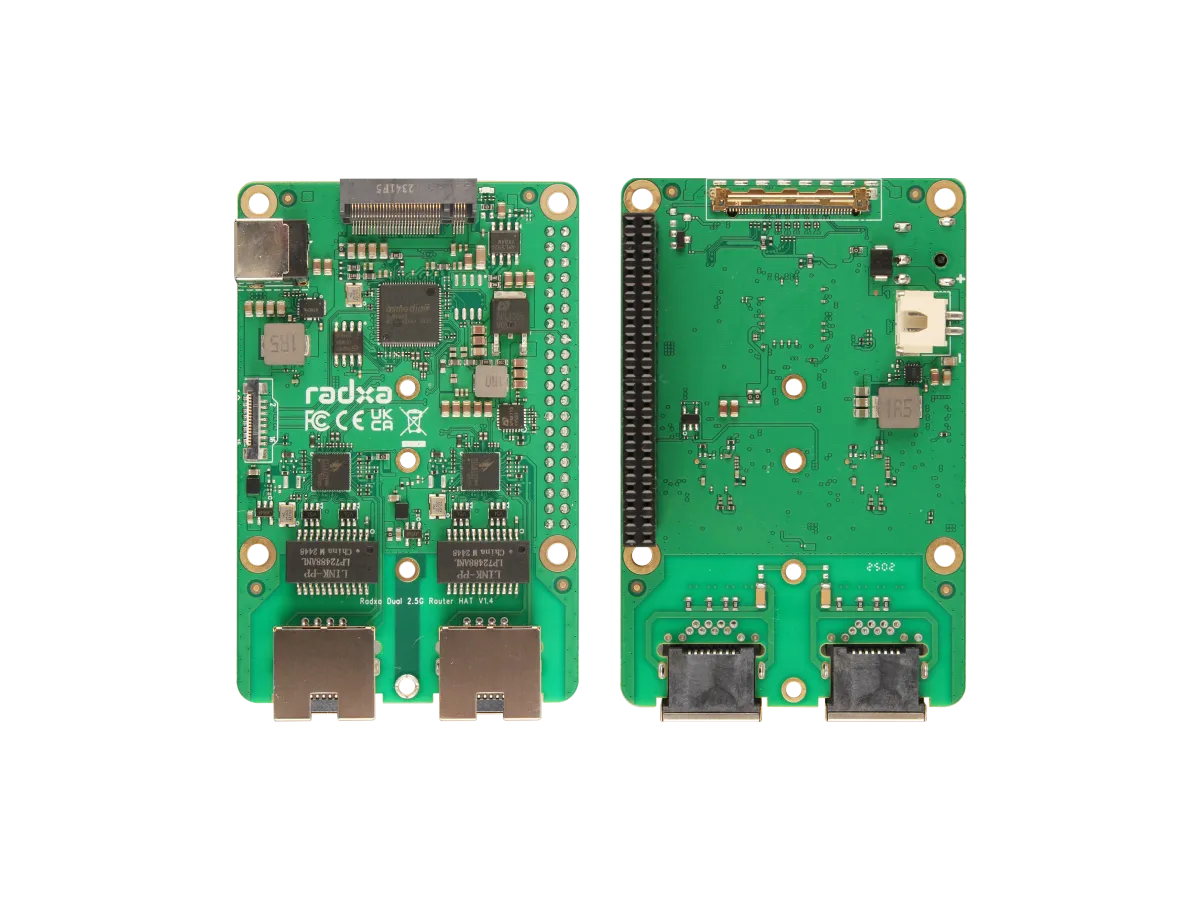
Radxa's product page describes a networking and storage expansion board. The official product brief identifies an ASMedia ASM2806 PCIe Gen 3 switch, two Realtek RTL8125BG Ethernet controllers, an M.2 M-key slot and a further PCIe FPC connector.
The switch connects several downstream devices to one host link. It does not create additional upstream bandwidth. A network controller can negotiate a 2.5 Gbps Ethernet connection while concurrent network and SSD traffic still compete for the host's PCIe capacity.
| Component | Documented capability | Practical check |
|---|---|---|
| Ethernet | Two 2.5 Gigabit ports | Compatible drivers, cables and 2.5G equipment at both ends |
| NVMe storage | M.2 M-key slot; product page lists 2230, 2242, 2260 and 2280 sizes | NVMe compatibility, mounting position and cooling |
| PCIe switch | ASM2806 with multiple downstream connections | Shared host bandwidth and operating-system detection |
| Host connection | 40-pin IPEX connector with up to two-lane capability; included adapter uses one lane | Correct adapter and cable for the exact supported host |
| Further expansion | PCIe FPC connector | Compatible PCIe adapter, not an arbitrary sensor connection |
| Power | 12 V DC input through a 5.5 × 2.5 mm barrel socket | Correct polarity and adequate current for the complete system |
Compatible Boards and Cables
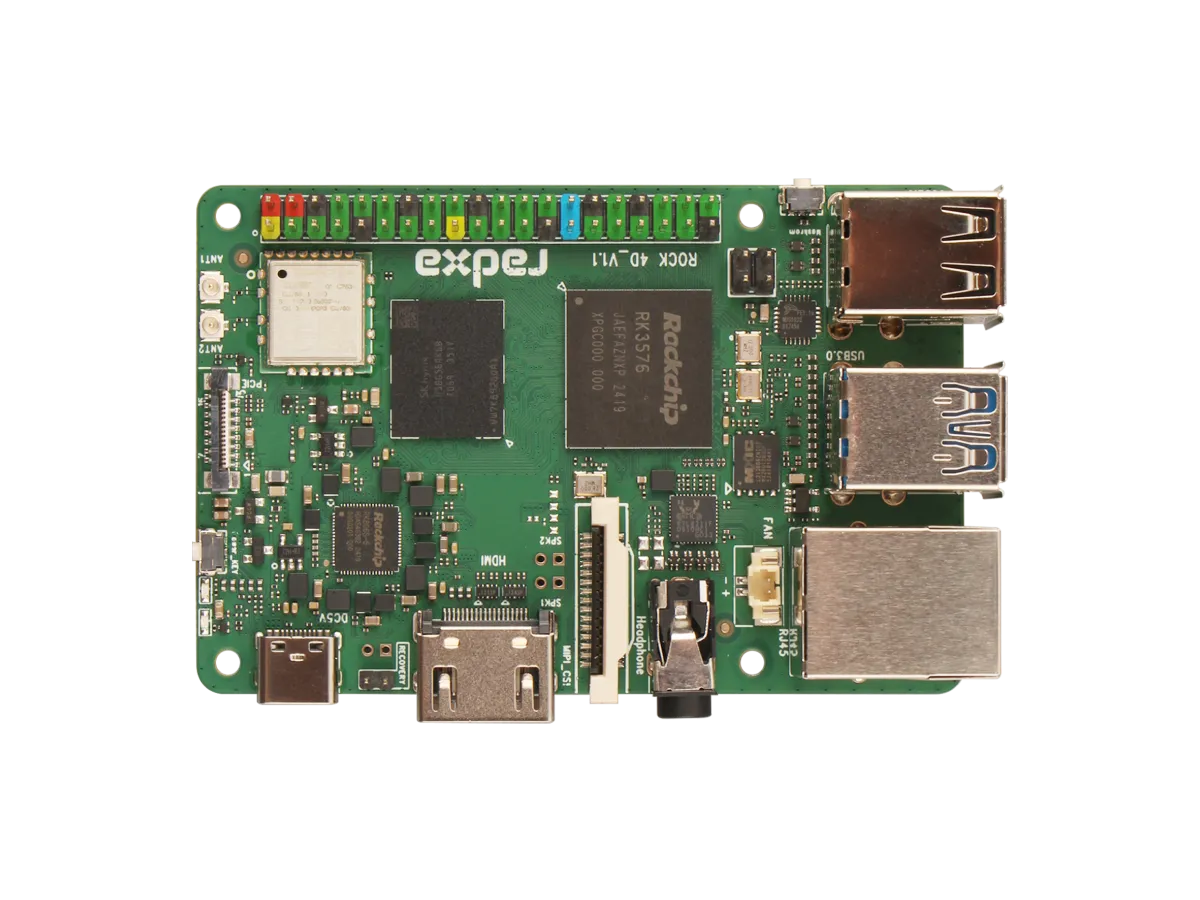
The current compatibility documentation lists ROCK 2A/2F, ROCK 4D, ROCK 5C and Raspberry Pi 5. Do not assume that another ROCK board works because it shares the brand or has a connector of similar size. Check the host pinout, adapter, mounting arrangement and supported operating system.
For Raspberry Pi 5, follow Radxa's illustrated assembly guide for the IPEX-to-FPC cable, standoffs, heatsink and SSD mounting. Disconnect power before assembly and check cable orientation against the photographs. The 40-pin connection also participates in power delivery; it is not a substitute for the PCIe cable.
Radxa's revision history distinguishes production V1.5 from earlier development versions. Match the physical board to its documentation before planning an enclosure or connecting accessories.
Networking Without Sacrificing NVMe
The NVMe slot is a major reason to consider this HAT. A compact NAS can use an SSD while benefiting from a faster wired link, and a gateway can keep its operating system or logs on that drive. However, the SSD will not operate like a desktop drive with a dedicated four-lane connection.
A PCIe switch lets storage and network controllers coexist; it cannot guarantee each device's maximum transfer rate simultaneously. Radxa also notes that the extra FPC expansion interface shares PCIe resources with the onboard M.2 slot. Workloads such as copying to the SSD while routing traffic deserve testing together.
Raspberry Pi's PCIe documentation states that Pi 5 defaults to Gen 2 and is not certified for Gen 3 operation; Gen 3 connections may be unstable. The switch's Gen 3 specification does not establish that the assembled host link is running reliably at that speed. Check the negotiated link and stability rather than treating optional settings as guaranteed upgrades.
Choosing the Network Topology
For a router, one added port can serve as WAN and the other as LAN. A Pi 5's onboard Gigabit Ethernet can provide another connection, but it remains Gigabit. Assign roles in the router software after identifying each physical socket. Interface names such as eth1 are examples, not permanent labels guaranteed across all distributions.
Separate sockets do not automatically isolate networks. Firewall rules, routing and DHCP settings establish the boundaries. Keep the administration interface on the trusted side, and confirm the provider's connection requirements before replacing the existing router. Some fibre services still need their supplied optical terminal; this HAT's RJ45 sockets do not replace it.
For a NAS, you may only need one faster port. Two sockets do not automatically double a single file transfer's speed. Choose a deliberate configuration rather than connecting both to the same switch without understanding bridging or aggregation. A backup copy should also live outside the SSD and board.
Check Software Support First
OpenWrt is a relevant option for Raspberry Pi 5: the project's actual image definitions include a Pi 5 target. That establishes a host platform, not a promise that every HAT, SSD and firmware combination is ready without configuration. Select the correct release image and confirm PCIe and RTL8125 driver support before using it as the household gateway.
On a general Linux distribution, Radxa's getting-started guide shows hardware detection with tools such as lspci, ip a and lsblk. Confirm the actual devices and driver binding before assigning addresses or changing routes. Use the current network-management method for your distribution rather than assuming every installation uses the same configuration file.
Do not plan this ARM SBC build around a normal pfSense or OPNsense installer. Netgate explicitly excludes Raspberry Pi and other non-Netgate ARM devices, while OPNsense documents amd64 support. If either is a requirement, choose supported hardware for it.
Power, Cooling and Maintenance
Radxa's Pi 5 power guide recommends a centre-positive 12 V, 3 A or higher supply for the HAT's DC socket. The HAT then powers the Pi through the GPIO connection. It also describes powering from the Pi's USB-C input, but warns that a 5 V/5 A supply may be insufficient under full load with an SSD. Follow the documented arrangement instead of combining power sources experimentally.
Fit the supplied switch heatsink as shown in the assembly guide and allow airflow around the host and SSD. Enclosure clearance, ambient temperature and sustained traffic affect cooling. Fanless hardware does not guarantee the complete system is silent if you add active cooling.
For a gateway, keep a configuration backup and a recovery route if an update or storage problem stops networking. Test planned upgrades during a suitable maintenance window. Maintaining an SBC router involves more responsibility than buying a board with two network sockets.
Performance Checks and Verdict
Assess one network path first, then repeat with the actual firewall rules, VPN or inspection service enabled. Add SSD activity to see whether shared resources matter. Record packet loss, latency, CPU load and temperatures alongside throughput; a fast bulk transfer alone does not prove a responsive router.
The Router HAT is an exciting way to combine faster Ethernet and NVMe on a supported SBC. That flexibility is its strongest appeal for makers and compact server projects. Choose it for the interfaces and learning opportunities it provides, with realistic software and bandwidth expectations, rather than assuming enterprise routing performance from the Ethernet link labels.