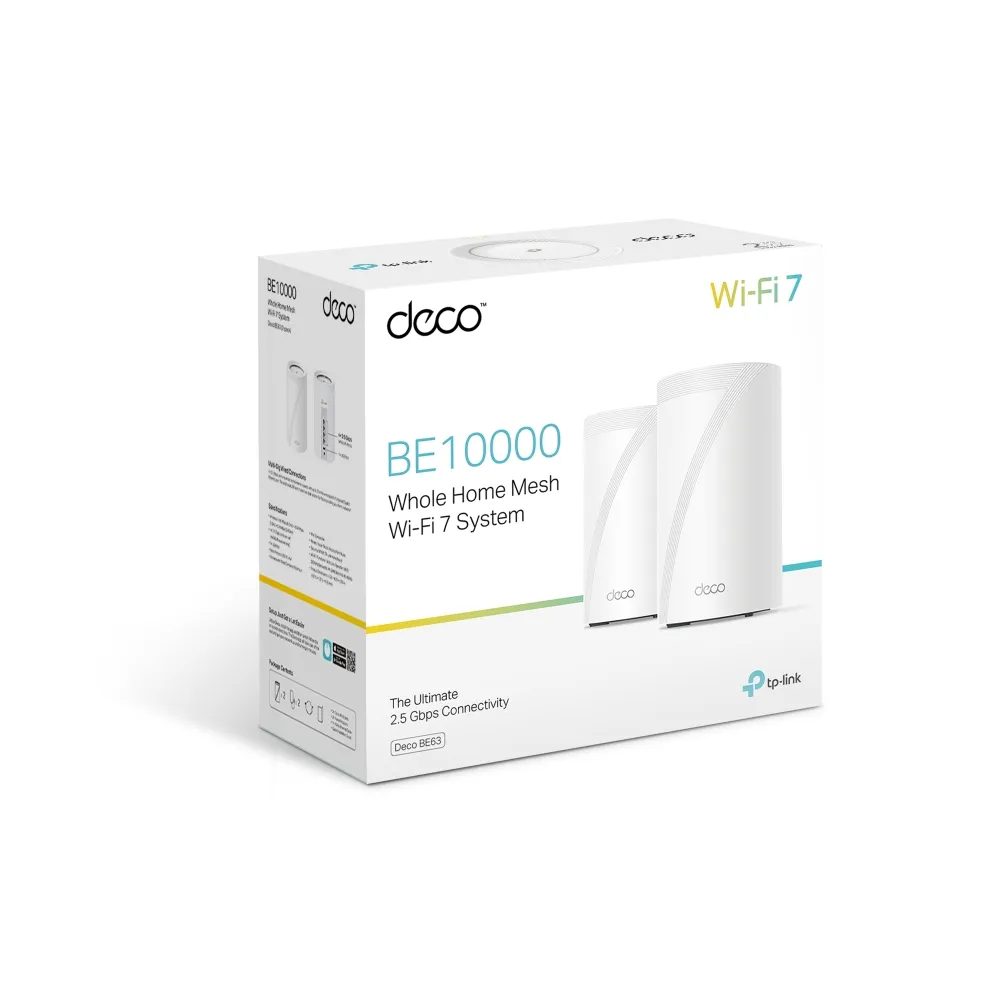
The TP-Link Deco BE63 is a tri-band Wi-Fi 7 mesh system with four 2.5Gbps Ethernet ports on each unit. It offers a useful combination of newer wireless features and flexible wired connections, but the buying decision becomes less obvious when a similar Deco BE65 kit is available at a comparable price.
Our view is that the BE63 can be a solid choice at a competitive price in a market where it is sold and supported. We remain cautious about paying a premium simply for a model name or a Wi-Fi generation. Compare the exact local specifications, the number of nodes and the devices you own before deciding whether it offers better value than the alternatives.
What a Mesh System Does
A mesh system uses several access points, or nodes, to extend a network through the property. One unit connects to the internet gateway, while the others communicate with it over a backhaul connection. Devices can use a shared network name as you move around. This is easier to manage than unrelated routers, but it does not guarantee that every client changes nodes immediately or that every room receives the same speed.
Think about two links when placing a satellite: its connection back to the network and its connection to your device. A node in a dead zone may be close to your laptop while still having a poor route to the main unit. Positioning it where it receives a useful upstream signal is more important than spreading units evenly according to a floor-area claim.
Verified BE63 Specifications
| Feature | Published US specification |
|---|---|
| Wireless class | BE10000, tri-band |
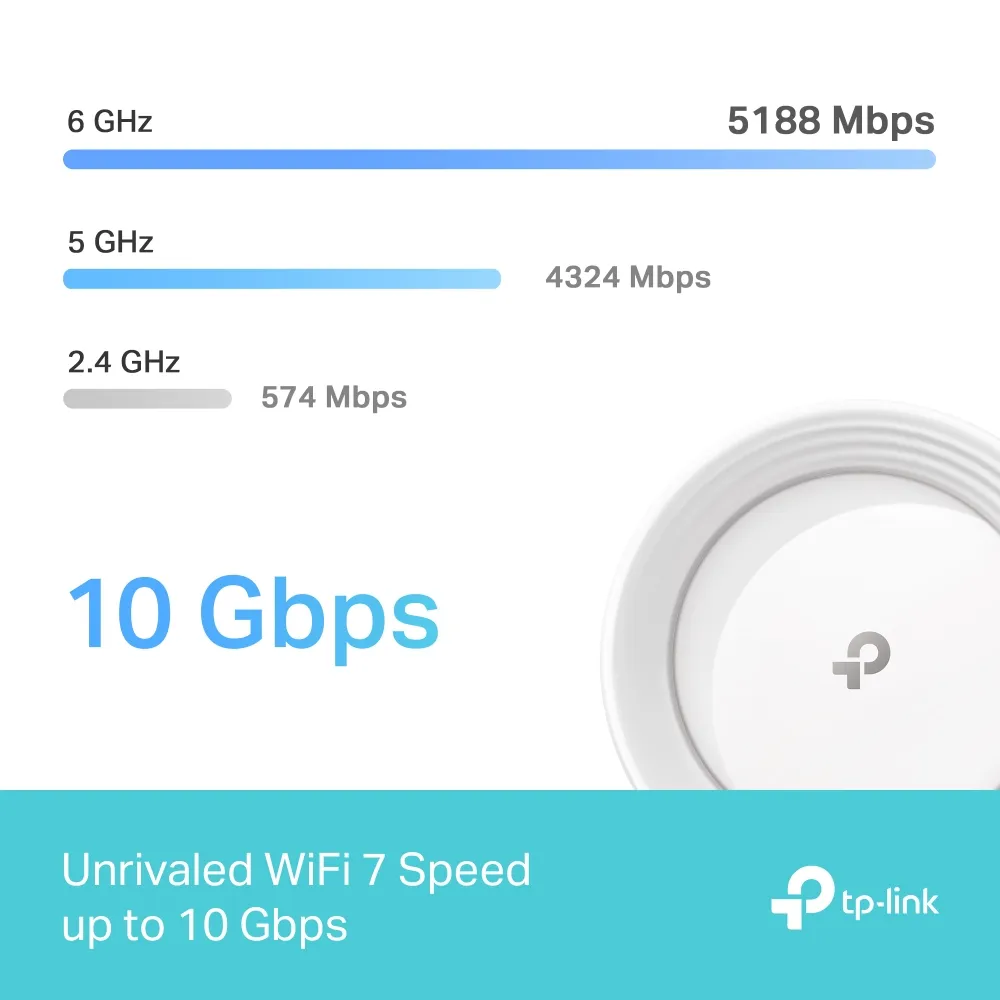
| Advertised band rates | 5188 Mbps at 6 GHz, 4324 Mbps at 5 GHz and 574 Mbps at 2.4 GHz |
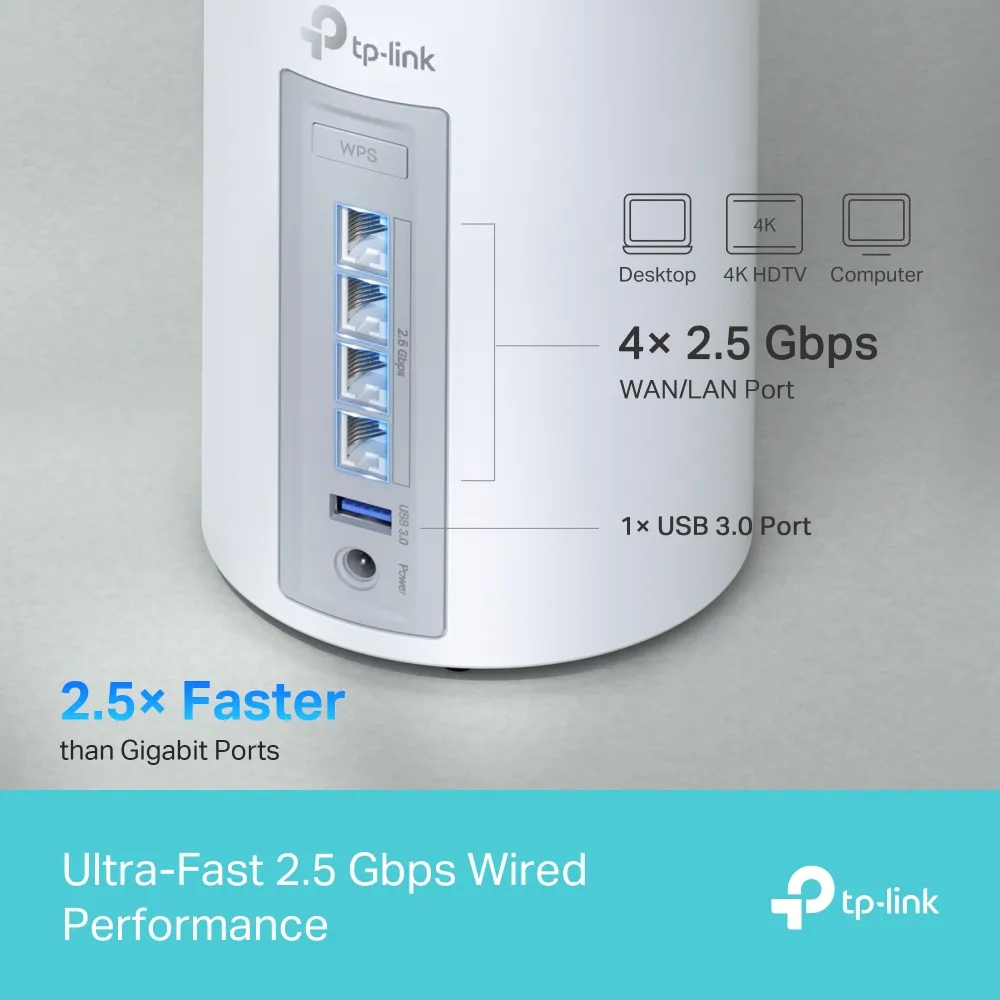
| Ethernet | Four 2.5Gbps WAN/LAN auto-sensing ports per unit; one WAN port at a time |
| Radio arrangement | Six streams, 2×2 MU-MIMO and four internal antennas |
| Modes | Router and access point |
| USB | One port; the earlier US 1.6 datasheet labels USB 3.0, while the US 2.6 datasheet labels it USB without specifying the generation |
BE10000 is the combined advertised physical-rate class, rather than an 11Gbps specification or a promise to deliver 10Gbps to one device. The individual rates are useful for comparing documented configurations, but actual transfers depend on the client, channel availability, distance and network traffic. A 2.5Gbps WAN connection also limits internet traffic regardless of the sum of the wireless radio rates.
Wi-Fi 7 Benefits and Client Limits
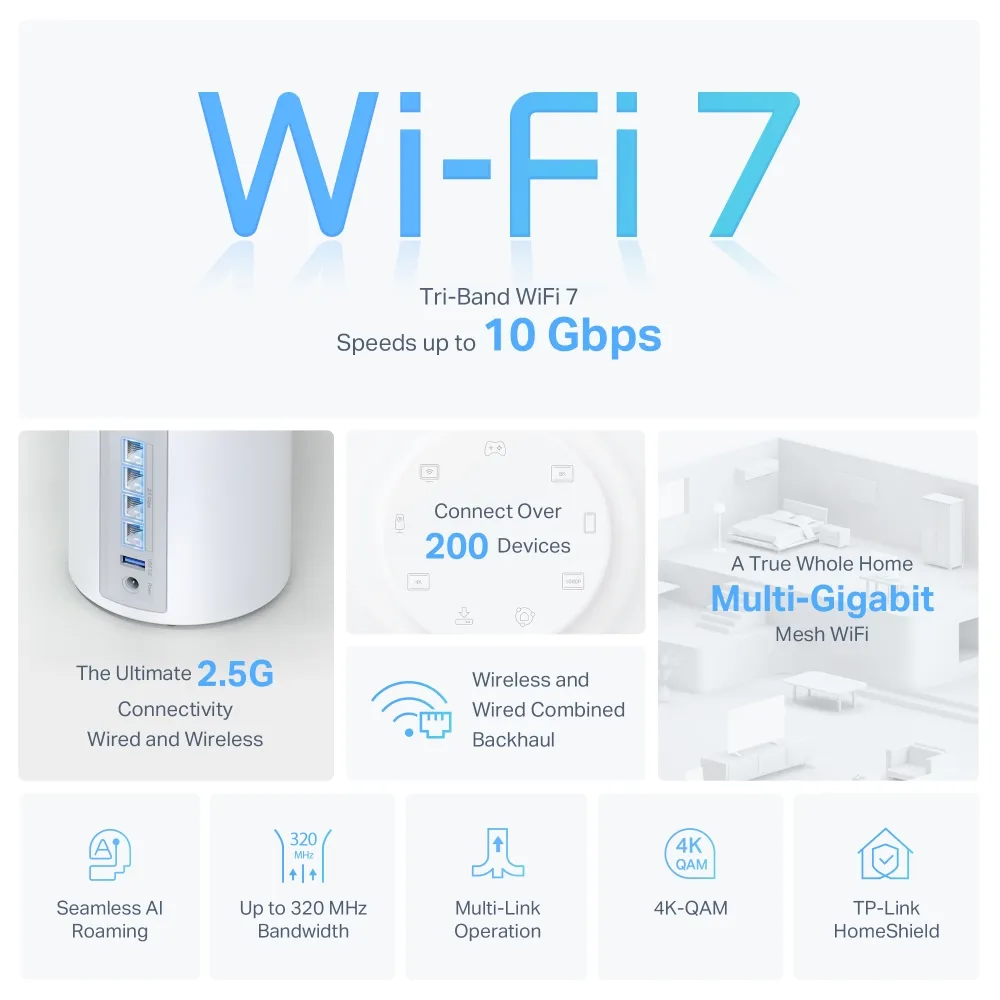
The BE63 supports Multi-Link Operation, 4K-QAM and channels up to 320MHz in the 6GHz band, subject to regional restrictions and compatible clients. MLO can use multiple links, but a Wi-Fi 6 laptop does not gain that capability merely by joining a Wi-Fi 7 network. Check the client's radio, software and driver support if this is the feature you are paying for.
The additional 6GHz band provides another option for suitable clients. It is not an interference-free or universally faster connection, and it does not guarantee cable-like latency through walls. Start with the rooms where you need coverage and the devices that will use it. A wider channel near the router is less useful than a reliable connection where you actually work.
MU-MIMO and OFDMA are separate ways of sharing wireless resources among compatible clients. They should not be read as guarantees that hundreds of devices can each receive their maximum speed at once. The manufacturer's connected-device claim describes laboratory conditions; activity and airtime demand matter as much as the number of connected devices.
Using the Four Multi-Gigabit Ports
The four 2.5Gbps ports are a practical reason to consider this model. On the main unit, one port used for WAN leaves three for LAN devices and backhaul. For example, a NAS, a desktop and a cable to a satellite can each use a remaining port. If you need more connections, include a suitable switch in the budget and check the speeds throughout the path.
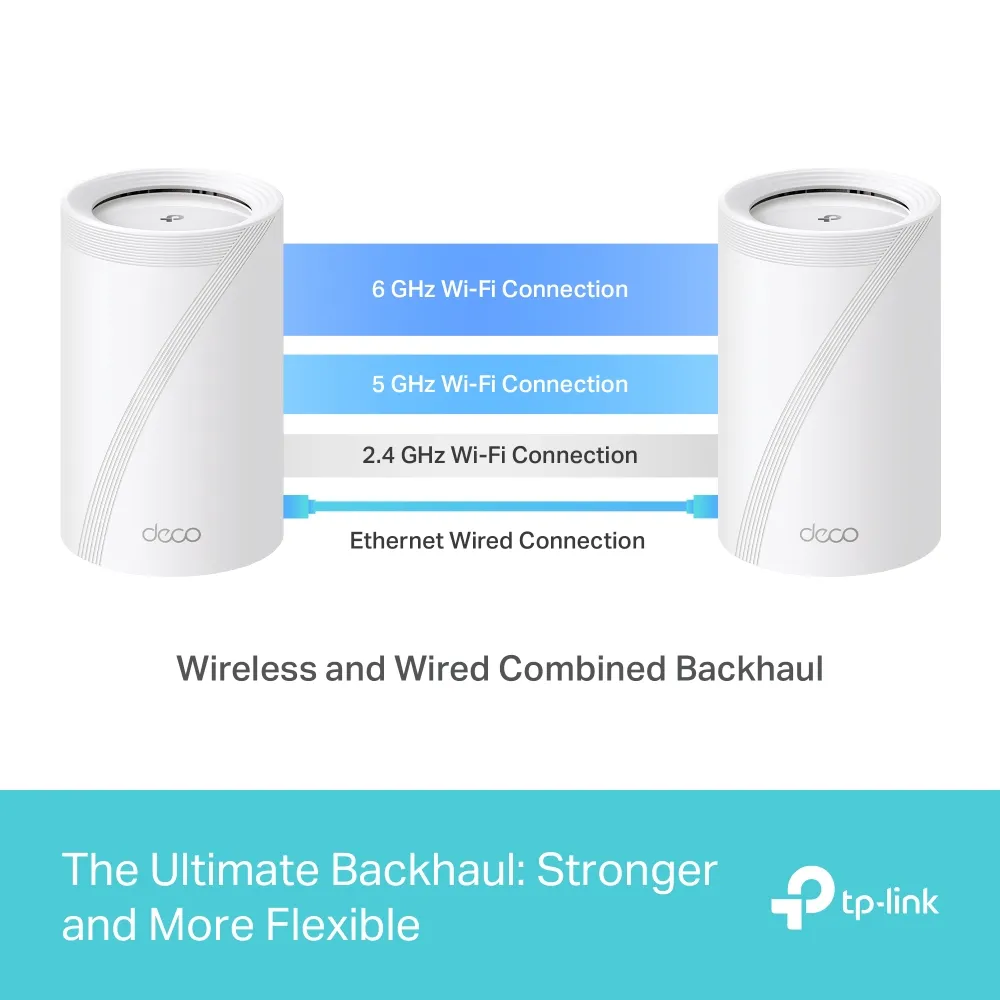
A wired satellite can avoid relying on a wireless route through thick walls, but its clients still have their own wireless limits. A Gigabit-only switch between two 2.5Gbps ports also becomes a Gigabit link. Check negotiated speeds and the connection shown in the app before assuming the headline port rating is active end to end.
TP-Link specifically advertises combined wired and wireless backhaul for the BE63. Use the documentation for the exact models and firmware involved, particularly in a mixed Deco network; general instructions for older Deco systems should not override a model-specific capability. In router mode, put satellite wiring on the main Deco's LAN side. Keep the intended topology clear when adding a switch.
USB Sharing and Backup Checks
The USB port adds convenient shared-storage possibilities. TP-Link lists Samba, FTP and media-server support, and its USB sharing guide explains access authentication and compatible-model app options. Check the drive and format requirements, enable authentication and verify ordinary file access before relying on it for important data. USB attachment alone does not make a router a fully featured NAS or provide a second copy of the files.
Time Machine deserves an additional compatibility check. Apple now states that AFP network backups are unsupported on macOS 27 or later. TP-Link's support team previously identified AFP-based Deco backups and work on an SMB replacement. Confirm that your exact firmware provides Time Machine-compatible SMB support for your macOS version, rather than assuming the presence of a Time Machine toggle proves compatibility. A successful backup should also be followed by a restore check.
Sharing media files is likewise different from converting every video into a format your television can play. Check the playback device's supported formats. Avoid treating the USB port as a guaranteed high-bitrate transcoding server or relying on an unverified transfer-speed figure when sizing a backup job.
Security, Operating Mode and Maintenance
HomeShield includes basic features and paid advanced options. Check the current subscription and router-mode requirements for the controls you want, instead of assuming every advertised protection is permanently included. WPA3 also requires suitable clients; see our WPA2 and WPA3 explanation when planning older-device compatibility.
Use router mode when Deco is intended to handle the gateway functions. If another router already does that job, access-point mode can provide the mesh access layer, but gateway controls are then handled upstream and feature availability changes. Confirm that parental controls, address reservations and any desired isolation are available in the selected arrangement. Install updates for the correct hardware version and region, and keep the units ventilated.
BE63 Value Beside the BE65
The BE65 comparison should use local specifications, rather than a universal hierarchy. For example, TP-Link's Singapore BE65 page lists BE11000 and four 2.5Gbps ports, while the US BE63 is BE10000 with the same Ethernet-port count. Other regional versions and Pro variants can differ. This documented comparison does not establish that the BE63 has weaker transmit amplifiers, smaller antennas or an inferior processor.
Our recommendation remains price-sensitive. If a suitable BE65 kit costs little more locally, the BE63 may be difficult to justify. If the BE63 is discounted and its ports, radio features and support match your needs, it can be a sensible purchase. Compare pack size, warranty and the whole installation cost, then prioritize a useful network layout over a larger combined-speed label. The official US BE63 page is the starting point for the model described here.