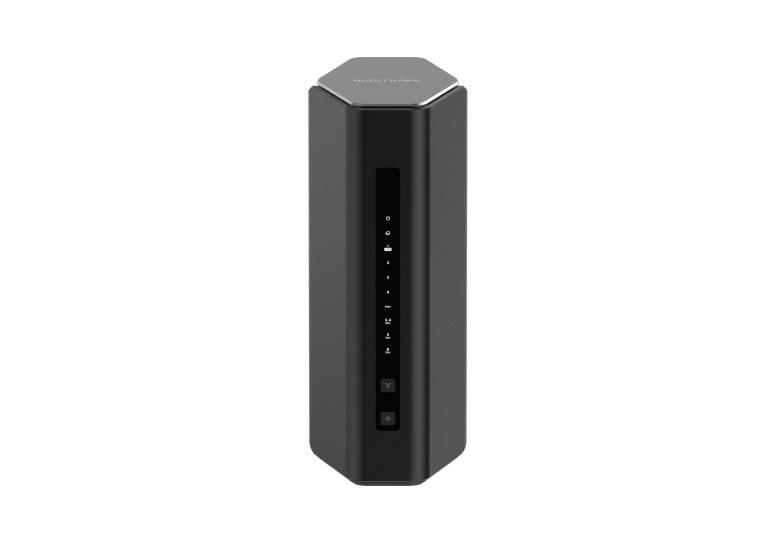
The Netgear Nighthawk RS500 sits in a slightly unusual position in the Nighthawk Wi-Fi 7 range. Its BE12000 wireless rating is higher than the RS300's BE9300 rating, but it gives you fewer fast wired LAN connections. That distinction matters if your home network includes a NAS, a desktop and a fast internet connection, rather than mostly wireless devices.
I see it as a promising upgrade for demanding gamers and streamers, provided its connections suit the household. Buying the larger number on the box is not enough: the client devices, port layout and placement all need to work together. This guide explains the published specifications and buying considerations; it does not present measured throughput or gaming results.
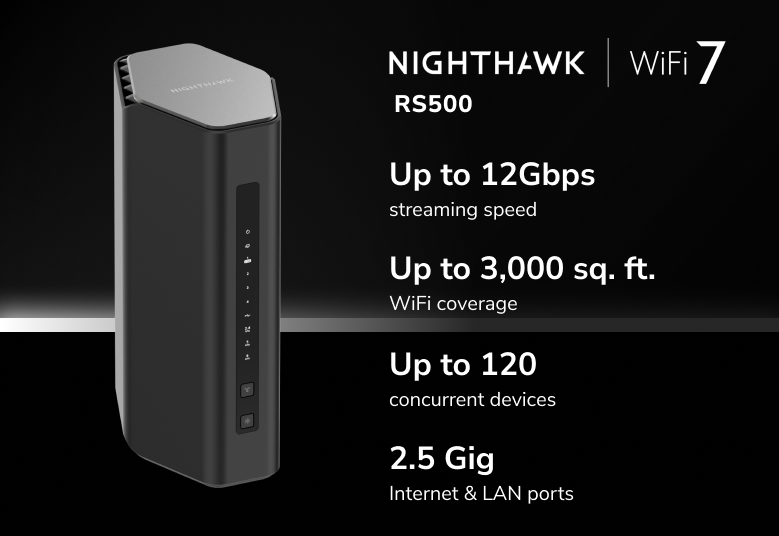
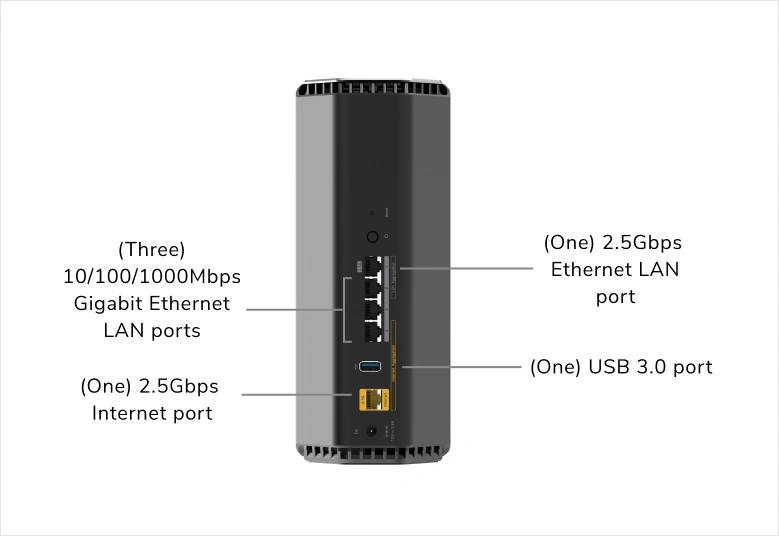
The RS500's actual hardware
NETGEAR's RS500 technical specification sheet confirms the following configuration. The wireless label describes combined theoretical capacity across its radios, rather than a download speed that one device should expect.
| Feature | RS500 specification |
|---|---|
| Wireless standard | Tri-band Wi-Fi 7, BE12000 |
| Bands and stream configuration | 2.4 GHz: 2×2; 5 GHz: 4×4; 6 GHz: 2×2 |
| Processor | Quad-core 2.0 GHz |
| Antennas | Six internal antennas with high-power amplifiers |
| Internet connection | One 2.5 GbE Internet port |
| Local Ethernet connections | One 2.5 GbE LAN port and three Gigabit LAN ports |
| USB | One USB 3.0 port |
The model-specific manual gives rounded maximum radio rates of 0.7 Gbps, 5.8 Gbps and 5.8 Gbps respectively. It lists up to 160 MHz channels on 5 GHz and 320 MHz on 6 GHz. The two high-rate bands reach their ratings through different combinations of stream count and channel width; they are not interchangeable capabilities for every phone or laptop.
What Wi-Fi 7 adds, and what your devices need
Wi-Fi 7 can improve capacity and responsiveness through wider channels and more efficient radio features. However, a Wi-Fi 5 laptop remains a Wi-Fi 5 client when it connects. Check the wireless adapter's supported bands, stream count and drivers before treating the router purchase as an automatic speed upgrade.
The 6 GHz band can offer more available spectrum, but it is not immune to interference or walls. A device must support 6 GHz to use it, and channel availability depends on the country. A gaming machine behind several walls may work better on a strong 5 GHz connection or Ethernet than on a weak 6 GHz connection selected only because it is newer.
Multi-Link Operation (MLO) is a Wi-Fi 7 feature that can combine or alternate between links, depending on the implementation. It does not mean every Wi-Fi 7 router and client transmits across all three bands simultaneously. NETGEAR's RS500 manual and specification sheet do not document a supported MLO configuration, so verify the exact firmware and client support with NETGEAR if MLO is essential to your purchase. Avoid relying on hidden settings or assuming the standard's entire feature set is enabled.
The router also lists OFDMA and MU-MIMO. Their benefits require compatible clients and suitable traffic. Beamforming can help direct a signal towards clients, but cannot remove the physical effects of a concrete wall.
The wired trade-off against the RS300
NETGEAR's 2024 range comparison lists two 2.5 GbE ports on the RS500, compared with three on the RS300. Once the RS500's Internet port is connected, you have one faster LAN port available. It has no 10 GbE interface.
For a household with one fast workstation, this can be a sensible balance. For a workstation and NAS that both need multi-gigabit access, budget for a suitable Ethernet switch. Put both on that switch so their local transfers can stay within it, then connect its uplink to the RS500's 2.5 GbE LAN port. Other traffic crossing that uplink still shares its capacity; adding a switch does not turn the router into a 10 GbE gateway.
Similarly, a faster fibre package cannot exceed the physical Internet port's link rate through that single connection. Check the modem or ONT output and the cable connection as well as the advertised ISP plan. A device plugged into one of the three Gigabit LAN ports retains that port's limit even if Wi-Fi clients can negotiate faster links.
Gaming: check loaded latency as well as speed
The RS500 is attractive for households where downloads compete with calls or games, but there is no guaranteed ping figure. Delay can arise in the Wi-Fi link, the router, the ISP connection or the game server. Compare an idle connection with one under upload and download load; a speed test alone can miss a queueing problem.
Firmware matters here. NETGEAR's 1.0.5.12 release notes document the addition of QoS, and the June 2026 release notes include further QoS improvements. Those are later firmware developments, rather than evidence of a particular result at the router's launch. Follow the support page for your model when checking available updates.
For a gaming setup, establish a wired baseline first, then compare Wi-Fi from the actual desk. If a background upload causes lag even on Ethernet, investigate traffic management and the upstream connection before moving the router repeatedly. If only Wi-Fi suffers, examine placement, signal quality and the client's radio capabilities.
Placement, security and existing routers
NETGEAR's US specification sheet advertises up to 3,000 square feet of coverage and 120 connected devices. Treat these as planning claims, not guarantees of a minimum speed in every room. The UK product page gives a different coverage figure, so check the local listing rather than assuming a universal footprint. Place the router in an open position and assess the distant rooms before deciding whether one access point is enough.
The manual supports access point mode behind an existing router. Its Internet port connects to that router's LAN, and some routing features are disabled in AP mode. This can avoid running two routing layers unnecessarily, but it is not a promise of enterprise VLAN support or unchanged security features. Choose which device will manage routing before setting up the network.
WPA3 and firmware maintenance are useful foundations. NETGEAR Armor is an optional subscription service, so check trial and renewal terms separately from the hardware price. Keep a configuration backup and use a strong administrator password; a security subscription does not replace sensible account and device maintenance.
Is the RS500 worth buying?
The RS500 remains a worthy candidate for a busy home moving towards capable Wi-Fi 7 clients. My reservation is its wired position in the range: the higher wireless rating does not make it a straightforward upgrade over the RS300 for every user. Compare the number of fast LAN devices you actually own, the current local prices and the cost of any extra switch.
If your household mainly uses Wi-Fi and one fast wired device, the balance may work well. If the priority is several multi-gigabit wired connections, or coverage across difficult rooms, consider those requirements before paying for the wireless headline. You can find the model's current documentation through the official RS500 website.