While building our homelab, we have looked at Home Assistant before - which you can even install on a Raspberry Pi (yes, on your Proxmox instance as well). We have also looked at n8n for workflow automation, although a workflow engine and a home-automation platform have different roles. Today we have a look at another, not so well-known alternative. Gladys Assistant is an open-source solution that's been steadily gaining traction among those who value their privacy and a clean, user-friendly interface.
What is Gladys Assistant?
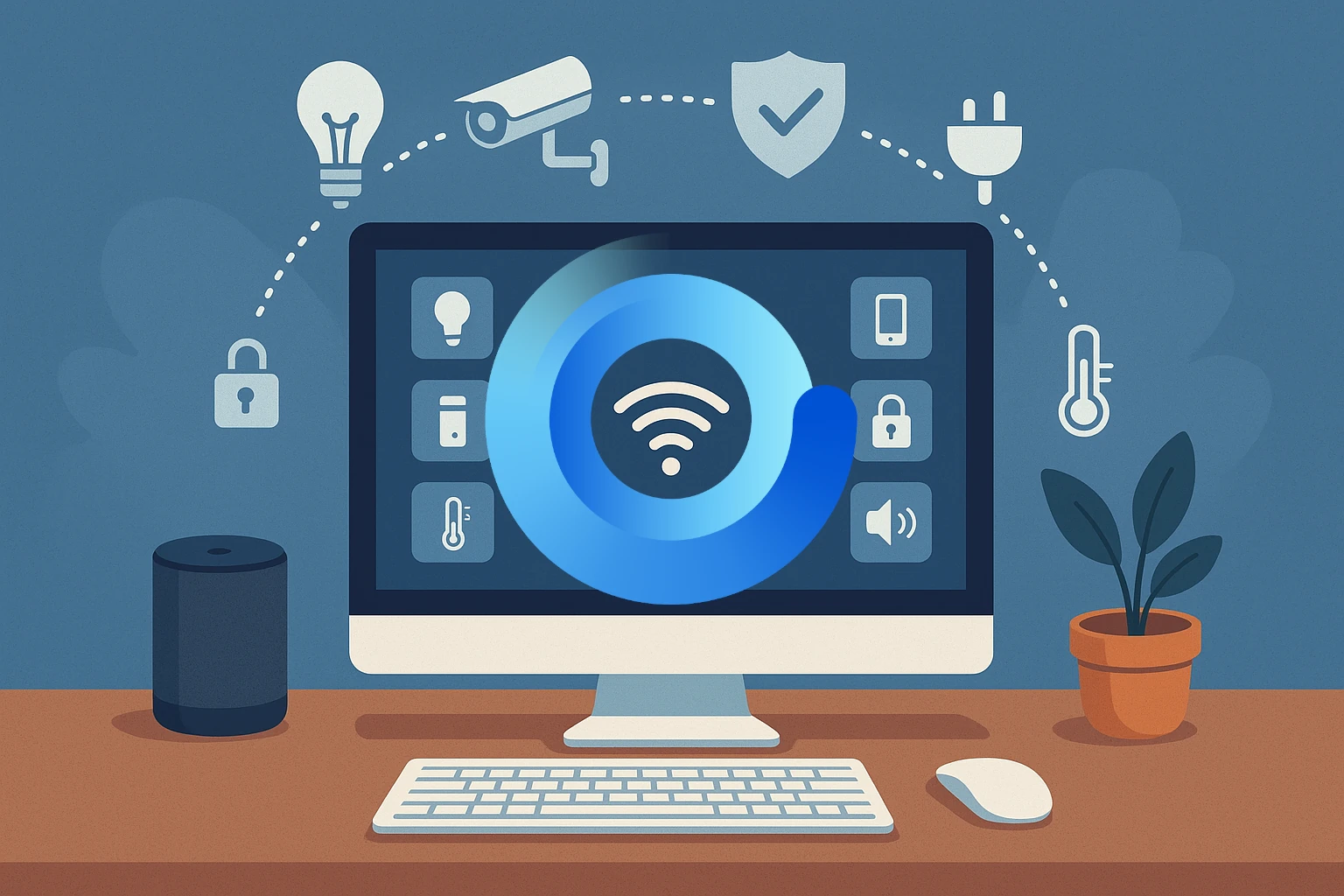
At its core, Gladys Assistant is a privacy-first, open-source home automation platform. Designed to run on a local server within your network—be it a Raspberry Pi, a mini-PC, or a network-attached storage (NAS) device—it acts as a central nervous system for your smart home. The fundamental promise of Gladys is to give you complete control over your data and devices without relying on cloud services from large tech corporations. This resonates deeply with the self-hosting ethos of owning and managing your own data.
How Does it Work?
Gladys Assistant operates on a simple yet powerful principle: integrations and scenes.
- Integrations: These are plugins that allow Gladys to communicate with your various smart devices. Whether you have Philips Hue lights, Sonos speakers, or a collection of Zigbee sensors, there's likely an integration to bring them into the Gladys ecosystem. The community-driven nature of the project means the list of supported devices is continually growing.
- Scenes: This is where the magic of automation happens. Scenes are essentially "if this, then that" (IFTTT) style rules that you create to automate actions. These can be triggered by a variety of events, such as a specific time of day, a sensor reading, your location, or even a manual command.
For example, you could create a "Good Morning" scene that, when triggered by you waking up, slowly fades in your bedroom lights, starts your favorite morning playlist on your Sonos, and instructs your smart coffee maker to begin brewing.
Key Features of Gladys Assistant
Gladys Assistant comes packed with features designed to make home automation accessible and powerful:
- User-Friendly Interface: One of the most lauded aspects of Gladys is its clean, intuitive web-based interface. Unlike some of its more technically-demanding counterparts, Gladys prioritizes a seamless user experience, making it approachable even for those new to home automation.
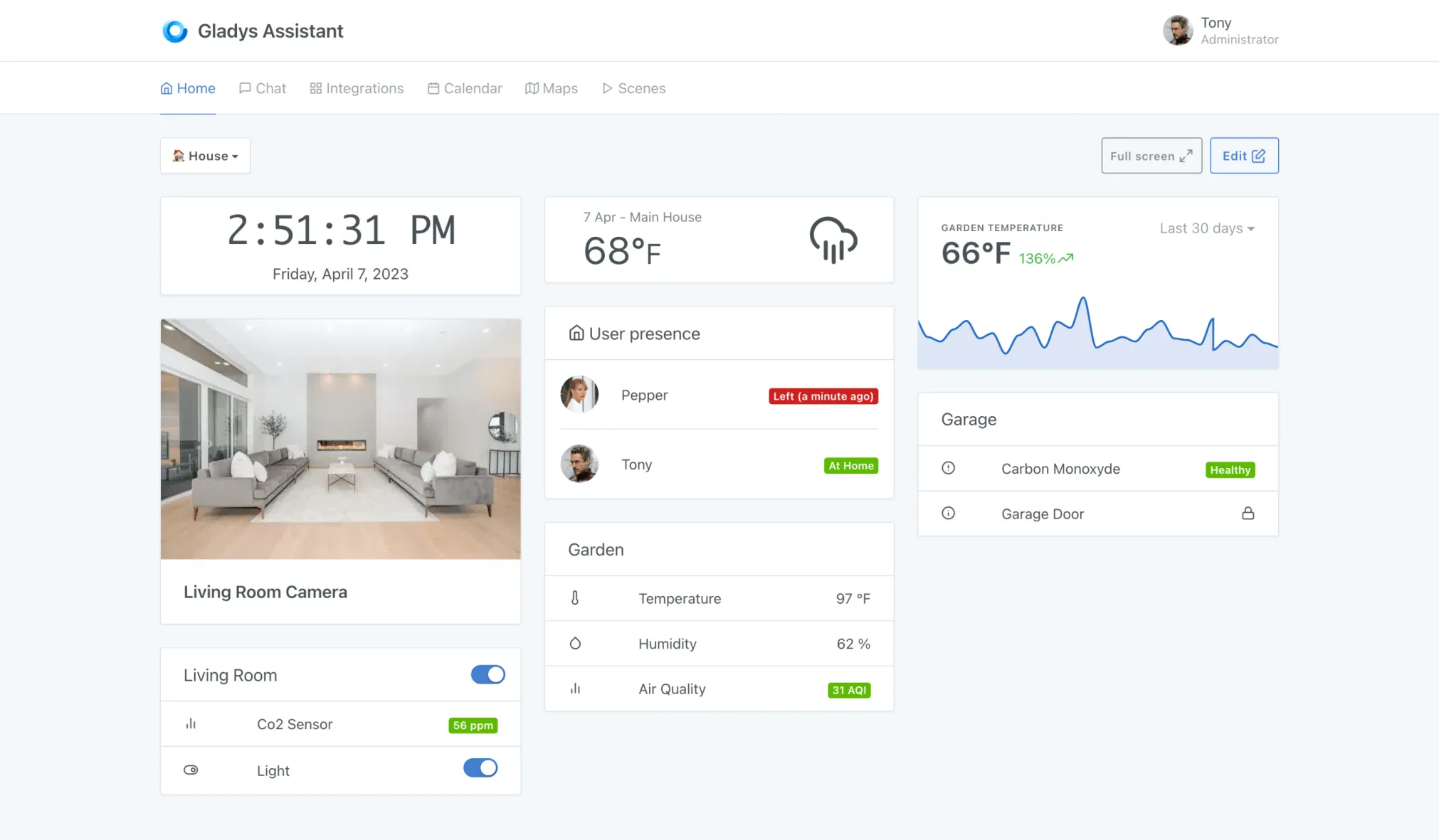
- Customizable Dashboards: You can create personalized dashboards to monitor and control your smart home at a glance. Add widgets for your cameras, sensors, lights, and more to have a complete overview of your home's status.
- Privacy by Design: The local application stores its operational data on your hardware. Privacy also depends on the integrations you choose: Telegram, cloud devices and paid remote services involve external systems. Review each integration rather than assuming every connected device is cloud-free.
- Smart Assistant Capabilities: Interact with Gladys through a built-in chat interface or integrate it with messaging platforms like Telegram. You can send commands or ask for information, and Gladys will respond accordingly.
- Open-Source and Community-Driven: Being open-source means Gladys is constantly evolving with contributions from a global community of developers. This fosters transparency and innovation.
- Gladys Plus (Optional): For those who want easy and secure remote access to their Gladys instance from anywhere in the world, the developers offer an optional paid subscription called Gladys Plus. The current Plus plan includes end-to-end encrypted daily backups; the separate Lite plan provides remote access and other selected features without those backups.
Use Case Examples
The possibilities with Gladys Assistant are vast, limited only by your imagination and the devices you own. Here are a few examples to get you started:
- Automated Morning and Evening Routines: As mentioned earlier, create scenes that prepare your home for your arrival and departure, or for waking up and going to bed.
- Presence-Based Automation: By tracking the location of your smartphone, Gladys can know when you're home or away. This can be used to automatically turn off lights and lower the thermostat when you leave, and do the reverse when you return.
- Enhanced Home Security: Integrate motion sensors and door/window sensors to receive instant notifications on your phone if unexpected activity is detected while you're away. You can even have lights turn on automatically to simulate presence.
- Energy Savings: Use smart plugs to monitor the energy consumption of your appliances and create scenes to automatically turn off power-hungry devices when they're not in use.
Cons and Considerations
No platform is perfect, and Gladys Assistant has its own set of considerations to keep in mind:
- Smaller Community and Ecosystem: Compared to more established players like Home Assistant, the Gladys community and the number of available integrations are smaller. While the essentials are covered, you might find that a niche device you own isn't yet supported.
- Learning Curve for Complex Automations: While the basics are straightforward, creating highly complex and multi-layered automations may require a deeper understanding of how scenes and integrations work.
- Hardware Requirements: Although it can run on a Raspberry Pi, for a more robust and responsive experience, especially with a large number of devices, a more powerful mini-PC or a NAS with sufficient resources is recommended. Using an SSD for storage is also highly advised over a microSD card for long-term reliability.
- Reliance on a Paid Service for Easy Remote Access: While you can set up your own VPN or reverse proxy for remote access, the convenience of Gladys Plus comes at a monthly cost.
Alternatives to Gladys Assistant
For the homelab enthusiast, it's always good to know the landscape. Here are a couple of popular alternatives to Gladys Assistant:
- Home Assistant: The undisputed giant in the open-source home automation world. Home Assistant boasts an enormous community, an unparalleled number of integrations, and incredibly powerful automation capabilities. However, its steeper learning curve and sometimes complex configuration can be daunting for beginners.
- openHAB: Another mature and powerful open-source platform, openHAB is known for its flexibility and device-agnostic approach. It has a strong community and supports a vast array of devices. Similar to Home Assistant, it can be more complex to set up and configure than Gladys Assistant.
Installation Options
Getting started with Gladys Assistant is a relatively straightforward process. The developers have provided several installation paths to suit different homelab setups:
- Docker: The most common and recommended method is to use Docker. The publisher supplies a Docker deployment for Linux hosts. Its privileged container and Docker-socket access give it substantial host control, so use a trusted dedicated host or VM and understand the permissions before deploying.
- Raspberry Pi Imager: For those starting with a fresh Raspberry Pi, the Gladys Assistant image can be found directly within the Raspberry Pi Imager, making the initial setup a breeze.
- NAS and Mini-PCs: Detailed guides are available on the Gladys Assistant website for installing it on popular NAS devices from Synology and QNAP, as well as on generic mini-PCs running a Linux distribution.
Built-In Integration Options
Check the current integration catalogue against the exact device model and required functions. Protocol support does not guarantee every manufacturer-specific feature.
- Zigbee2MQTT: Gladys can manage its companion containers, but you still need a supported coordinator, correct serial-device access and compatible Zigbee devices.
- Matter: Current documentation describes a local Matter controller with a listed set of supported device features. Matter over Thread needs a Thread Border Router; Gladys itself is not one. The Matter guide currently directs initial Thread pairing through another full Matter controller before sharing a new pairing code with Gladys.
- MQTT and custom automation: Useful for compatible sensors, Tasmota and Node-RED workflows, with the appropriate broker, topics and message mapping. These are configured integrations rather than universal zero-configuration support.
- Lights, speakers and cameras: Verify model support, bridge requirements and whether the integration provides snapshots, streams or controls. The current catalogue also supports community integrations deployed as separate containers.
- Voice services: Google Home and Alexa access appear in the current paid Lite and Plus offerings. Voice-assistant support is not a guarantee of a fully local speech pipeline.
Conclusion: Your Smart Home, Your Rules
Gladys Assistant presents a compelling proposition for the self-hosting enthusiast seeking a balance between power, privacy, and ease of use. Its commitment to a user-friendly experience and local data control makes it an excellent starting point for those new to home automation, while its scene editor and growing list of integrations offer enough depth to satisfy more experienced users.
While it may not have the sheer breadth of integrations of its larger counterparts like Home Assistant, its focus on a polished and private experience is a significant draw. If you're looking to build a smart home that respects your privacy and empowers you with control, Gladys Assistant is a fantastic, open-source contender worthy of a place in your homelab.
Deployment, Storage and Update Planning
This introduction describes the v4-era home-automation workflow. For a new installation, the publisher's current Docker guide now uses the v5 image; follow its release-specific instructions rather than assuming all v4 settings and menus carry over unchanged. Existing users should check upgrade guidance and take a recoverable backup before changing major versions.
The current Docker recipe uses host networking, the host cgroup namespace, privileged mode, persistent Gladys storage, device and udev access, the Docker socket and the host D-Bus socket. D-Bus access is relevant to the documented host-control and Bluetooth functions; a bind mount alone does not supply a working Bluetooth adapter or the host's BlueZ service.
Host networking means the application listens on the host's selected SERVER_PORT; publishing a different container port does not remap it. Choose an unused port, set your actual timezone and use the hostname or address reachable from your clients. On a NAS or VM, separately check multicast discovery, USB passthrough, host permissions and competing applications. A VM provides a useful boundary for host privileges, but needs the appropriate hardware passed through.
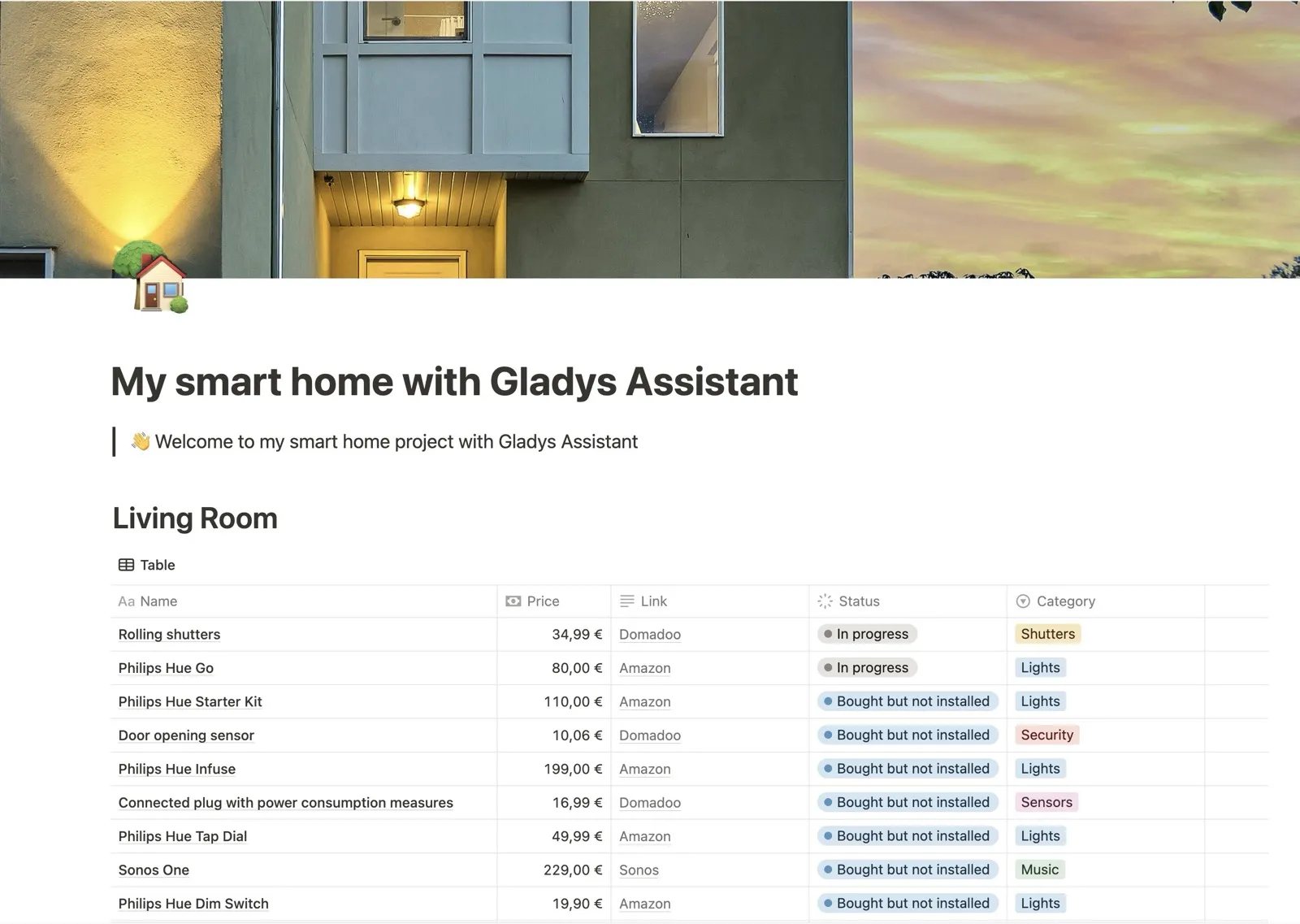
The screenshot of the dashboard is a product-interface example. The second image is a smart-home equipment planning table, useful for budgeting and tracking installation status; it is not the Gladys device-control screen. Menu appearance depends on your installed version.
Choosing a Platform and Testing Your First Scene
Gladys appeals to users who want a clear interface and local-first automations. Home Assistant and openHAB have their own device models, integrations and deployment options. Compare support for the devices you already own, how you prefer to write automations, remote-access needs and the update effort you can maintain. Memory usage varies with integrations, history and companion services; there is no single idle-RAM figure that decides which platform fits your home.
Begin with one light or harmless test sensor. Confirm manual control, device-state updates and a simple scene before adding multiple conditions. Then test what happens when the sensor disconnects, the server restarts or the internet is unavailable. A local lighting rule may continue working while a cloud notification fails. Presence data can be delayed or missing, so avoid treating one phone-location event as proof that everyone has left.
For a hypothetical morning routine, verify each device exposes the required action before building the scene. Turning a coffee maker's smart plug on is useful only if the appliance is designed to resume safely after power returns. Keep manual controls available and avoid relying on this server as the sole mechanism for smoke, carbon-monoxide or other life-safety protection.
Back up the persistent application data and configuration as well as the companion-service data required by your integrations. A Zigbee coordinator may need its own network backup; an encrypted Gladys backup is not automatically a complete copy of every external broker, coordinator or camera. Practice a restore into a controlled instance and prevent duplicate automations from actuating the same devices.
Use planned updates with release-note review and a recovery point. An automatic updater can restart dependent containers unexpectedly and is not a substitute for knowing whether a release changes configuration or hardware support. After updating, verify a scene, a notification and remote access rather than only checking that the login page loads.