The ASUS ZenWiFi XT9 is a tri-band Wi-Fi 6 mesh system aimed at homes that need more than one access point. It combines a 2.4GHz radio with two 5GHz radios, giving you a choice of wireless or wired backhaul. It has no 6GHz radio, and its AX7800 rating should be read as a combined physical-rate class rather than a single-device speed.
Our view is that the XT9 is a strong option for a larger home with many devices, especially when its mesh flexibility and ASUS's configuration tools fit the job. Smaller homes or modest workloads may not need it. Assess the required rooms, compatible devices and installation budget before paying for a more capable kit.
Mesh and Wi-Fi 6 Explained
A mesh uses several nodes to extend the access network. One connects to the internet gateway and the others provide access in additional locations. They share network management and can use a common network name. The link carrying a satellite's traffic back upstream is the backhaul. Moving a node closer to a laptop helps little if that node has a weak connection back to the router.
Wi-Fi 6 supports mechanisms such as OFDMA and Target Wake Time for suitable clients. These can improve resource sharing and power management in appropriate conditions, but older devices do not acquire the newest features simply by joining. Roaming also depends on the client; a shared name does not guarantee that a device immediately selects the strongest node or that calls never encounter a brief interruption.
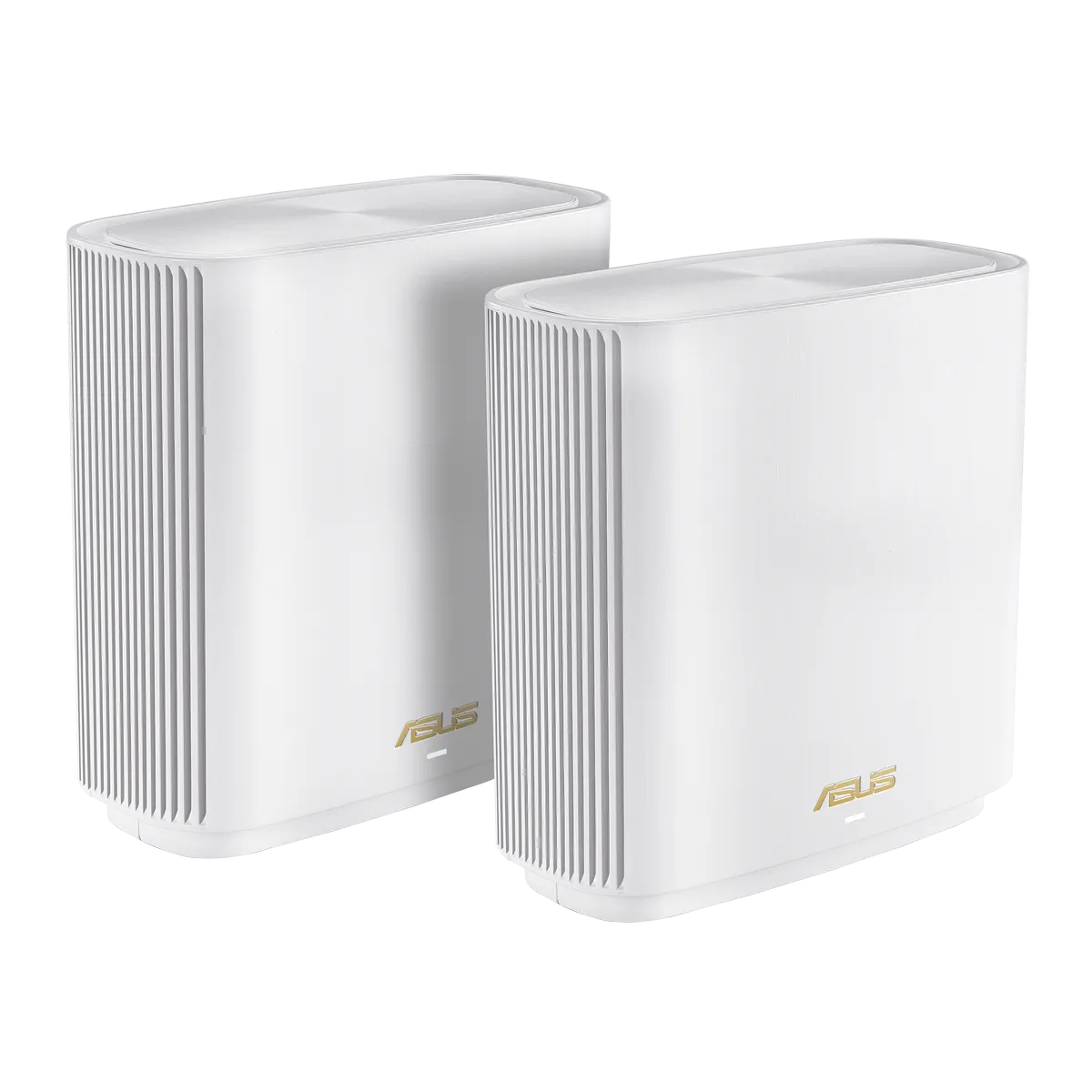
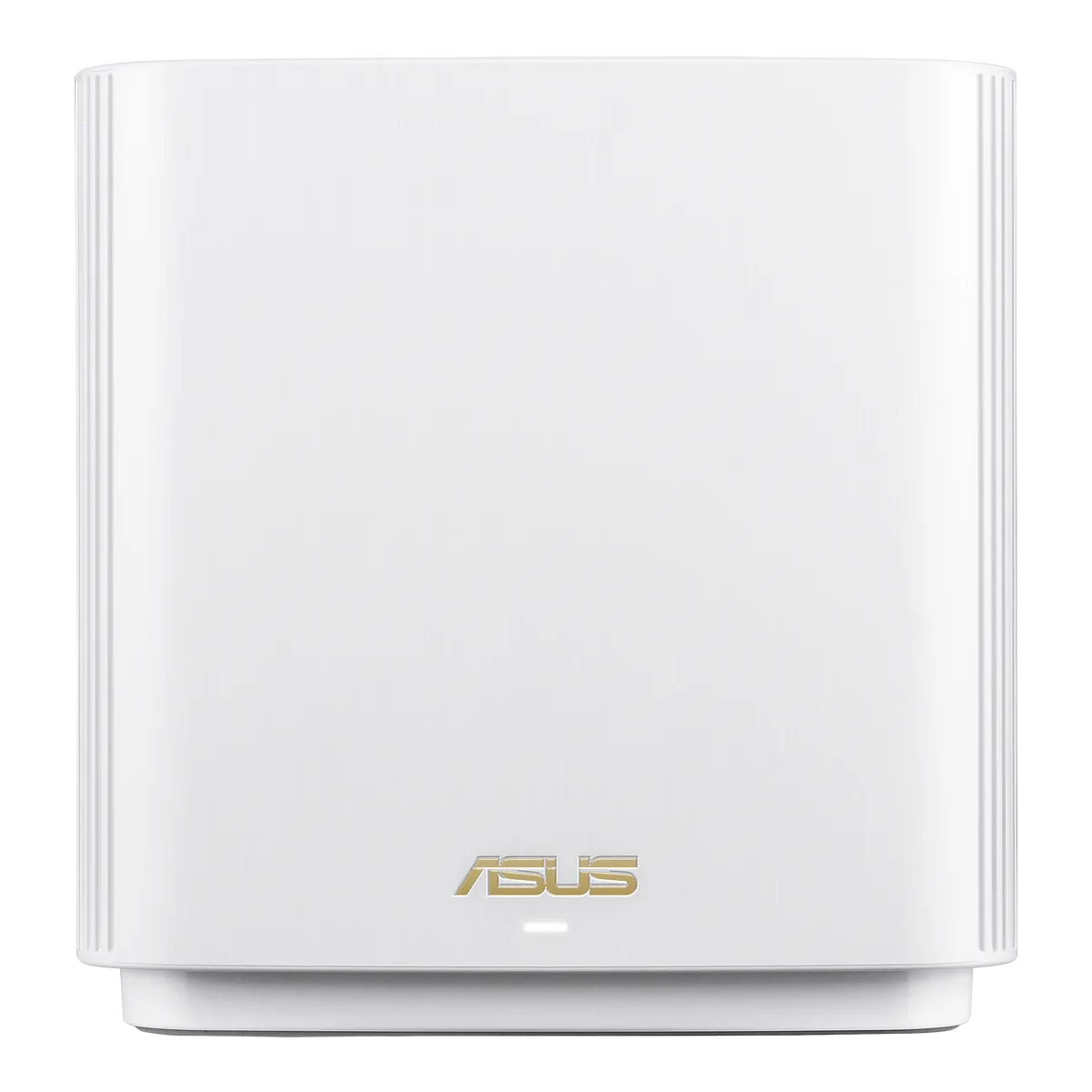
Verified XT9 Hardware
| Feature | ASUS published specification |
|---|---|
| Wireless class | Tri-band AX7800 Wi-Fi 6 |
| 2.4GHz | 574 Mbps, 2×2 |
| 5GHz-1 | 2402 Mbps, 2×2 |
| 5GHz-2 | 4804 Mbps, 4×4 |
| Processor and memory | 1.7GHz quad-core; 512MB RAM and 256MB flash |
| Ports per unit | One 2.5Gbps WAN, three Gigabit LAN and one USB 3.2 Gen 1 |
| Antennas | Six internal antennas |
| Operating modes | Router and access point, with AiMesh support |
The advertised rates require an appropriate client and channel configuration. A two-stream laptop has its own limits even when connected to a four-stream radio. The 160MHz option can also be restricted by country or region. Your usable internet speed depends on the WAN service and equipment, while local transfers depend on the whole path between devices.
Wireless Backhaul and Spectrum
ASUS documents an option to dedicate the second 5GHz band to backhaul, leaving the other two radios for clients. That can reduce competition between client traffic and the node-to-node connection, but the backhaul still has to travel through the building. A dedicated radio does not remove distance, interference or obstacles, and it is not a guarantee of unhindered satellite throughput.
ASUS also advertises expanded UNII-4 spectrum as an additional wide-channel option in supported regions. This is a regional feature, so check the local specification and available channels rather than assuming a universally clear, radar-proof channel. The XT9's two 5GHz radios are the relevant distinction; this should not be confused with the separate 6GHz band offered by a Wi-Fi 6E system.
For placement, begin with a node location that receives a useful signal from the main unit. Use the app or interface to inspect the connection, then test the required room with your own device. If a wireless route through several dense walls is poor, a cable or another node arrangement may be more useful than choosing a wider channel.
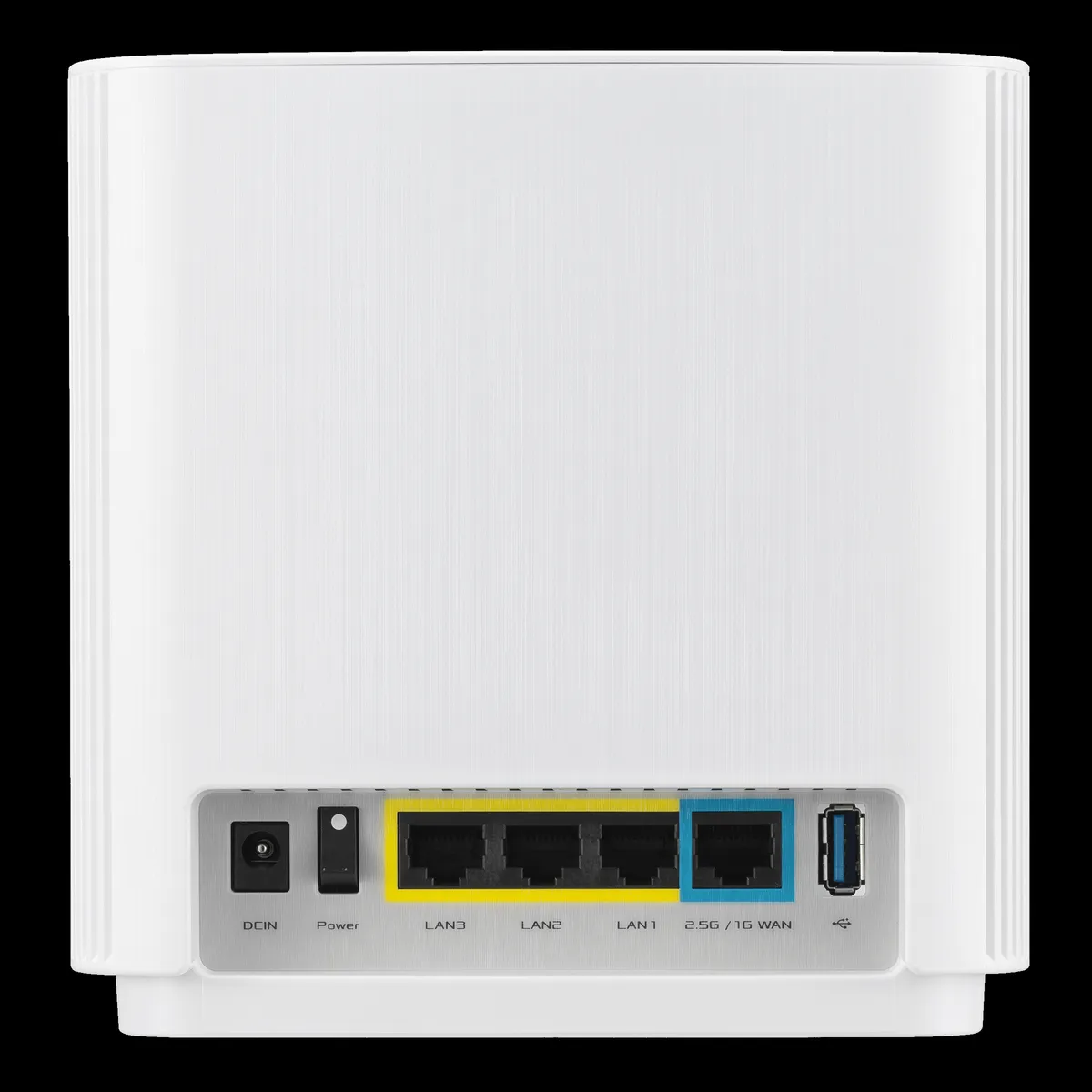
Wired Backhaul and the Port Budget
The main unit's only 2.5Gbps port is labelled WAN. When it is connected to a multi-gigabit internet handoff, the remaining individual LAN connections are Gigabit. A cable from a main XT9 LAN port to a satellite's 2.5Gbps uplink therefore still has a Gigabit limit at the main-unit end. Adding a multi-gigabit switch beyond that port does not remove the upstream limit.
Ethernet backhaul can still be a good choice when walls weaken the wireless connection. It frees radio resources for clients, but does not automatically double actual throughput. ASUS distinguishes Ethernet-only backhaul mode from per-node connection priority. Use the former only when the intended node uplinks are wired, and verify the negotiated links rather than assuming a cable guarantees the expected speed.
For a compatible NAS, ASUS documents LAN aggregation using LAN2 and LAN3 with IEEE 802.3ad support at both ends. This combines the capacity of two Gigabit links for suitable traffic patterns. It does not turn one ordinary Gigabit connection or one arbitrary file-transfer flow into a 2Gbps link. Consider how many ports remain for other devices before enabling it.
Security and Guest-Network Planning
The XT9 specification lists AiProtection Pro, parental controls and WPA3. These are useful tools alongside updates, sound passwords and sensible access rules. Read the requirements and any data-sharing terms for enabled services. A home security suite should not be treated as complete protection for every application or device.
Older smart devices may need compatible Wi-Fi security settings; see our WPA2 and WPA3 explanation. A guest network is useful when visitors should not reach local devices, but confirm the access settings and test that separation. If an IoT device needs to reach a home-automation controller, verify that the chosen arrangement permits the required communication.
Guest-network synchronization across AiMesh has model and firmware conditions. ASUS's FAQ explains limits to the guest sets shared with nodes and provides a specific synchronization choice. Do not assume every SSID, guest policy and future router feature automatically appears on every older node. A mixed AiMesh network should be checked as a complete configuration.
VPN Features and Reachable Access
Current XT9 specifications list WireGuard and OpenVPN client and server functions, plus VPN Fusion. A server provides a way to connect back home, while an outgoing client routes selected traffic to another VPN endpoint. Choose the feature that fits the purpose. These functions do not imply a particular encrypted-throughput benchmark.
ASUS's WireGuard server guide requires a suitable firmware and a reachable public WAN address. If the router is behind another gateway, its inbound traffic must be handled appropriately there; carrier-grade NAT may prevent a simple inbound connection. A generated profile or QR code alone does not prove that remote access works. Test from outside the home network and protect the profile as a credential.
A backup internet connection also needs explicit planning. Confirm supported secondary equipment and the failover settings before depending on Dual WAN. Switching connections changes the path and may interrupt existing calls or VPN sessions; it should not be advertised as guaranteed mission-critical continuity.
USB, QoS and Maintenance
USB sharing can provide convenient access to files, subject to supported devices, formats and permissions. Keep another copy of important data and check the actual application requirements. For a new Mac backup destination, verify current firmware and Time Machine-compatible SMB support: Apple excludes AFP network backups on macOS 27 and later. A generic USB storage feature is not enough to confirm compatibility.
Adaptive QoS and bandwidth limits can help allocate a busy connection, but cannot create bandwidth the ISP does not provide. Observe what is saturated before changing priorities. Traffic monitoring can help identify busy devices, although its categories should not be treated as a complete forensic explanation of every application. Make one meaningful change at a time and compare the result.
Keep the exact model's firmware current, save a configuration backup and maintain ventilation around the units. Use router mode when ASUS is intended to handle the gateway, or assess access-point mode when another router does that job. Feature availability and responsibility for DHCP, routing and security change with the arrangement.
Is the XT9 a Good Fit?
We still see the XT9 as an appealing choice for a busy household needing flexible tri-band mesh coverage. Its separate backhaul option and configuration tools are strengths, while its single multi-gigabit port deserves attention in a wired or NAS-heavy setup. Compare the whole layout and local kit price with alternatives, rather than assuming the highest combined rate determines the result.
Read the official XT9 page for local details. For an optional product overview, watch ASUS's XT9 video on YouTube.