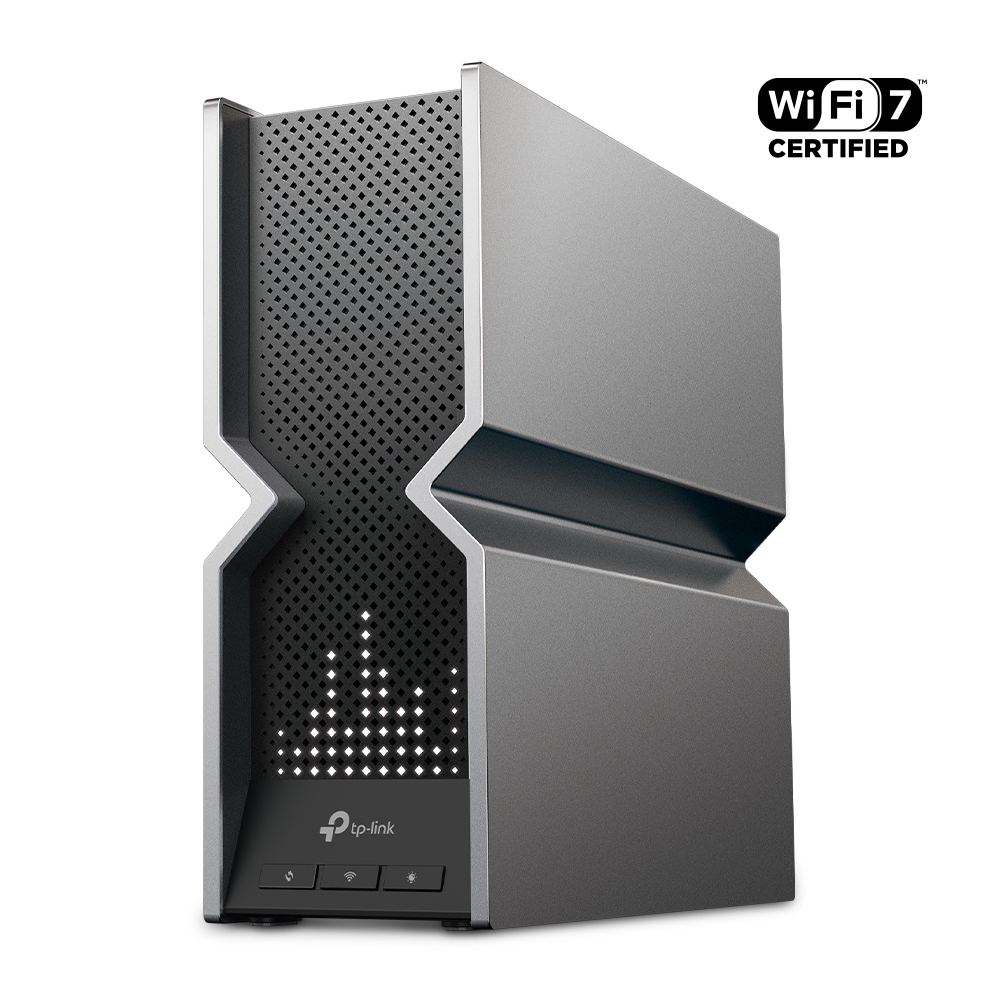
Ever felt like your Wi-Fi is constantly playing catch-up with your ever-growing collection of devices? You're not alone. More devices can add traffic and contention, but a slow connection can also come from placement, the internet link or a client limitation. The TP-Link Archer BE800 combines Wi-Fi 7 radios with unusually capable wired connectivity; deciding whether you need it starts with identifying that bottleneck.
What Is Mesh Wi-Fi and EasyMesh Compatibility?
A mesh system uses multiple access points to extend a managed wireless network. Each satellite still needs a useful backhaul connection. Thick walls and floors can weaken that connection as well as the client signal, so adding a node inside a dead zone is not enough by itself.
The BE800 is a standalone router that supports EasyMesh, rather than a box that includes several mesh nodes. With compatible additional units and supported firmware, you can expand coverage. Check the exact model, hardware revision, backhaul type and operating mode; an EasyMesh label does not guarantee every combination or every feature. Roaming also depends on the client and is not always interruption-free.
Introducing Wi-Fi 7: The Next Generation of Wireless
Wi-Fi 7 adds features that can improve a compatible connection, including wider channels, higher-order modulation and Multi-Link Operation (MLO). These are capabilities to use under suitable conditions, rather than promises that every device receives a faster link.
- Channel width: The BE800 supports 320 MHz operation on 6 GHz where permitted and supported. A wider channel can carry more data, but availability and interference conditions matter. A client limited to narrower channels will not use the full width.
- 4K-QAM: Higher-order modulation can carry more bits per symbol when signal quality allows it. It is not a whole-home speed multiplier and may not be used on a weaker link.
- MLO: Compatible clients can use supported multi-link modes. The benefit depends on which radios and modes both ends implement, plus the operating system, driver and firmware. A Wi-Fi 7 logo alone does not specify the result.
- Capacity and responsiveness: Scheduling and multiple radios can help distribute traffic. MU-MIMO and OFDMA also existed in earlier Wi-Fi generations. Internet routing, congested queues and the application still affect latency; no router guarantees lag-free gaming.
TP-Link Archer BE800: Hardware Specifications That Impress
Let's delve into the impressive specifications of the Archer BE800:
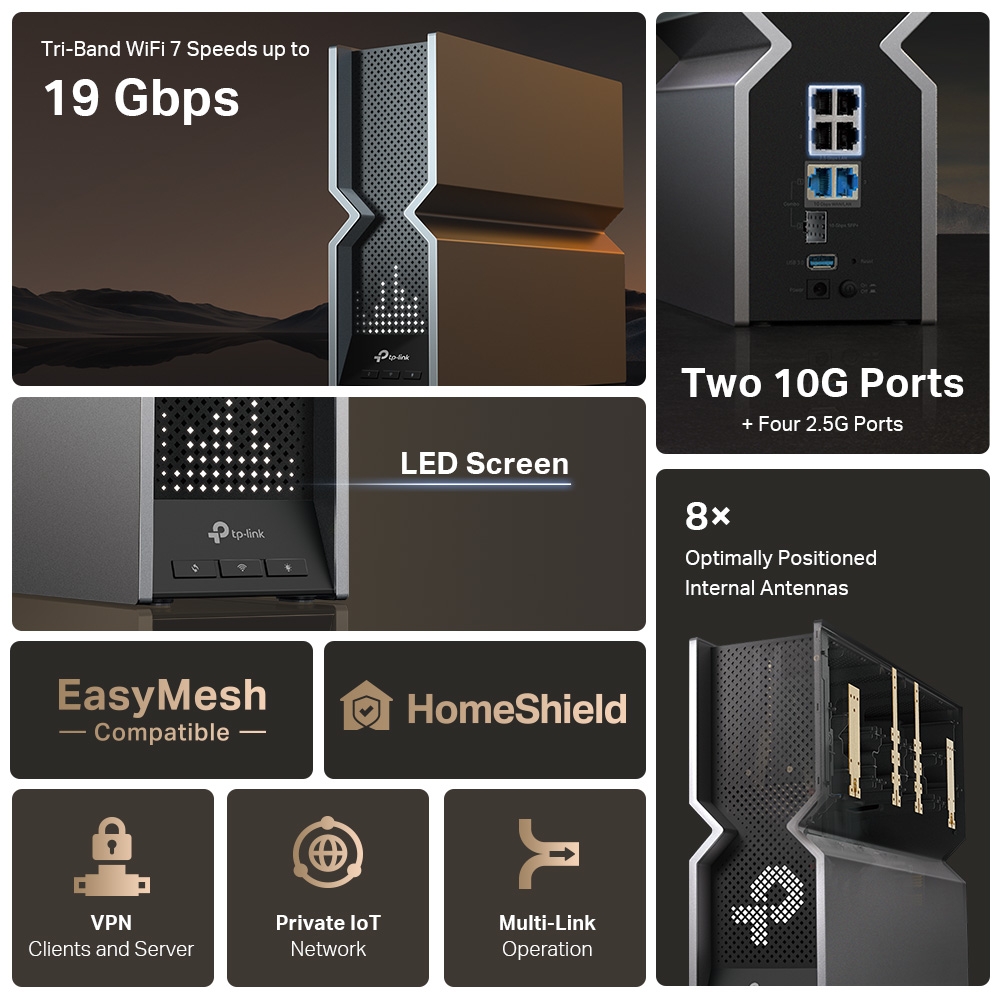
- Tri-Band Wi-Fi 7: TP-Link advertises a BE19000 class, comprising maximum physical rates of 11,520 Mbps on 6 GHz, 5,760 Mbps on 5 GHz and 1,376 Mbps on 2.4 GHz. The aggregate is not the internet speed or the throughput of one ordinary client.
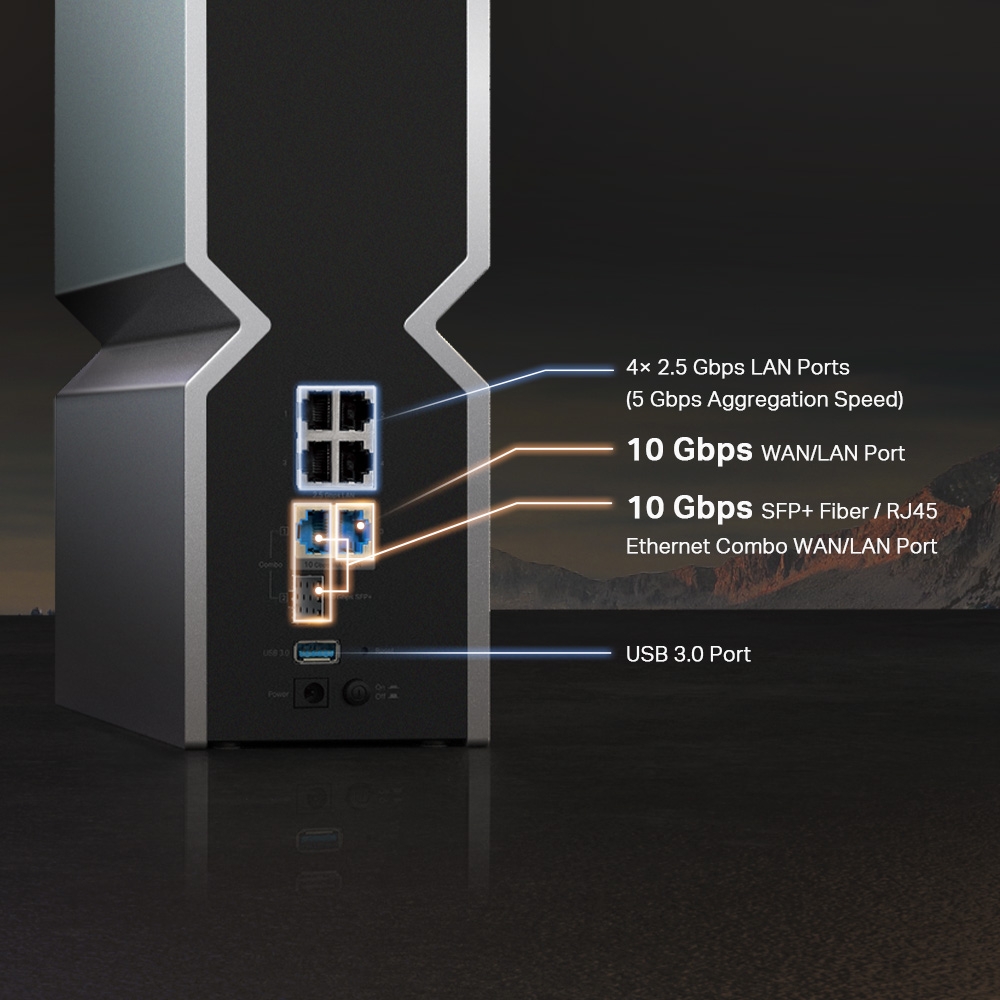
- Dual 10G Ports: One 10 Gbps RJ45 WAN/LAN port sits alongside one 10 Gbps SFP+/RJ45 combo WAN/LAN port. The combo has two connector choices for one logical port; only one connector in that pair can be used at a time.
- Four 2.5G Ports: Four 2.5 Gbps LAN ports offer useful connections for compatible desktops, NAS devices and switches. They do not supply Power over Ethernet; a PoE device still needs its own suitable power arrangement.
- High-Performance Antennas: Equipped with eight high-gain antennas, the Archer BE800 is designed for broad coverage. Antenna count does not remove the effects of walls, placement or the radio capability of the client.
Who Needs the TP-Link Archer BE800?
We find the BE800 appealing for readers who can use its wired ports as well as its Wi-Fi 7 features. Gamers and VR users should first check whether their current problem is local Wi-Fi, internet congestion or an application limitation. Content creators moving large files need a capable NAS, storage and client adapter as well as a fast router port.
A household with mostly low-bandwidth smart devices may value coverage and compatibility more than the headline rate. Some older devices need suitable 2.4 GHz and security settings. Our original enthusiasm for the BE800’s hardware remains, but “ultimate” and “future-proof” are expressions of that preference, rather than measured guarantees for every home.
Planning the Wired Port Layout
| Connection | Published hardware | What to check |
|---|---|---|
| 10G RJ45 | One WAN/LAN port | Negotiated link speed, cable and the capability of the connected endpoint. |
| 10G combo | One SFP+/RJ45 WAN/LAN port | Use one connector at a time; verify optical module and peer compatibility. |
| 2.5G LAN | Four RJ45 ports | Client adapters and switches need compatible speeds; these ports do not provide PoE. |
| USB | One USB 3.0 port | Supported filesystem and sharing function; USB storage performance is a separate question. |
The installation guide states that the two 10G connections cannot both be configured as WAN at the same time. One can provide the internet connection while the other serves the LAN. Dual WAN/LAN-labelled sockets should therefore not be interpreted as a load-balancing or failover promise.
The SFP+ socket needs particular care. TP-Link’s Wi-Fi 7 FAQ recommends a compatible optical transceiver and fibre, and currently does not recommend copper DAC cables for this port. The earlier suggestion to plug in any low-cost DAC was too broad. Check the supported module, link speed, fibre type and matching peer before buying accessories.
An ordinary Ethernet optical transceiver is also not automatically an ISP optical modem. If your broadband uses a provider-managed ONT, retain the required provider equipment unless the ISP explicitly supports another arrangement. The connector shape alone does not establish compatibility with a PON service or its provisioning.
A 10G link is useful when the complete path can use it. A NAS may be limited by disks, a client by its adapter, or routing by the enabled services. VPN encryption, traffic inspection and internet conditions can produce a different throughput from local switching. Neither the port specification nor the marketing graphic supplies a benchmark for those workloads.
EasyMesh and Deco Compatibility
TP-Link’s mesh compatibility guidance distinguishes Archer EasyMesh from Deco Mesh. They cannot be combined into one unified managed mesh merely because both products carry the TP-Link name. Check current firmware support for EasyMesh Ethernet backhaul and AP mode on the exact products you plan to combine.
You can use a Deco system in Access Point mode behind a BE800 serving as the router, with each product doing its appropriate job. That arrangement does not make the BE800 radio a Deco node or guarantee coordinated roaming between the two systems. Decide whether the Archer’s Wi-Fi should participate separately and avoid overlapping coverage decisions that defeat the purpose of the layout.
For a wireless satellite, find a location with a good upstream signal. For a wired satellite, verify the actual negotiated cable speed and follow the supported topology. Check which device owns DHCP and routing; putting two routers in sequence may introduce double NAT and complicate inbound connections or games.
Firmware Features and the LED Screen
TP-Link lists VPN client/server features and HomeShield, but availability can depend on the region, hardware version, firmware and subscription. Its current marketing and newer documentation mention WireGuard, while older specification lists may differ. Confirm the feature on your support page and installed interface before treating it as a purchase requirement.
A VPN feature does not promise 10 Gbps encrypted traffic or anonymous access to every website. Similarly, an IoT network label does not specify every isolation rule. Check whether the devices can reach the resources they need and whether the relevant controls work in your chosen mode.
The LED display can show time, weather and graphics. TP-Link’s “3,000+” claim refers to available customized graphics, not a verified count of physical LED dots. Its textured V-shaped casing and cooling design are visible product features; the published material does not establish the earlier claims of a metallic chassis, a V-folded heatsink or silent active/passive operation under every load.
Is the BE800 a Useful Upgrade?
List the workloads you want to improve, then map their path. A laptop transferring files to a NAS depends on client radio or Ethernet, the router or switch link and the NAS storage. An online game also depends on the ISP path and remote server. Solving the narrowest part of that path can be more useful than increasing a headline wireless number.
Compare a wired result with a wireless result near the current router, then repeat the same task in the problem room. Check available client bands, channel widths and link modes. If the existing internet service is already the bottleneck, a new radio cannot remove that limit. If coverage is the issue, consider placement and a supported additional access point as part of the plan.
We still consider the BE800 a strong option for a home that needs multi-gigabit wired connections and compatible Wi-Fi 7 clients. Its combination of ports, radios and management options is the basis of that positive assessment. Buy it for capabilities you can use, with verified firmware and accessory support, rather than expecting every old device to gain the full advertised aggregate speed.