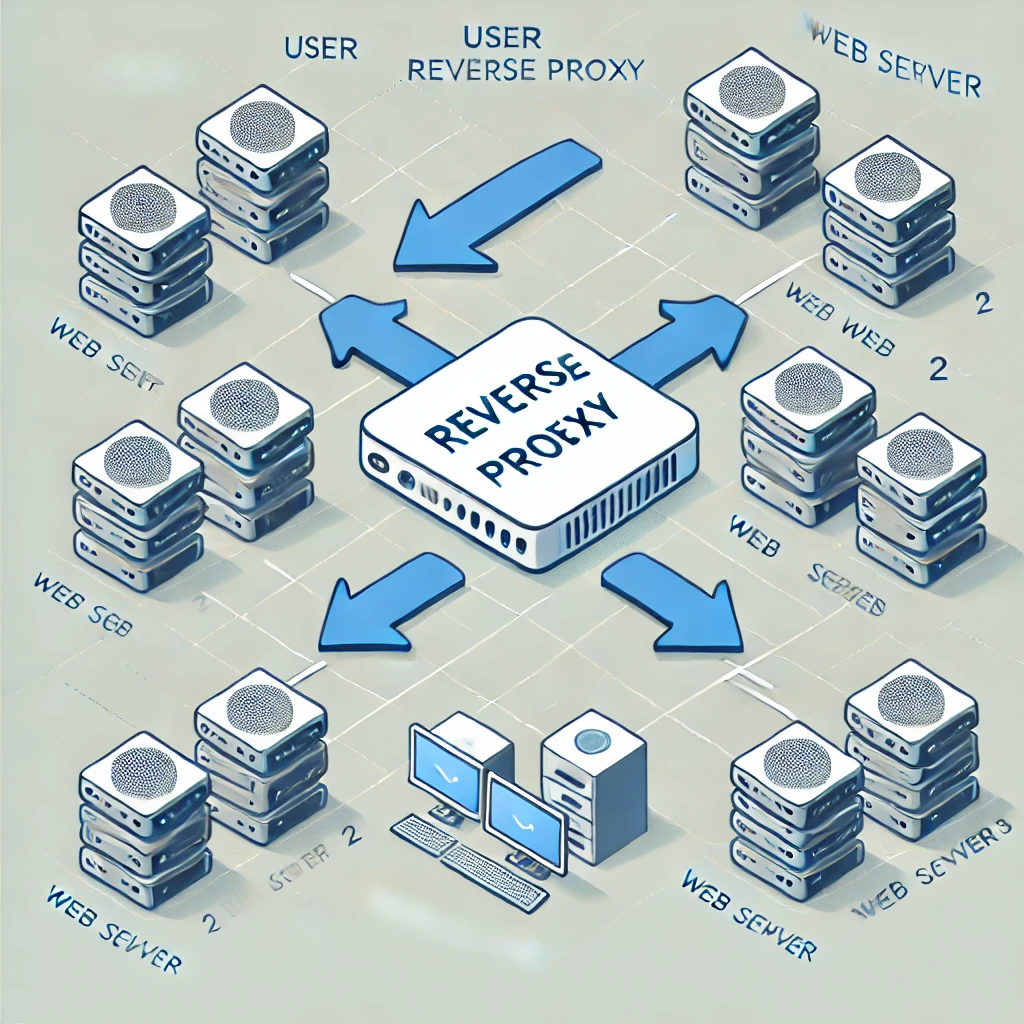
In today’s digital world, having a website or online service running smoothly is crucial. One of the tools that help manage web traffic and enhance security is something called a "reverse proxy." If you’re not very familiar with technical jargon, don't worry! We’ll break down what a reverse proxy is, how it works, why it’s useful, and how you can set one up.
What is a Reverse Proxy?
At its core, a reverse proxy is a server that sits between users and the actual web server. Think of it like a receptionist in an office. When someone comes to visit, the receptionist doesn't let them wander around looking for the right person. Instead, they direct the visitor to the correct person or department. Similarly, a reverse proxy takes incoming web requests (like someone visiting a website) and directs them to the correct server behind the scenes.
In simple terms, it’s an extra layer that handles requests before they reach the web server, providing several benefits like load balancing, security, and improved performance.
How Does a Reverse Proxy Work?
To understand how a reverse proxy works, let’s look at the basic flow of web traffic:
- User Request: When someone types in a website’s address (URL), their browser sends a request to the internet.
- Reverse Proxy Receives the Request: Instead of going directly to the web server, the request first reaches the reverse proxy.
- Forwarding to the Web Server: The reverse proxy then forwards the request to the appropriate web server that holds the actual content.
- Returning the Response: The web server processes the request and sends the data (like a webpage) back to the reverse proxy, which then delivers it to the user.
This process happens so quickly that visitors to the website don’t even realize that a reverse proxy is involved.
What Purposes Does a Reverse Proxy Serve?
Reverse proxies are used for various reasons, making them a popular choice for many organizations. Here are some key purposes they serve:
- Load Balancing: When a website gets a lot of traffic, a reverse proxy can distribute the incoming requests across multiple servers. This can spread the load, but capacity, health checks and the balancing method still determine whether the service remains responsive.
- Improved Security: A reverse proxy can act as a protective barrier, hiding the identity and configuration of the actual web servers. Filtering, rate limits, authentication and TLS can be configured at this layer. They are not automatically supplied by forwarding traffic, and an application vulnerability can still be reachable through the proxy.
- Caching: The reverse proxy can store copies of frequently accessed content. When users request this content, the reverse proxy can serve it quickly without having to bother the main server every time.
- SSL Termination: Handling encryption and decryption of data can be a heavy task for web servers. A reverse proxy can take on this responsibility, freeing up the web server to handle other tasks.
- Geographic Distribution: Distributed proxy or CDN infrastructure can serve users from different locations. A single proxy installed in your homelab does not automatically create a global network or discover the closest backend.
Examples of Reverse Proxy Use Cases
Here are some real-world examples of when a reverse proxy would be beneficial:
- High-Traffic Websites: Sites like e-commerce platforms or news outlets often experience spikes in traffic. Using a reverse proxy helps distribute traffic evenly across multiple servers to keep the website running smoothly.
- Securing Internal Web Applications: Companies often use reverse proxies to make their internal applications (like an intranet) accessible over the internet securely. Administrators can configure authentication and encryption at the proxy, while retaining the application's own permissions and security controls. A private application should not become public merely because a proxy route exists.
- Improving Website Performance with Caching: Websites that have a lot of static content (like images or videos) can benefit from caching. A reverse proxy can store these files temporarily and deliver them faster when users request them.
A Small Local Nginx Example
This learning example assumes an Ubuntu/Debian-style installation, a working backend on 127.0.0.1:9000 on the same machine, and an unused local port 8080. Substitute the backend address and port only after verifying where the application actually listens. It demonstrates HTTP forwarding locally; it does not enable TLS, authentication, caching or load balancing.
Step 1: Install and Identify the Configuration
sudo apt update
sudo apt install nginx
Run these as separate commands and check for errors. Other distributions use different package commands and configuration layouts. Keep a copy of any existing configuration before changing it. Check your package's main nginx.conf to identify which site files it includes inside the http context.
Step 2: Add a Complete Server Block
Add this as a new server block in an included site file, for example /etc/nginx/conf.d/techdecode-local-proxy.conf where that directory is included by your package. Do not paste a complete server block inside another server block.
server {
    listen 127.0.0.1:8080;
    server_name localhost;

    location / {
        proxy_pass http://127.0.0.1:9000;
        proxy_set_header Host $host;
        proxy_set_header X-Real-IP $remote_addr;
        proxy_set_header X-Forwarded-For $remote_addr;
        proxy_set_header X-Forwarded-Proto $scheme;
    }
}
The loopback listener limits this demonstration to the machine running Nginx. A browser on another computer cannot reach the server by visiting its own localhost. Similarly, when Nginx runs in a container, 127.0.0.1 refers to that container, not a different application container or the host. Use a deliberately configured shared network or host route in that case.
The example replaces the client-supplied forwarded-address header because it assumes Nginx is the only proxy in front of the application. In a chain of trusted proxies, address handling needs a different configuration. The application must trust only the intended proxy addresses, and direct access to its backend should be restricted; otherwise a caller may supply misleading forwarding headers.
Step 3: Validate, Reload and Test
sudo nginx -tProceed only if the configuration test succeeds. Fix any reported error before requesting the reload:
sudo systemctl reload nginxVisit http://localhost:8080 on the Nginx machine. Check both the returned page and a real application action. A successful configuration test establishes syntax, not that the backend is reachable or the application works through the proxy. Keep the original configuration available so you can restore and reload it if the change fails.
Conclusion
A reverse proxy is a valuable tool that sits between users and web servers, helping to distribute traffic, secure web applications, and improve performance. It can balance load across multiple servers, enhance security by hiding server details, cache frequently accessed content, and handle SSL encryption. The local example is a starting point for understanding forwarding. Add and verify the security and performance features your deployment actually requires before relying on it.
By understanding the basics of reverse proxies, you can better appreciate how websites and web services work behind the scenes and how businesses ensure fast, secure, and reliable online experiences for their users. Whether you’re running a small website or a large web application, a reverse proxy can be a game-changer.
Choose a Configuration Style You Can Maintain
| Approach | What it helps with | What still needs attention |
|---|---|---|
| Nginx configuration files | Explicit routes and a useful way to learn HTTP proxy behavior | Certificates, validation, application settings and access controls |
| Nginx Proxy Manager | Web interface for proxy hosts, certificates and access lists | Restrict the administration interface and verify each host's actual policy |
| Caddy | Concise configuration with automatic HTTPS for supported site configurations | Domain validation, persistent certificate storage and client trust for local certificates |
| Traefik | Docker-provider discovery and label-based routing | Explicit exposure policy, selected networks and protection of Docker API access |
These tools offer different administration styles rather than universal performance rankings. Caddy's automatic HTTPS still requires the appropriate domain and network conditions; private local certificates also require clients to trust its local certificate authority. Traefik discovery does not mean every new container should become public. Its Docker provider can disable exposure by default and require an explicit enabling label.
Private HTTPS with DNS-01 Validation
Let's Encrypt DNS-01 validates control of a public domain through a TXT record at _acme-challenge. It can issue wildcard certificates without requiring the internal web application to be reachable from the internet. Your ACME client must support the DNS provider and update the correct authoritative DNS records; publishing a TXT record only in a private resolver does not satisfy the public validation.
Local DNS can then resolve a name such as files.home.example.com to the proxy's private address. Clients need access to that DNS configuration and network, including over a VPN if remote access is desired. Certificate issuance does not create a firewall rule, VPN route or permission to enter the application.
A wildcard for *.home.example.com covers one label such as files.home.example.com; it does not cover home.example.com or deeper names automatically. Store certificate keys securely, automate renewal and use narrowly scoped DNS credentials. DNS-01 removes the need for inbound web access during validation, but the ACME client still needs the required outbound connectivity.
Check Application Behavior and Trust
TLS termination encrypts the client-to-proxy connection. If the upstream URL uses HTTP, the proxy-to-application hop remains unencrypted. Decide whether that is acceptable on your controlled local network or configure and verify upstream TLS as well. Do not silently disable certificate verification to make an HTTPS backend connect.
Some applications require their public base URL and trusted-proxy settings to be configured. WebSockets need appropriate upgrade handling, and uploads or long-lived requests may need specific limits and timeouts. Moving an application under a URL subpath can also change redirects and asset paths. Follow that application's proxy instructions rather than assuming the basic example covers every service.
Cache public content deliberately and avoid caching private account responses indiscriminately. When troubleshooting, separate DNS, TLS, routing and application behavior: an unexpected site may indicate the wrong host rule, a 502 commonly points to an upstream problem, and a redirect loop may involve mismatched scheme or base-URL settings. Inspect relevant logs while avoiding unnecessary retention of sensitive request data.