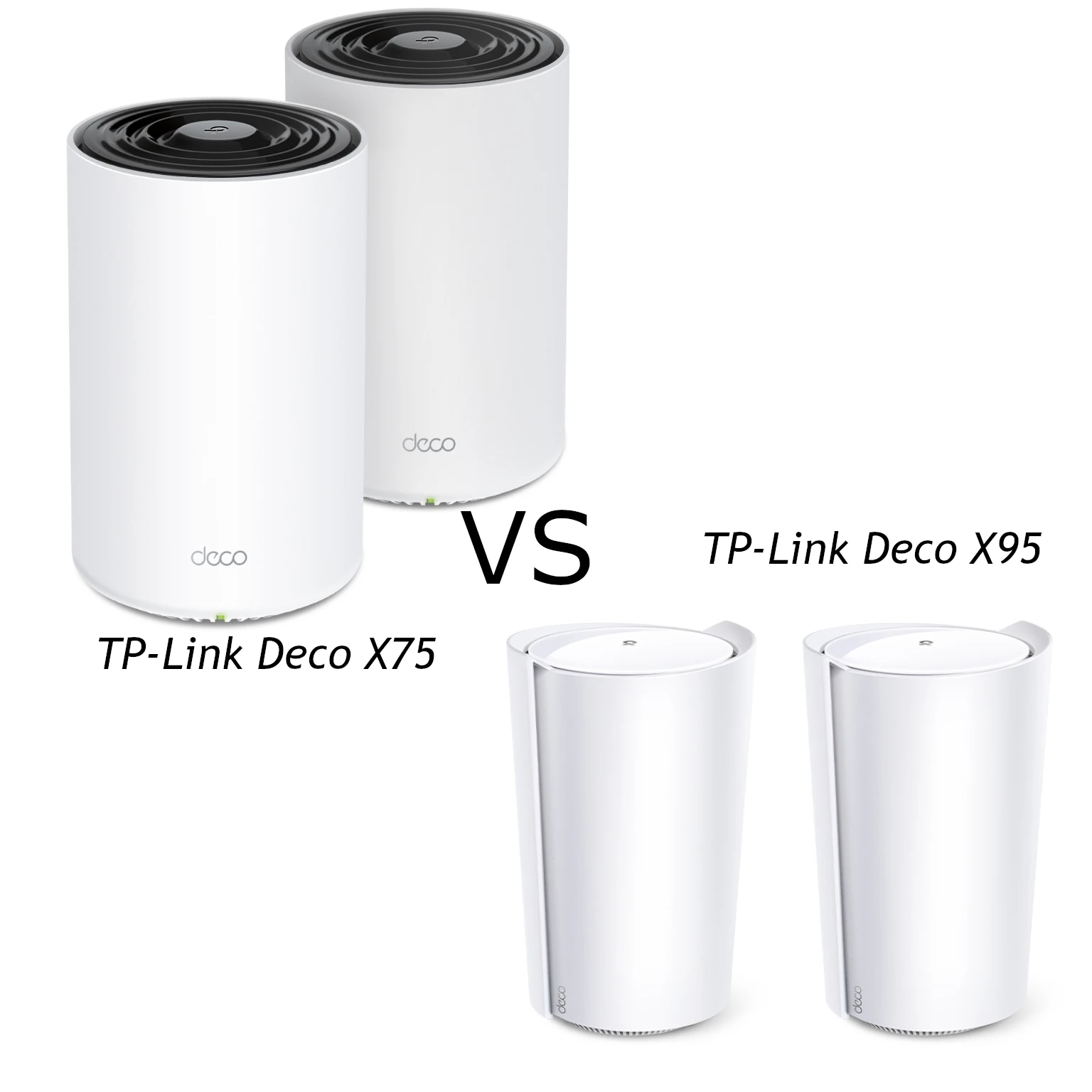
The TP-Link Deco X75 and X95 are two tri-band Wi-Fi 6 mesh choices with different radio capacity and wired interfaces. We see the X75 as an attractive value option for moderate household use, while the X95 deserves consideration for heavier use or a specific need for its 2.5 Gigabit port. The useful comparison is how those differences fit your home, rather than which combined speed label is larger.
Both use 2.4 GHz and two separate 5 GHz radios. Neither has 6 GHz Wi-Fi or Wi-Fi 7 Multi-Link Operation. X75 should not be confused with XE75, which is a different product. You can also explore our networking articles for background on mesh and client capabilities.
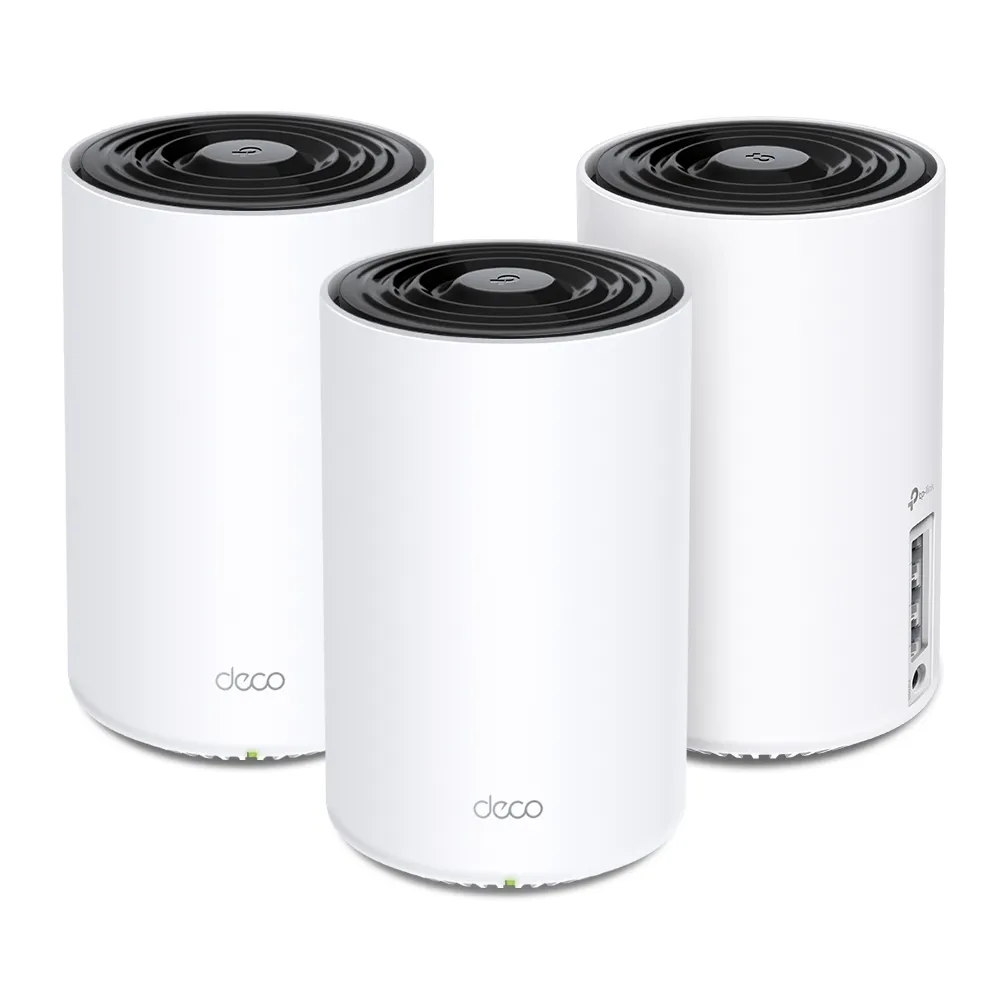
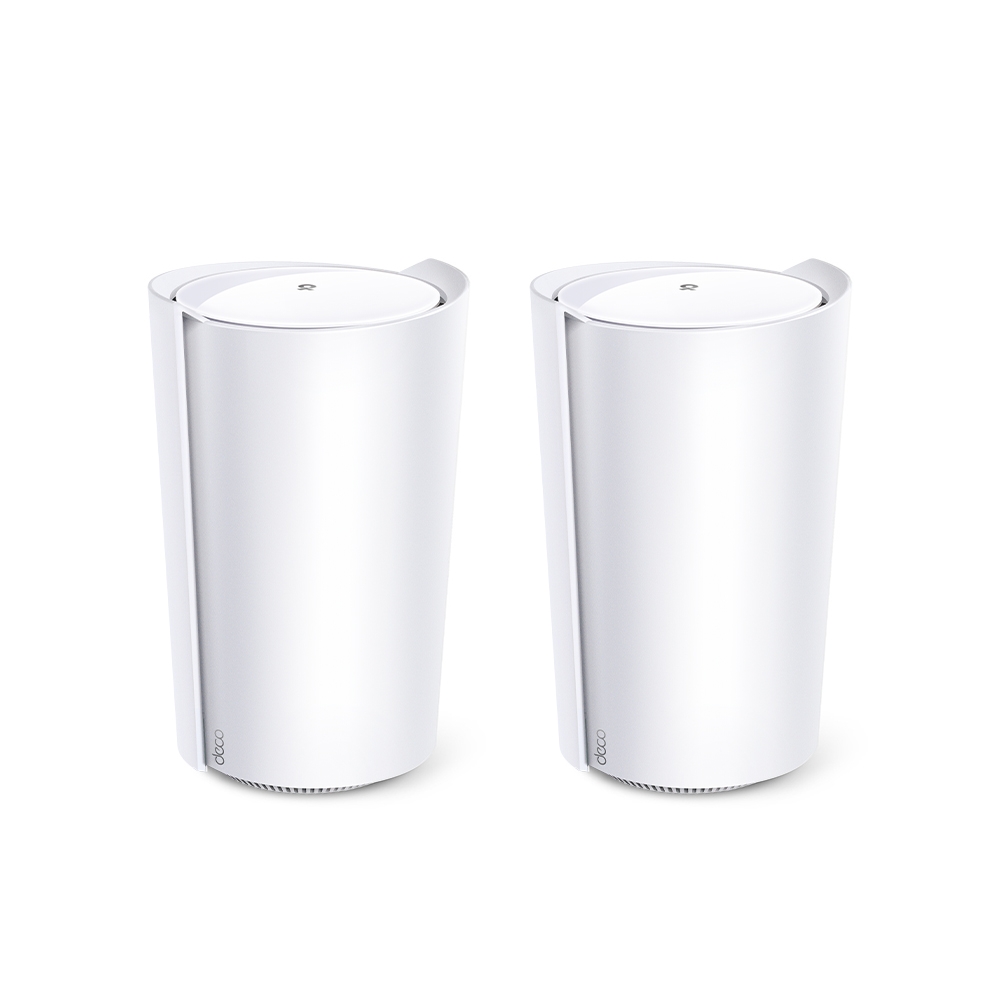
Radio Architecture: Six Streams Versus Eight
The X75's AX5400 class combines 2402 Mbps on each 5 GHz radio with 574 Mbps on 2.4 GHz. Each radio uses two spatial streams, for six across the system. The X95's AX7800 class combines 4804 Mbps on 5 GHz (1), 2402 Mbps on 5 GHz (2) and 574 Mbps on 2.4 GHz. Its faster 5 GHz radio uses four streams; the other radios use two each, for eight total.
These are physical radio rates. They are not one client's internet speed, and they cannot be added to predict a file transfer. A two-stream laptop does not become a four-stream client when connected to the X95. Its result depends on the chosen radio, supported channel width, signal quality, competing traffic and the other end of the connection. The larger radio can provide useful capacity, but it is not proof of doubled application throughput through a brick wall.
Both support Wi-Fi 6 features such as OFDMA and MU-MIMO with suitable clients. Our MU-MIMO explanation describes why client capability matters. Wi-Fi 6 can improve how compatible devices share airtime, but neither a fixed percentage gain over Wi-Fi 5 nor stronger wall penetration is guaranteed for every setup.
Head-to-Head Specifications
| Feature | Deco X75 | Deco X95 |
|---|---|---|
| Wireless bands | 2.4 GHz + 5 GHz (1) + 5 GHz (2) | 2.4 GHz + 5 GHz (1) + 5 GHz (2) |
| Physical rate class | AX5400: 574 + 2402 + 2402 Mbps | AX7800: 574 + 4804 + 2402 Mbps |
| Spatial streams | 2 + 2 + 2; six total | 2 + 4 + 2; eight total |
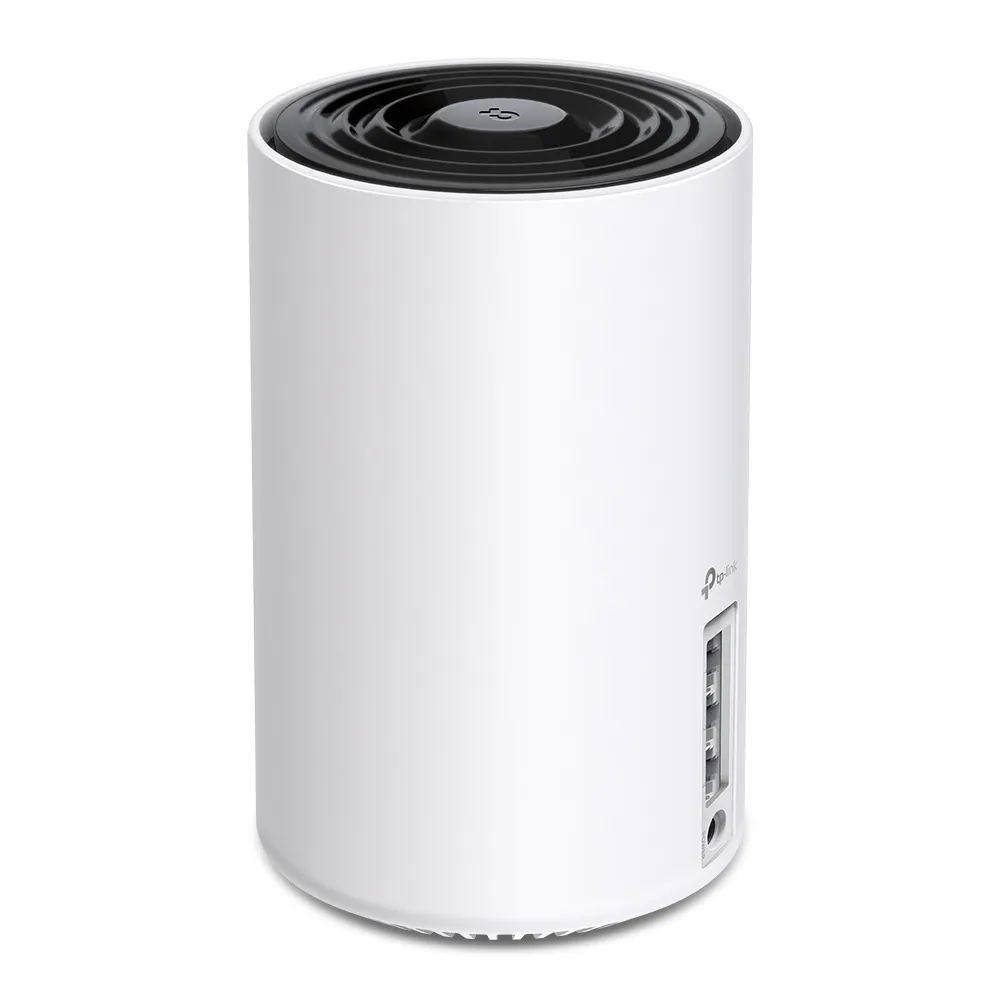
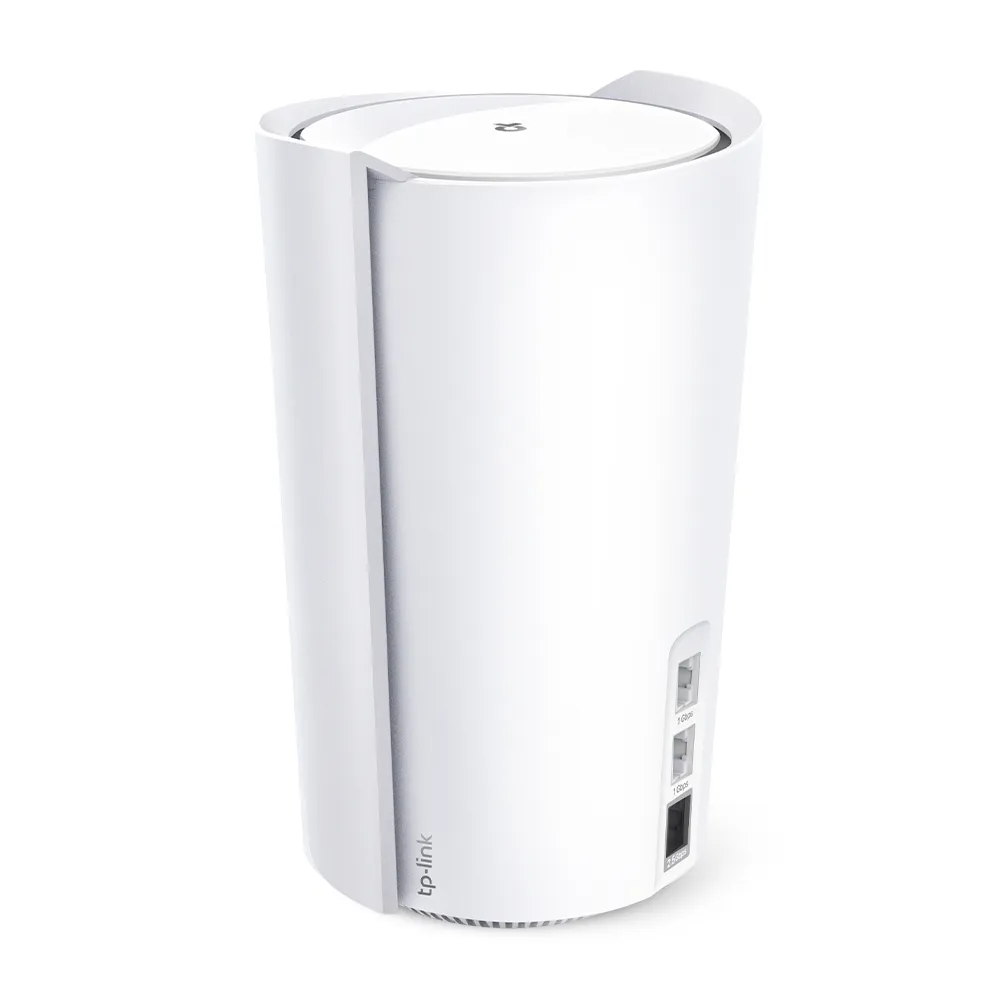
| Ethernet per unit | Three Gigabit WAN/LAN ports | One 2.5 Gigabit plus two Gigabit WAN/LAN ports |
| Internal antennas | Four high-gain antennas | Four high-gain plus two smart antennas |
| Two-unit coverage claim | Up to 5,500 ft² | Up to 6,100 ft² |
| Dimensions | 105 × 105 × 169 mm | 130 × 123 × 210.5 mm |
These figures follow TP-Link's current worldwide product specifications. Both pages advertise connections for up to 200 devices, with conditions on actual client count and performance. That is not a guarantee that 200 devices can each perform heavy transfers simultaneously. Match your regional model and hardware revision to the support documents, especially when comparing older or discounted stock.
Pack size affects the buying decision. The X75's published coverage increases from up to 2,900 ft² for one unit to 5,500 ft² for two and 7,200 ft² for three. X95 is listed up to 3,100 ft² for one and 6,100 ft² for two. These are advertised ceilings rather than floor-plan surveys. A three-pack picture beside a two-pack picture should not be read as proof of equal coverage or value.
The X95's Single 2.5 Gigabit Port
X75's Gigabit ports can limit a connection that needs more than Gigabit, regardless of its wireless rating. That matters for fast broadband and local storage, but is less important when the internet plan and wired clients are slower. There is no need to assume a precise 940 Mbps result for every protocol or device.
X95 provides one faster port per node. Using the main unit's 2.5 Gigabit port for WAN leaves two Gigabit ports for wired clients or wired backhaul. Using it for wired backhaul means the WAN must use a different, Gigabit port in that arrangement. You cannot use the same socket for both links simultaneously. A satellite with its only fast socket occupied by backhaul also leaves Gigabit wired-client ports.
That is why a claimed 2.35 Gbps wired NAS transfer cannot be assumed from the X95 name. Draw the complete path between server and workstation, including ports and switches, before purchasing. The faster socket can be valuable, but does not create an unlimited multi-gigabit network behind it.
How to Evaluate Performance at Home
For meaningful comparison, test the same client, endpoint and room position. Separate an internet test from a local transfer: the first includes the ISP and remote service, while the second helps isolate the home network. Record the client's supported streams and channel width and confirm whether it is connected to the main node or a satellite.
Compare wired and wireless paths where possible. A strong main-node result with a weak satellite result suggests examining the inter-node link or placement. If both are slow, check the client and upstream connection too. Repeat during a busy household period and try the actual call, game or file workflow that matters to you. One best-case speed result does not establish consistent latency or roaming.
Smart Antennas and Placement
TP-Link describes X95's two smart antennas as detecting other Deco units and adjusting antenna pattern arrays to improve their connection. That is a documented design feature, not evidence of a specific phase-calculation algorithm, receiver sensitivity or wall-penetration result. Its larger radio and adaptive antennas are reasonable features to consider for a demanding wireless layout, with results still dependent on the building.
Keep wireless nodes where they can communicate reliably. Moving a satellite closer to the main node can improve the backhaul even if the satellite is farther from one client. A wired link may provide a more predictable path through difficult walls. The best arrangement is found by testing useful positions; more transmit streams do not remove the need for sensible placement.
Busy Homes, Modes and Ongoing Management
Device count alone is a poor measure of load. Quiet sensors, simultaneous camera uploads and several large downloads place different demands on airtime and the internet connection. Check responsiveness while the household is active rather than assuming X95 eliminates queueing or X75 develops a particular ping spike once sixty devices connect.
Both support Router and Access Point modes. In Router mode, Deco supplies gateway services; in AP mode, the existing router does that work. TP-Link's mode comparison explains that gateway functions such as QoS, parental controls and port forwarding are unavailable in AP mode, with features varying by model and software. Choose the mode around the router you already use, and check the controls you need before changing it.
Review the free and paid HomeShield features, install the correct regional firmware and keep security settings compatible with your devices. The larger system is not a substitute for maintenance. Leave vents unobstructed and follow the environment and power instructions; check that performance and responsiveness remain acceptable during your actual household workload.
Backhaul Uses 2.4 GHz and 5 GHz, Not 6 GHz
These systems have two 5 GHz radios, and their extra radio capacity is relevant to wireless mesh communication. The current worldwide X95 overview describes tri-band backhaul rather than promising one permanently exclusive band. Do not assume a particular dedicated-radio assignment for every firmware or mixed-Deco network. Neither model has the 6 GHz link or interference-free highway sometimes associated with Wi-Fi 6E products.
The high-rate 5 GHz figures rely on HE160, where permitted and supported. Wide channels are subject to regional availability and local conditions, so channel width alone does not guarantee stability. Both models support Ethernet backhaul. When configuring cables or switches, follow TP-Link's documented topology and confirm the connection in the app; each link still operates within the capabilities of its ports and equipment.
Which One Fits Your Needs?
Our preference remains X75 for an affordable tri-band Wi-Fi 6 setup with moderate demands, especially when Gigabit wired connections are sufficient. We favor considering X95 for a larger, busier household that can benefit from its radio capacity, adaptive antennas or specific 2.5 Gigabit connection. Compare equal pack sizes and local prices before judging the premium.
If 6 GHz or Wi-Fi 7 features are important for compatible clients, compare products that actually provide them. Neither X75 nor X95 becomes a Wi-Fi 6E system through a newer client. For difficult walls or a need for fast wired paths on both sides of every node, check topology and alternatives before relying on a higher AX rating.
Visit the original official pages for Deco X75 and Deco X95, then verify the regional revision and support details for the units you plan to buy.