Choosing a keyboard can become confusing when every listing promises a better desk setup. Tenkeyless, or TKL, and full-size keyboards answer a simpler question: do you want a permanent numeric keypad beside your typing keys? Both can work well for writing, gaming and office work. The better fit depends on the tasks you perform and the space around your mouse.
What Does Tenkeyless Remove?
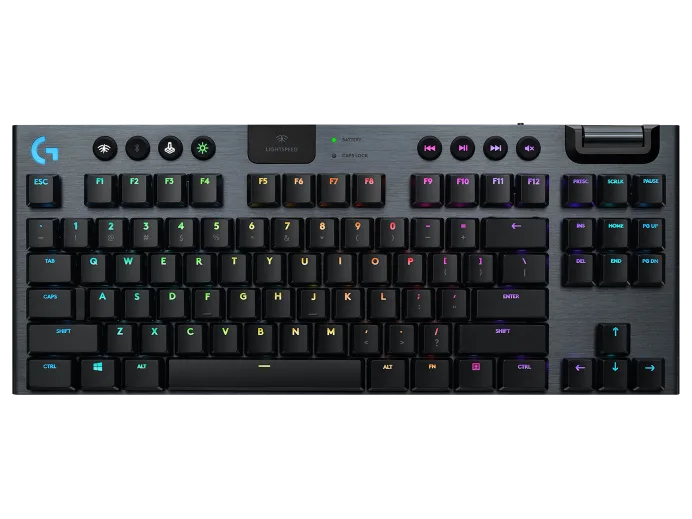
A conventional TKL keyboard removes the separate number pad while retaining the main typing area, function row, arrows and navigation cluster. Keychron's layout explanation describes this familiar arrangement. You can still type numbers with the top number row; “tenkeyless” does not mean numberless.
TKL is often labelled 80%, but that label is a layout category rather than a precise measurement of width or desk space saved. Cases, extra controls and regional layouts differ. Read the key diagram and actual dimensions instead of assuming that every TKL has exactly the same keys or footprint.
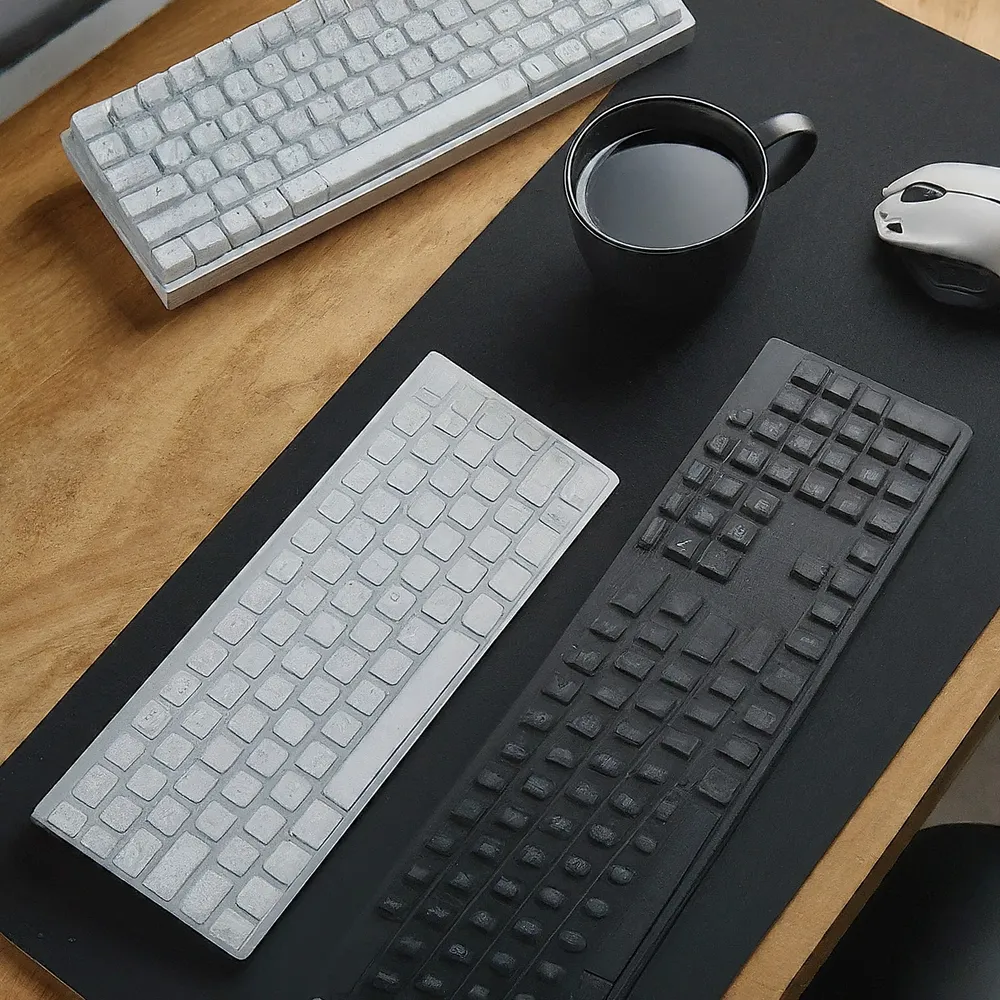
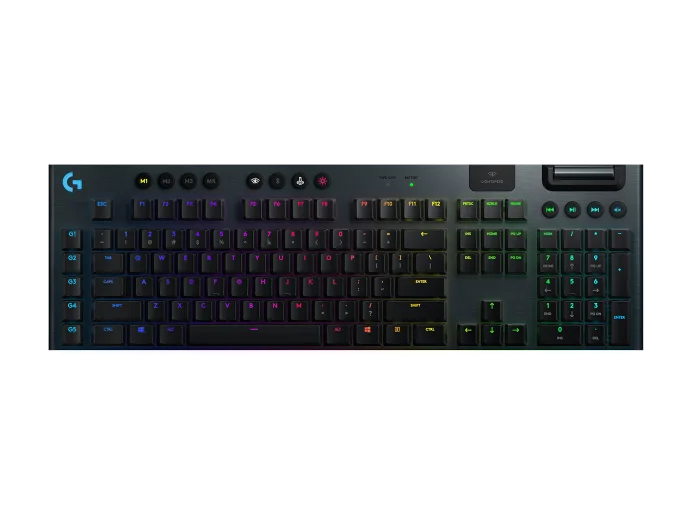
A full-size keyboard adds the numeric keypad, usually on the right. That makes repeated numeric entry convenient for people who use it, while adding width beside the mouse. Full-size does not automatically include dedicated media buttons, and TKL does not automatically remove them. The two keyboards pictured here both have extra controls; those are model features, separate from the presence of a number pad.
TKL: Space, Portability and Trade-offs
The main appeal of TKL is the smaller footprint. It can leave more room for mouse movement on a narrow desk, particularly if you use broad movements in games. It also offers a tidy setup while retaining the keys many people use to edit documents, navigate terminals or work in an editor.
- Mouse room: Less keyboard width can let you position the mouse closer to your typing area. Whether that is more comfortable depends on how you arrange the desk.
- Transport: A shorter keyboard may fit a bag more easily, but check its weight, height and cable arrangement. A heavy metal TKL can weigh more than a lightweight full-size model.
- Numeric entry: The top number row remains available, but it may feel awkward if you are accustomed to entering long columns on a numpad.
- Controls: Check where volume, playback and other shortcuts live. Some models offer buttons or a wheel; others use a function-key combination.
For a conventional TKL, the main adjustment is losing the keypad, rather than relearning ordinary typing or giving up the F1–F12 row. A more compact layout can make different trade-offs. Do not buy a 60% keyboard expecting it to behave exactly like a TKL simply because both omit a numpad.
Full-size: Keep the Keypad at Hand
A full-size keyboard is a sensible choice when the numpad is part of your routine. Entering invoices, quantities or financial figures can be easier with the arrangement you already know. It also avoids finding an external keypad when a spreadsheet or application needs those keys.
Familiarity is a real benefit, but inspect the exact regional layout and key positions. Enter, modifiers and the navigation area can vary between keyboards that are all described as full-size. A different switch feel or key spacing can require adjustment even when the number pad is still present.
The trade-off is a wider case. On a restricted desk or keyboard tray, that may reduce the space available for a mouse, notebook or other tools. Measure the usable area before ordering. Dedicated media controls can be useful on either size: for example, Logitech documents a volume wheel and media buttons on its G915 TKL. Choose those features by model rather than assuming they require a full-size board.
Comfort Comes from the Whole Setup
Reducing keyboard width can help make room for a closer mouse, but it does not guarantee relief from discomfort or prevent injury. Chair and desk height, keyboard angle, reach, breaks and the way you work matter as well. There is no universal keyboard width that makes everyone's posture correct.
OSHA's workstation guidance recommends placing the keyboard in front of you, keeping shoulders relaxed, elbows close to the body and wrists aligned with the forearms. Arrange the mouse and keyboard together. Centre the typing area where you use it, rather than choosing a position solely because it centres the entire case.
Try the arrangement with your actual chair and usual tasks. Can you move the pointer without stretching across the desk? Does the keyboard tray hold both devices? Do the keyboard feet make your wrists bend uncomfortably? A TKL that is poorly positioned can still be awkward, and a full-size keyboard can be comfortable when the workspace accommodates it.
Which Layout Fits Your Work?
| Routine | Why TKL may suit it | Why full-size may suit it |
|---|---|---|
| Writing and browsing | Familiar typing and navigation with less width | Familiar complete layout if space is available |
| Gaming with a mouse | More room for mouse movement | Useful if the game's controls or your bindings use keypad keys |
| Repeated numeric entry | Top-row numbers, or an optional separate keypad | Permanent keypad without another device |
| Coding and editing | Conventional function and navigation keys remain | Keypad available for applications or custom shortcuts that use it |
| Moving between desks | Shorter footprint may fit your bag and temporary desk | Useful when preserving the same keypad workflow matters more than size |
For gaming, compare the keys your actual games require. For development, try your editing and debugging shortcuts; their bindings depend on the application and configuration. For office work, notice whether you use the numpad every few minutes or only occasionally. These observations are more useful than assuming one layout makes every gamer, developer or accountant faster.
Separate Keypads and Programmable Layers
A TKL with a separate numpad can provide a useful middle ground. Bring out the keypad for a session of numeric entry and put it away afterwards. You can also try another position, including the left side if that suits your work. Account for its cost, connection, batteries if wireless, and the space it needs while in use.
Some programmable keyboards support layers that give existing keys another function. QMK documents momentary and toggled layers, so a supported board can offer additional mappings without adding physical keys. That does not mean every TKL supports QMK or that a virtual keypad feels as fast or familiar as a physical one. Check the manufacturer's software, operating-system compatibility and how you return to normal typing before relying on remapping.
A Practical Buying Check
Before deciding, list your frequently used keys and compare them with the exact layout. Measure the keyboard area plus the mouse space you want, and include any separate keypad in that plan. Check connection options, required software, regional legends, weight and the return policy. If possible, try the shape and key feel in person.
My recommendation remains to match the layout to your daily tasks: TKL is appealing for space-conscious desks and portable setups; full-size is appealing when a permanent numpad and familiar arrangement matter. Keep the keypad if you use it regularly. Choose TKL if you would rather have that space for your mouse, without expecting the layout alone to solve every comfort or productivity issue.