Building your own homelab is definitely one of the most satisfying and rewarding experiences, especially considering the cost savings and being in full control of your data. But as we have shown previously, there are a lot of considerations to take into account like security and performance. With an ever-growing homelab setup, it is merely a matter of time before multiple services will need to start talking to each other and some applications benefit from a dedicated broker to decouple producers from consumers. Applications must explicitly integrate with that broker; installing it does not connect unrelated services automatically. That is where a message broker, like RabbitMQ or Kafka comes in.
Homelab Use Cases: Where Do Message Brokers Fit?
Before we compare, let's see where these tools shine in a self-hosted environment:
RabbitMQ Use Cases:
- Task Queues: Offload heavy tasks from your web applications (e.g., image processing, file conversions) to background workers. Imagine your home media server generating thumbnails in the background.
- Microservices Communication: If you're experimenting with a microservices architecture for your self-hosted apps, RabbitMQ can enable synchronous or asynchronous communication between them. Think of separate containers for your media library, download manager, and streaming server talking to each other.
- Smart Home Automation: Integrate different smart home devices and services. For instance, a motion sensor triggering an alert notification or a light turning on.
- Email Sending: Queue outgoing emails from your self-hosted applications to prevent blocking user requests.
Kafka Use Cases:
- Centralized Logging: Aggregate logs from all your self-hosted services into a central location for easier monitoring and analysis (using tools like Elasticsearch and Kibana - the ELK stack).
- Metrics Collection: Gather performance metrics from your various applications and servers for dashboards and alerting (think Prometheus and Grafana).
- Event Sourcing: If you're building more complex applications, Kafka can store a durable history of events, ordered within each partition, allowing you to rebuild application state or analyze past activity. Imagine tracking all changes to your home automation rules.
- Real-time Data Pipelines: For more advanced homelabs dealing with sensor data or continuous data streams, Kafka can handle high-throughput ingestion and processing.
RabbitMQ vs. Kafka: The Nitty-Gritty Comparison
| Feature | RabbitMQ | Kafka |
|---|---|---|
| Core Concept | Message routing, queues and streams | Partitioned event-streaming platform |
| Message Flow | Messages routed to specific queues and consumers | Messages stored in topics and partitions; consumers pull data |
| Data Handling | Queue messages normally removed after acknowledgement; streams support retention and replay | Messages persisted for a configurable duration |
| Scalability | Good for moderate throughput; clustering can be complex | Designed for high throughput and horizontal scaling |
| Durability | Highly configurable with acknowledgements and persistence | Built-in replication and persistence |
| Complexity | Generally easier to set up and manage for basic use cases | More complex to set up and manage, especially clustering |
| Use Cases | Task queues, microservices communication, routing | Logging, metrics, event sourcing, real-time pipelines |
| Message Format | Flexible (can handle various formats) | Primarily designed for byte streams |
| Consumer Model | Consumers actively receive pushed messages | Consumers actively poll for messages |
Where Each Shines: Examples in Your Homelab
- RabbitMQ for the Busy Homesteader: Imagine you've set up a self-hosted photo gallery. When you upload a batch of photos, you don't want your web server to grind to a halt while generating thumbnails. RabbitMQ can act as the middleman, placing "generate thumbnail" tasks in a queue. Separate worker processes can then pick up these tasks and process them in the background, keeping your gallery responsive. Similarly, if you have a notification system for your smart home, RabbitMQ can route alerts to the appropriate services (e.g., sending a push notification to your phone when a door opens).
- Kafka for the Data-Driven Homelab: Let's say you're running multiple self-hosted applications like a web server, a database, and a media server. You want to monitor their performance and identify potential issues. Kafka can act as a central hub for all their log data and metrics. Each application can publish its logs and metrics to separate Kafka topics. A compatible consumer or connector can feed a search or analytics system. Prometheus normally scrapes metrics endpoints, and Grafana queries configured data sources; neither automatically consumes every Kafka topic merely because it is installed. If you're experimenting with collecting data from various sensors in your home, Kafka's ability to handle high-volume, real-time data makes it a strong contender.
Limitations: The Trade-offs
RabbitMQ Limitations:
- Scaling for High Throughput: While clustering is possible, scaling RabbitMQ to handle extremely high message throughput can become complex and resource-intensive.
- Message Retention: Ordinary queues and streams have different semantics. Acknowledged queue messages are normally discarded; RabbitMQ Streams retain a log and permit replay. Persistence protects queued data against some failures, but does not by itself turn a consumed queue into an event history.
Kafka Limitations:
- Complexity: Setting up and managing a Kafka cluster, with partitions, retention, controller quorum and client configuration, can be more challenging than a single RabbitMQ instance.
- "Overkill" for Simple Tasks: For very basic messaging needs, Kafka's powerful features might be unnecessary complexity.
- Resource Consumption: Kafka clusters can be more resource-intensive in terms of RAM and disk space, especially when retaining data for extended periods.
Homelab Hosting Architecture
RabbitMQ:
- Single Instance: The simplest setup is a single RabbitMQ instance running in a Docker container or directly on your server. This is suitable for basic homelab needs.
- Clustered Setup: For increased availability and throughput, you can set up a RabbitMQ cluster across multiple machines or VMs in your homelab. This involves configuring the Erlang distribution and ensuring network connectivity between nodes.
Kafka:
- Single Broker (Not Recommended for Production): While possible for testing, a single Kafka broker isn't fault-tolerant.
- Multi-Broker Cluster: A typical Kafka setup involves multiple brokers to provide redundancy and scalability. Kafka 4.0 and later support KRaft only; ZooKeeper mode was removed. Older ZooKeeper-based installations need the documented migration path before upgrading. Each broker can also be run in a Docker container or directly on separate machines/VMs.
Conclusion: Choosing Your Messaging Weapon
Both RabbitMQ and Kafka are powerful tools, but they cater to different needs in your homelab.
- Choose RabbitMQ if you primarily need task queues, flexible routing, and easier setup for applications with moderate message throughput. It's great for inter-service communication and background processing.
- Choose Kafka if your focus is on high-throughput data streams, centralized logging and metrics, event sourcing, and scenarios where message persistence and replayability are crucial.
Ultimately, the best choice depends on the specific projects you're undertaking in your self-hosting journey. You might even find scenarios where using both tools in conjunction makes sense! Happy hosting!
Short Comparison:
| Feature | RabbitMQ | Kafka |
|---|---|---|
| Best For | Task queues, flexible routing | High-throughput data streams |
| Complexity | Generally simpler | More complex |
| Data Flow | Exchanges and queues; streams also available | Partitioned retained log with consumer groups |
| Persistence | Configurable | Built-in |
Start with an isolated learning deployment
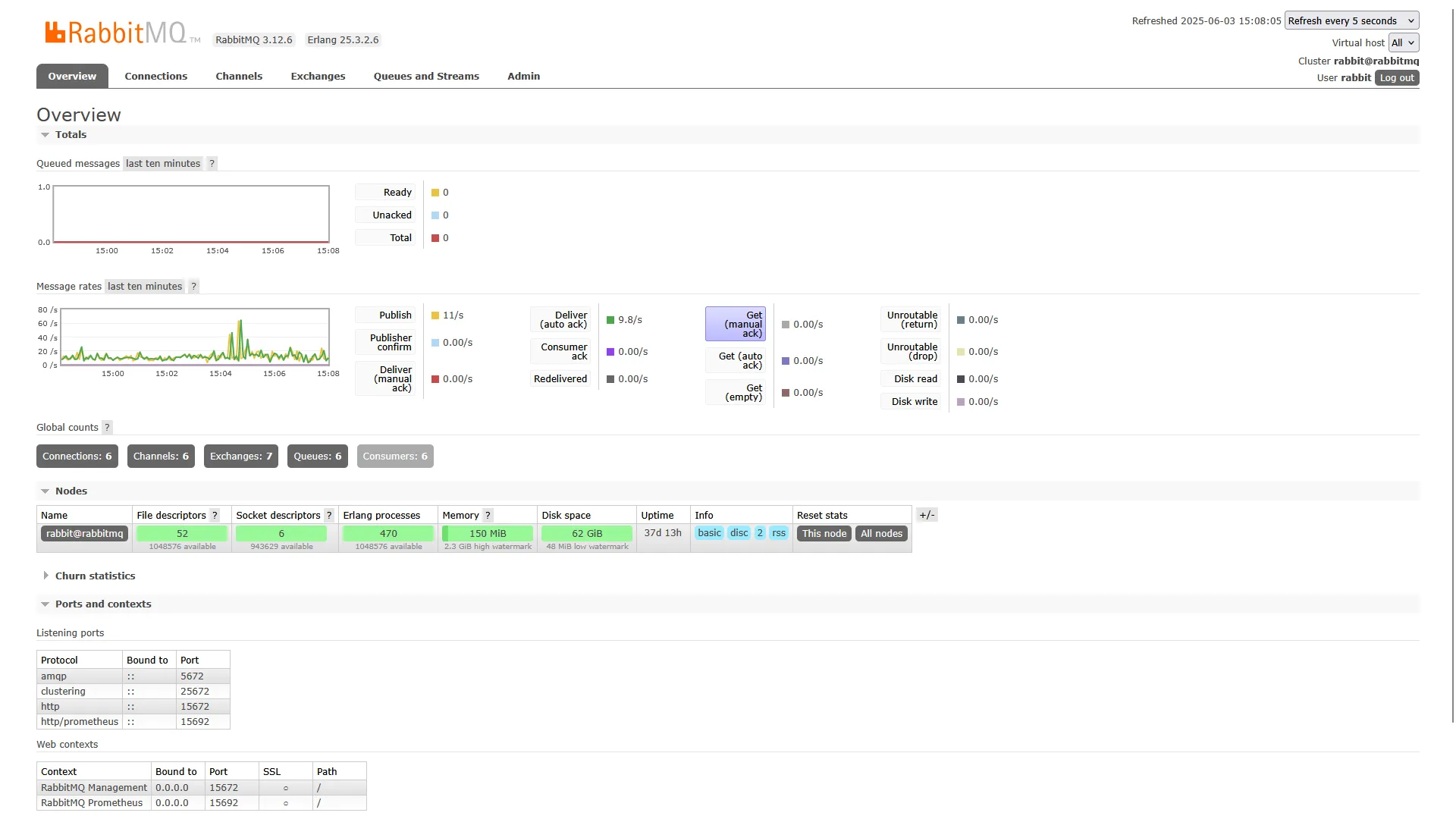
For RabbitMQ, the management image includes a useful browser dashboard alongside the broker. Use the project’s current container documentation, create your own credentials, persist its data directory and restrict published ports to the intended clients. The dashboard port is not the AMQP port. Avoid an example password copied unchanged into a shared installation.
For Kafka, use the versioned Apache quick start and its matching container image. Its one-node example is a learning environment. An advertised listener is the address clients receive from broker metadata: localhost means the client’s own machine or container, so it is unsuitable for other containers or LAN clients unless that is truly their route to the broker.
A persistent deployment requires the image’s actual data and metadata configuration, volume permissions, stable node identity and a planned upgrade path. Do not assume that mounting an arbitrary directory enables persistence. A single broker or several replicas on one physical disk do not survive loss of that host. Authentication, authorization and transport encryption are separate configuration tasks from starting a container.
Delivery semantics matter more than a broker label
In RabbitMQ, publisher confirms tell a producer that the broker has accepted responsibility for a message. Consumer acknowledgements tell the broker that delivery has been handled. They are separate signals: a publisher confirm is not proof that a thumbnail was generated or an email was sent. A worker should acknowledge only after its intended work succeeds, with a deliberate retry or dead-letter policy for failures.
A worker can finish a job and lose its connection before acknowledging. Redelivery can then produce duplicate work. Use a stable job identifier and make operations idempotent where possible, such as updating an existing thumbnail record instead of creating a second one. Limit in-flight deliveries so slow workers do not receive more tasks than they can safely manage.
In Kafka, retention and consumer offsets are separate: reading a record does not automatically delete it from the topic. Order is within a partition, so choose event keys carefully when related updates need the same order. Retention limits can remove old records before a lagging consumer catches up. Replication and producer acknowledgement settings also affect what survives broker failure; the product name alone is not a delivery guarantee.
Choose the protocol your applications support
Before adding infrastructure, check the application’s supported integration. Many smart-home services speak MQTT; a broker designed for MQTT may be a more direct fit than rewriting producers and consumers for Kafka. A task framework may already document RabbitMQ or Redis. Evaluate NATS or another system only against a specific need such as request/reply, streams or operational familiarity.
Compare resource use under your actual queue depth, retention and connection count. Fixed idle-RAM tables cannot predict a deployment with different versions, message sizes and workloads. Measure disk growth, backlog or consumer lag, processing time and recovery after a worker stops. A broker helps decouple services, but it also becomes another component you must monitor and back up.